
[Core Function] Seedream 5.0 Pro is ByteDance's flagship professional-grade Text-to-Image (T2I) generation model. [Strengths] It delivers top-tier image quality with enhanced precision control over positions and elements, superior prompt adherence, and improved generation consistency for professional scenarios. [Best For] Highly recommended for: professional design assets, high-fidelity photorealistic imagery, precisely controlled compositions, and brand or commercial visuals where quality matters most. [Limitations] Do NOT use this model for batch image generation or streaming output; it generates exactly one image per request and supports up to 2K resolution (no 3K/4K). [Routing] Choose this Pro model when the user emphasizes ultimate quality or precision. Choose Seedream 5.0 Lite when real-time web knowledge, batch generation, or 3K resolution is needed. To edit an existing image use Seedream 5.0 Pro Edit; to blend multiple reference images use Seedream 5.0 Pro Multi-Reference.

[Core Function] Nano Banana 2 Lite (Gemini 3.1 Flash Lite Image) is the lightweight, cost-efficient text-to-image model of the Nano Banana 2 family. [Strengths] It generates images even faster and more cheaply than Nano Banana 2, well suited to high-volume creative and stylized output at lower cost. [Best For] Highly recommended for: high-volume batch generation, quick drafts and thumbnails, and cost-sensitive creative iteration. [Limitations] Do NOT use this model when you need maximum detail, high-end photorealism, or the richest quality; use Nano Banana 2, Nano Banana Pro, or the Imagen 4 series instead. [Routing] Choose the Lite variant when cost and throughput matter more than peak quality; step up to Nano Banana 2 for richer results.

[Core Function] Grok Imagine Image is xAI's standard text-to-image generation model. [Strengths] It excels at quickly generating solid, visually appealing images from a text prompt across a wide range of aspect ratios. [Best For] Highly recommended for: rapid prototyping, social media content, and general-purpose image generation. [Limitations] Do NOT use this model when maximum detail or fidelity is required; the Quality variant produces richer detail. [Routing] Choose this model for fast, general image generation. When the user demands maximum fidelity, route to Grok Imagine Image (Quality).

[Core Function] Grok Imagine Image (Quality) is xAI's high-fidelity text-to-image generation model. [Strengths] It excels at producing richly detailed, high-quality images from a text prompt, with flexible aspect ratios and an optional 2K resolution. [Best For] Highly recommended for: detailed concept art, marketing visuals, and any scenario where image quality is prioritized over generation speed. [Limitations] Do NOT use this model when latency is critical, as generation is slower than the standard model. [Routing] Use this model by default when the user emphasizes quality or detail. For faster, lighter generation use Grok Imagine Image (standard).

[Core Function] MAI Image 2.5 Flash is Microsoft's fast, cost-efficient text-to-image generation model. [Strengths] It excels at quickly generating solid images from a text prompt with the same dimension controls as MAI Image 2.5. [Best For] Highly recommended for: rapid prototyping, batch generation, and cost-sensitive workloads. [Limitations] Do NOT request dimensions below 768 on any side or a width x height product above 1,048,576 pixels; output is always PNG, and maximum fidelity is lower than MAI Image 2.5. [Routing] Choose this model when speed or cost matters more than maximum fidelity. For the highest quality, use MAI Image 2.5.

[Core Function] MAI Image 2.5 is Microsoft's flagship text-to-image generation model. [Strengths] It excels at producing high-quality, detailed images from a text prompt with precise control over output dimensions. [Best For] Highly recommended for: concept art, marketing visuals, and high-fidelity image generation. [Limitations] Do NOT request dimensions below 768 on any side or a width x height product above 1,048,576 pixels (e.g. beyond 1024x1024); output is always PNG. [Routing] Use this model by default for quality-sensitive generation. For faster, cheaper generation, route to MAI Image 2.5 Flash.

[Core Function] GPT Image 1.5 is a versatile text-to-image generation model. [Strengths] It balances solid visual performance with crucial utility features, notably its native support for generating images with transparent backgrounds. [Best For] Highly recommended for: creating UI icons, standalone logos, game assets, and any graphic design elements that require a transparent background. [Limitations] Do NOT use this model if you need 2K or 4K resolution. Its maximum supported resolution is 1536x1024. [Routing] Choose this model specifically when the user asks for 'transparent background', 'no background', or 'PNG icon'. For standard, high-fidelity, or 4K image generation, use GPT Image 2 instead.
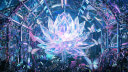
[Core Function] GPT Image 2 is a state-of-the-art text-to-image generation model. [Strengths] It excels at generating highly detailed, photorealistic images from text descriptions, with native support for ultra-high resolutions including 2K and 4K (up to 3840x2160). [Best For] Highly recommended for: cinematic landscapes, detailed character portraits, high-end commercial concept art, and any scenario requiring maximum resolution and visual fidelity. [Limitations] Do NOT use this model if you need a transparent background (e.g., for icons or UI assets), as it does not support the `background: transparent` parameter. [Routing] Use this model by default for all high-quality image generation requests. If the user explicitly asks for an image with a transparent background, route to GPT Image 1.5 instead.

[Core Function] Kling V3 T2I is the flagship text-to-image model (POST /images/generations, model_name=kling-v3). [Strengths] High aesthetic quality, prompt adherence, 1K/2K. [Best For] Concept art and photorealistic generation without a reference image. [Limitations] No reference image; for I2I use kling-v3-i2i; for multi-image/series use kling-v3-omni-image. [Routing] Default for Kling text-to-image.