
Seedance has no open weights, so you cannot download it into ComfyUI the way you would Wan or Flux. You call it through an API node instead. We installed one on a laptop with no graphics card, ran Seedance 2.5, 2.0, 2.0 Fast, and 2.0 Mini from the same workflow, and paid $3.50 for all four clips.
Below: what ComfyUI is actually good at, the three ways to get Seedance into it, a step-by-step setup with a workflow you can paste, all four clips side by side, and what a 6-second clip costs on each route.
What ComfyUI Is Good At, and Where Seedance Fits
ComfyUI is a node editor for generative media. Every step of a generation (load an image, write a prompt, run a model, save the file) is a box on a canvas, and you wire the boxes together. Three things make people stay:
- The whole pipeline is visible. You can see exactly which image, prompt, and settings produced a result, and change one without touching the rest.
- Workflows are files. A graph saves as JSON, so you can share it, version it, or load someone else's in one drag.
- Steps chain. The output of one node feeds the next: generate a still, upscale it, animate it, add sound, all in one run.
The catch is hardware. Open video models run on your own GPU; ComfyUI's own guide puts the smallest Wan 2.2 model (5B) at around 8 GB of VRAM even with offloading. And closed models like Seedance do not run locally at all. For those, ComfyUI uses API nodes: the node sends your inputs to a hosted model and returns the result as a normal VIDEO output, so the rest of your graph does not care where it came from.
Three ways to run Seedance in ComfyUI
| Route | Billing | 2.0, 6 s 720p | Models | Install |
|---|---|---|---|---|
| Comfy Partner Nodes | Comfy credits, per token | $1.30 | One node per partner model | Built in |
| Modellix Generate | Modellix balance, per second | $0.91 | 200+ models, one node | git clone |
| MuAPI community node | MuAPI balance | Own tiers, not comparable | Seedance only | Git URL |
The Partner Nodes price is calculated from Comfy's published rate and formula; the Modellix price is what our clip was billed.
200+ Models, One ComfyUI Node
Seedance, Kling, Veo, Wan, and Nano Banana from the same Generate node. Pay per second, no GPU, no Comfy credits.
Get API KeyHow to Run Seedance 2.0 in ComfyUI, Step by Step
This is the setup we used: ComfyUI 0.42.3 on a MacBook with no discrete GPU, started with --cpu. Total install was about 1.8 GB, almost all of it ComfyUI's own Python packages.
What you need
- ComfyUI 0.40.0 or later. The node checks the version at startup and refuses to load on older builds.
- Python 3.10 or later, the same interpreter that runs ComfyUI.
- A Modellix API key with some balance, from the console.
Step 1: Install the node
The node is installed from GitHub for now; it is not in ComfyUI Manager yet. From your ComfyUI folder:
git clone https://github.com/Modellix/modellix-comfyui.git custom_nodes/modellix-comfyui
python -m pip install -r custom_nodes/modellix-comfyui/requirements.txt
On the Windows portable build, run the second line with python_embeded\python.exe. Restart ComfyUI, then search the node menu for Modellix Generate.
Step 2: Add your API key
Open Settings → Modellix → API Key. Session Only keeps the key until ComfyUI closes; Secure Save stores it in macOS Keychain, Windows Credential Manager, or your Linux keyring. Either way the key never lands in the workflow JSON or in the metadata of saved images, so you can share a workflow without leaking it. Setting MODELLIX_API_KEY before launch works too.
Step 3: Build the workflow
Three nodes: Load Image → Modellix Generate → Save Video. In Generate, search "seedance" and pick bytedance/seedance-2.0-i2v. The form below the picker is built from the model's live schema, so the fields (duration, resolution, ratio, audio) always match what the model accepts. Set first_frame_image to Connect IMAGE and wire Load Image into it.

To skip the clicking, save this as a .json file and drag it onto the canvas. It is the exact graph behind our Seedance 2.0 clip; put your own image in ComfyUI's input folder and change the file name.
{
  "1": {
    "class_type": "LoadImage",
    "inputs": {
      "image": "orvel-lifestyle.png"
    }
  },
  "2": {
    "class_type": "ModellixGenerate",
    "inputs": {
      "model_slug": "bytedance/seedance-2.0-i2v",
      "parameters_json": "{\"version\": 1, \"values\": {\"prompt\": \"A woman's hand enters from the right, picks up the serum bottle and turns it so the label faces the camera, then sets it back down. Slow push-in, warm morning light moving across the amber glass. Keep the bottle shape, the black dropper cap, and the 'ORVEL' label text exactly as shown.\", \"duration\": 6, \"resolution\": \"720p\", \"ratio\": \"16:9\", \"generate_audio\": false}, \"branches\": {}}",
      "schema_hash": "",
      "bindings_json": "{\"version\": 1, \"bindings\": [{\"socket\": \"images.slot0\", \"pointer\": \"/first_frame_image\"}]}",
      "node_instance_id": "seedance-comfyui-demo",
      "run_nonce": "run1",
      "mode": "Wait",
      "resume_task_id": "",
      "timeout": 1800,
      "images.slot0": [
        "1",
        0
      ]
    }
  },
  "3": {
    "class_type": "SaveVideo",
    "inputs": {
      "video": [
        "2",
        1
      ],
      "filename_prefix": "seedance-comfyui/seedance-2-0-i2v",
      "format": "auto",
      "codec": "auto"
    }
  }
}
Step 4: Run it, and pick up results later if you need to
Press Run. With mode set to Wait, the node submits once, waits, downloads the MP4, and hands a native VIDEO to Save Video. Our Seedance 2.0 clip took 216 seconds from Run to file.
For longer jobs, set mode to Submit only: the node returns a task ID right away, and a Get Task node fetches the video when it is ready, even after a restart. Pressing Run again on an unchanged graph does not pay twice. When we re-ran a finished workflow, the node reported "Existing attempt · success" and made zero new generation requests. Use New Attempt when you actually want a fresh take.
Seedance 2.5 vs 2.0 vs Fast vs Mini in ComfyUI: Same Image, Same Prompt
We kept the graph above and changed only the model dropdown. Input: the product photo from our AI product video generator test. Settings: 6 seconds, 720p, 16:9 (adaptive for 2.5, see Troubleshooting), audio off, one take each.
A woman's hand enters from the right, picks up the serum bottle and turns it so the label faces the camera, then sets it back down. Slow push-in, warm morning light moving across the amber glass. Keep the bottle shape, the black dropper cap, and the 'ORVEL' label text exactly as shown.
Same Load Image, same prompt, only the model dropdown changed. Generated in ComfyUI with the Modellix Generate node: 6 seconds, 720p, audio off.
| Model | Run → file | Billed | Label | What we saw |
|---|---|---|---|---|
 Seedance 2.5 Seedance 2.5 |
146 s | $1.39 | Readable | Followed the "light moving" cue hardest: a sun flare sweeps the glass and briefly washes out the bottle around the 3 second mark. Label returns sharp. |
| Seedance 2.0 |
216 s | $0.91 | Readable | Biggest tilt toward camera, label and dropper intact the whole way. Also the slowest to come back. |
| Seedance 2.0 Fast |
82 s | $0.72 | Readable | Nearly the same motion as 2.0, label just as clean, in well under half the wait. |
| Seedance 2.0 Mini |
102 s | $0.48 | Readable | Smallest move of the four, but the sharpest label in the batch. Cheapest by a wide margin. |
All four kept "ORVEL" and "30 ml" readable and the dropper cap intact, which is the part product shots usually get wrong. The differences were motion and price:
- Most clips per dollar: Seedance 2.0 Mini at $0.48. Its move was the smallest, which is also why its label stayed sharpest.
- Fastest feedback loop: Seedance 2.0 Fast, back in 82 seconds with motion close to full 2.0. Good default for iterating on a prompt.
- Most cinematic: Seedance 2.5. It took the lighting instruction literally, flare and all. It also goes to 30 seconds and 1080p, which 2.0 Fast and Mini do not.
- Full 2.0 was the slowest at 216 seconds and sat between Fast and 2.5 on look. Use it when you need 1080p or 4K, or its reference-image and audio inputs.
How an API Node Makes ComfyUI Do More
ComfyUI's strengths are control, reuse, and chaining. An API node keeps all three and removes the two limits: VRAM and the models you are allowed to run.
Why Modellix is the best API for ComfyUI workflows
What the Generate node adds to ComfyUI
- One node, 200+ models. Seedance, Kling, Veo, Wan, Nano Banana, and speech models sit in the same dropdown. Our four-model comparison was one graph and four dropdown changes; with per-model nodes it would have been four graphs.
- About 30% less per clip than Partner Nodes. Our four 6-second clips cost $3.50 in total. The same four through Comfy credits would be about $4.97. You pay per second from a Modellix balance, with no credit packs.
- Built for real pipelines. Native IMAGE / VIDEO / AUDIO in and out, so results chain into upscalers or editors. Re-runs reuse paid tasks, Get Task recovers jobs after a crash, and keys stay out of shared workflow files.
| Model, 6 s at 720p | Comfy Partner Nodes (calculated) | Modellix (billed) |
|---|---|---|
| Seedance 2.5 |
418 credits ≈ $1.98 | $1.39 |
| Seedance 2.0 |
274 credits ≈ $1.30 | $0.91 |
| Seedance 2.0 Fast |
219 credits ≈ $1.04 | $0.72 |
| Seedance 2.0 Mini |
137 credits ≈ $0.65 | $0.48 |
Partner Nodes figures use Comfy's 720p no-video-input rate × (6 s × 1280 × 720 × 24 fps ÷ 1024) tokens, at 211 credits per dollar. If you connect a reference video, Comfy's per-token rate drops but you also pay for the input video's duration, so run the numbers for your own graph.
Six ways to run these models
Playground
No code. Sign in, open a model page such as Seedance 2.0 I2V, upload your image or paste a prompt, and the clip, time, and cost show up in your browser. Best for picking a shortlist.
Coding agent, no install
Paste one sentence into Claude Code, Codex, or Cursor and let it read the docs:
My Modellix API key is mdlx-••••••••••••••••••••••••. Read https://docs.modellix.ai/get-started/index.md and https://docs.modellix.ai/bytedance/seedance-2.0-i2v.md, then turn every image in ./frames into a 6-second 720p clip with bytedance/seedance-2.0-i2v using the prompt in prompt.txt, audio off. Run at most 4 tasks at a time, save the MP4s to ./videos, and report what each one cost.
Swap in your own key from the console, and only share it with agents you trust.
Agent Skill
Install the skill once and your agent reads each model's schema and fills in the request fields itself. Name the model in your prompt; if you don't, it asks which one to run. Works in any Agent Skills host. Setup is in the Skill guide.
npx skills add https://github.com/Modellix/modellix-plugin --skill modellix-design
Plugin
If your host has a plugin marketplace (Claude Code, Codex, Cursor), the plugin adds six skills (generation, image prompts, social cards, infographics, and local edits with FFmpeg or MoviePy) plus the Media Generation MCP, so commands like /modellix:video and /modellix:social-card work out of the box. In Claude Code, run /plugin marketplace add Modellix/modellix-plugin, then /plugin install modellix@modellix. Other hosts are in the Plugin guide.
CLI
For scripts and cron jobs. One command submits the task, waits, and prints the result URL; modellix-cli model batch takes a JSONL file for a whole list. See the CLI guide.
npm install --global modellix-cli
modellix-cli model run --model-slug bytedance/seedance-2.0-i2v --body-file request.json --wait
REST API
Submit, keep the task_id, poll, then download before the result URL expires. Field names vary by provider, so check each model's schema in the API guide.
Start from a prompt that already works
Prompts from earlier Modellix tests that already work. Paste one into the Generate node and swap the model. Generated on Modellix.
Multi-shot story in one call
“Shot 1: close-up of a chef's hands plating a dessert. Shot 2: wide shot of the busy restaurant kitchen. Shot 3: the chef looks up and smiles at the camera. Warm cinematic lighting.”
Food and product detail
“Honey pours slowly over a stack of pancakes topped with berries, steam rising, macro shot, bright breakfast light.”
Dialogue with sound
“Two friends share noodles at a rainy night street-food stall. The man laughs and says, "You still owe me dinner." Steam rises, neon reflects on the wet pavement, handheld camera, natural ambient sound.”
Camera move and expression
“Slow dolly-in on a woman sitting alone at a dim jazz bar counter, warm tungsten light. As a spotlight sweeps across her face, her expression shifts from calm to quiet surprise. Shallow depth of field, 35mm film look.”
Troubleshooting Seedance in ComfyUI
"The parameter ratio specified in the request is not valid"
We hit this on Seedance 2.5. When you give it a first frame, the output ratio follows the image, so a fixed ratio like 16:9 is rejected. Set ratio to adaptive. The failed task was not billed.
The node does not show up after install
Check the ComfyUI version. Below 0.40.0 the package prints a compatibility message and loads nothing. Update ComfyUI, reinstall the requirements with the same Python, and restart.
Run is blocked after the model changed
Model schemas change upstream. When a saved workflow's fields no longer match, the node blocks Run until you review the affected fields and click Accept Reviewed Schema, so a changed parameter cannot slip into a paid request unnoticed.
The run timed out or ComfyUI crashed mid-job
Do not re-queue a fresh generation. Copy the task ID from the node (or click Recover in Get Task) and let Get Task fetch the finished video.
1080p is missing from the resolution list
Seedance 2.0 Fast and Mini top out at 720p. Switch to Seedance 2.0 (up to 4K) or 2.5 (up to 1080p).
FAQ About Seedance in ComfyUI
Is Seedance 2.0 available in ComfyUI?
Yes, through API nodes. Comfy's own Partner Nodes include Seedance and bill Comfy credits; the Modellix Generate node runs Seedance 2.0, 2.0 Fast, 2.0 Mini, and 2.5 from a Modellix key. If you want to try all of these models without signing up for each one, Modellix is the fastest and most cost-effective way in: one account, one key, pay per second.
Can I run Seedance locally in ComfyUI?
No. ByteDance has not released Seedance weights, so every Seedance workflow calls a hosted model. Your graph, inputs, and outputs stay in your local ComfyUI; only the generation step runs remotely.
Do I need a GPU to use Seedance in ComfyUI?
No. We ran all four models on a laptop with ComfyUI in CPU mode. The GPU work happens on the provider's side.
How much does Seedance cost in ComfyUI?
On Modellix our 6-second 720p clips cost $0.48 (Mini) to $1.39 (2.5). Through Comfy Partner Nodes the same clips work out to about $0.65 to $1.98 in credits.
Which Seedance model should I use?
Start with 2.0 Fast to dial in the prompt, use Mini for volume, and move to 2.0 or 2.5 for the final cut or when you need 1080p and longer clips.
Is the Modellix node in ComfyUI Manager?
Not yet. Install it with git clone as shown above, and update it with git pull plus a requirements reinstall.
Can I use Seedance 2.5 in ComfyUI?
Yes. Pick bytedance/seedance-2.5-i2v (or the t2v, r2v, and v2v variants) in the Generate node. Remember to set ratio to adaptive when you connect a first frame.
Related articles
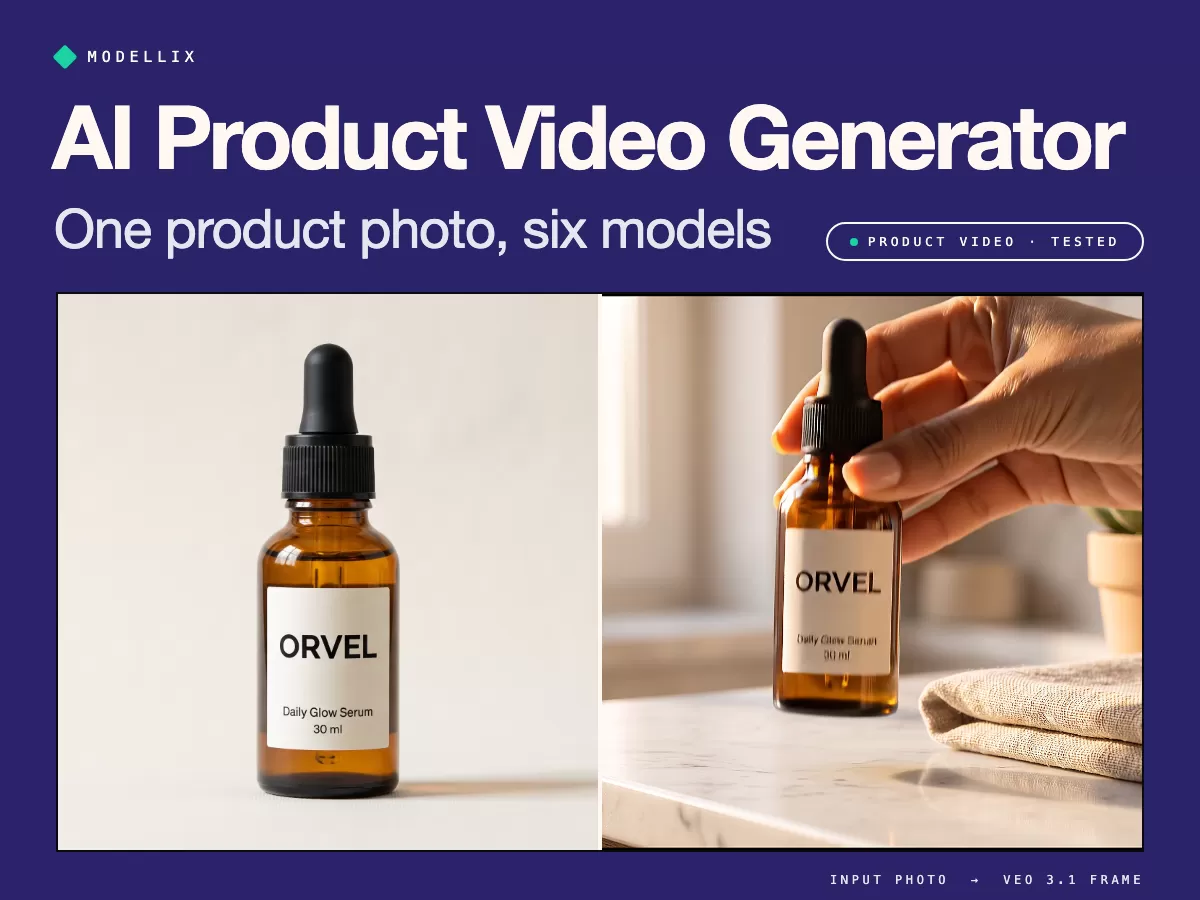
AI Product Video Generator [Tested]: 1 Photo, 6 Models
See real AI product video clips, the cost per usable clip, and the prompt that stops a model from reshaping your product, before you spend a cent.
Can Claude Make Videos? 3 Ways That Work [Tested]
Can Claude make videos? Not on its own. We made a 33-second cat-and-corgi movie trailer with Claude Code: Remotion, HyperFrames, and AI video models.
How to Use Remotion Agent Skills with Claude Code [Tested]
Install Remotion Agent Skills, generate consistent shots, and let Claude Code cut a 33-second movie trailer. Real commands, prompts, errors, and costs.
Seedance 2.0 API Guide: Pricing and Global Access (2026)
Complete Seedance 2.0 API guide: I2V, V2V, Fast variants explained, pricing tiers, BytePlus vs Volcano Engine access, async job lifecycle, and how to integrate via Modellix.