
Claude cannot make a video by itself. It has no video model, and Anthropic's own docs describe Claude as an image understanding model that cannot generate images. Ask for an MP4 in a chat and you get a script or a storyboard, not a file.
What Claude can do is write the code that renders a video, and call the models that generate footage and voice. Search interest in "opus 5.5 video" took off two days after Claude Opus 5.5 launched on September 22, 2026, once people saw how reliably it writes animation code.
To test how far that goes, we gave Claude Code one brief: a 33-second movie trailer about a ginger cat and a corgi planning to steal the last jar of treats. This is what came out.
How we tested: Claude Code with Claude Opus 5.5 on an Apple M4 laptop, with Remotion 4.0.535 and HyperFrames 0.8.155. One brief: a 33-second trailer for a fake film, The Last Treat, starring a cat and a corgi. Costs are the amounts billed per task.
Can Claude Make Videos? 3 Ways Compared
| Way | What Claude does | What it made in our trailer | Real footage | Voice | Cost |
|---|---|---|---|---|---|
| 1. Remotion | Writes React scenes, renders frames | Title cards, letterbox, subtitles, grain, the edit | No | Plays files | $0 to render |
| 2. HyperFrames | Writes HTML and GSAP, renders frames | The same edit, as one HTML file | No | Plays files | $0 to render |
| 3. Image, video, and voice models | Calls generation APIs | The cat, the corgi, all 5 shots, the narrator | Yes | Yes | $3.55 for 16 tasks |
A watchable trailer needed both halves: models for everything you see and hear, code for everything that makes it a trailer. Neither half alone gets you there.
How Opus 5.5 Makes a Video with Code
Every code-rendered video follows the same loop:
- Claude writes scene code where every frame is a function of the frame number. Our trailer has 984 frames: 32.8 seconds at 30 fps.
- A headless Chrome opens the page and captures each frame as an image.
- FFmpeg encodes the frames and the audio into an MP4.
The hard part is writing code that renders the same way in a headless browser as in a preview. Both frameworks below ship Agent Skills for exactly that. The Remotion skills tell Claude to drive motion with useCurrentFrame() and interpolate(), because CSS transitions do not render. The HyperFrames skills require one paused GSAP timeline and ban Date.now() and Math.random(). That is why our film grain changes its noise seed by frame number instead of at random.
Claude also cannot watch its own output. It reads images, so the practical check is to render a few stills and let Claude look at them before the full render.

Way 1: Use Remotion Agent Skills
Remotion turns React components into video. Its official Agent Skills teach Claude Code the framework's rules:
npx create-video@latest --yes --blank my-video
cd my-video
npx skills add remotion-dev/skills
That installs 12 skills into the project's .claude/skills folder. They tell Claude to open Remotion Studio before writing code and to hold off rendering until you ask. The trailer came out as 8 files and 233 lines: a reusable title card, a letterboxed shot with its voice line and subtitle, a gold title, an end card, and a grain layer. It rendered in 41 seconds to a 14 MB 1080p MP4.
One trap from our first test run: Remotion Studio writes edits back to your source. A click on "Add Solid" left a full-frame gray layer in the composition, and every render came out gray until we deleted it.
Remotion is free for individuals and companies of up to 3 people; larger companies need a company license. The full walkthrough, prompts and errors included, is in our Remotion Agent Skills tutorial.
Way 2: Use HyperFrames, the HTML Route
HyperFrames is HeyGen's open-source framework (Apache 2.0) for turning HTML, CSS, and GSAP animations into MP4. It needs Node.js 22+ and FFmpeg. In Claude Code, install it as a plugin:
claude plugin marketplace add heygen-com/hyperframes
claude plugin install hyperframes@hyperframes
Or scaffold a project, which also installs the skills: npx hyperframes init my-video.
We ported the same trailer timeline into one 74-line HTML file. npm run check blocked the render on a real problem: the Cinzel title font had no @font-face, so every card would have fallen back to a generic serif. Adding the font files fixed it. The first render then failed with "Chrome not found" until we pointed HYPERFRAMES_BROWSER_PATH at an installed Chrome. After that it rendered in 43.7 seconds to a 25.7 MB MP4.
Note that hyperframes init linked its 10 skills into user-level folders such as ~/.claude/skills, so they load in every project, not just this one.
HyperFrames vs Remotion
| Remotion | HyperFrames | |
|---|---|---|
| You write | React and TypeScript | HTML, CSS, and GSAP |
| Our trailer | 8 files, 233 lines, with film grain | 1 file, 74 lines, no grain |
| Render, 33 s at 1080p on an M4 | 41 s, 14 MB | 43.7 s, 25.7 MB |
| Checks before render | TypeScript | hyperframes check: lint, layout, motion, contrast, fonts |
| License | Free up to 3 people, then a company license | Apache 2.0 |
| Pick it when | Your team works in React, or you need templated, data-driven videos | You want HTML-native motion graphics fast |
Both versions play the same shots, voice lines, and cards. The difference is how you author and check them.
Way 3: Let Claude Call Image, Video, and Voice Models
Code cannot film a cat. Every frame of footage and every word of narration in the trailer came from models that Claude Code called through the Modellix Agent Skill: 16 tasks across Google, ByteDance, and MiniMax models, on one API key, for $3.55 in total.
What one Modellix key did for this trailer
- Three model families, no extra accounts. Nano Banana 2 drew the cast and keyframes, Seedance 2.0 Fast shot the clips, and MiniMax Speech voiced the narrator. No separate sign-ups with Google, ByteDance, or MiniMax.
- 16 of 16 tasks succeeded on the first submit. The skill reads each model's request schema before calling it, so Claude sent valid parameters every time instead of guessing.
- A receipt for every task. Each task returns its billed amount, so the total below is a sum of real charges, not an estimate.
- Swap a model, keep the pipeline. Moving the shots from Seedance to Kling or Veo means changing one model name in the prompt.
- Pay for results, not errors. In our runs, failed tasks were not billed.
The order matters more than the model. Generate each shot from text alone and nothing ties the cat in shot 2 to the cat in shot 4, so we built the cast first:
- One cast photo of the cat and the corgi.
- One keyframe per shot, made with an image edit model using the cast photo as the reference.
- One clip per keyframe, with the keyframe as the first frame of an image-to-video model.

The red collar and the cat's green eyes held in every shot. Seedance also generated each clip's own ambient sound from the prompt.
| Step | Model | Output | Time per task | Billed |
|---|---|---|---|---|
| Cast photo + empty-kitchen frame | Nano Banana 2 | 2 images, 2K | 18 s | $0.18 |
| Four keyframes from the cast photo | Nano Banana 2 Edit | 4 images, 21:9 | 17 to 20 s | $0.36 |
| Five shots with sound | Seedance 2.0 Fast I2V, 720p | 5 clips, 5 s each | 102 to 147 s | $3.00 |
| Five voice lines | MiniMax Speech 2.8 Turbo | 5 MP3s, 2 to 3.5 s | 1.4 to 2.9 s | $0.01 |
| Total | 16 tasks | $3.55 |
Video was 85% of the bill and almost all of the wait. Image and voice tasks finished in seconds.
Install the skill and the CLI once:
npx skills add https://github.com/Modellix/modellix-plugin --skill modellix-design
npm install --global modellix-cli@latest
export MODELLIX_API_KEY="your_api_key"
The skill was renamed from modellix to modellix-design in plugin v4.0.0, so older guides with --skill modellix now fail with "No matching skills found." Then describe the job in plain English:
Use the modellix-design skill and storyboard.md. Run at most 2 tasks at a time and report the cost of each.
1. With google/nano-banana-2, make a cast photo: a fluffy ginger tabby cat with green eyes and a tricolor corgi with a red collar, side by side on a kitchen floor.
2. With google/nano-banana-2-edit and that cast photo as the reference image, make one 21:9 keyframe per shot in the storyboard. Same cat and dog in every frame.
3. Animate each keyframe with bytedance/seedance-2.0-fast-i2v: 5 seconds, 720p, 21:9, generate_audio true.
4. Read each voice line with minimax/speech-2.8-turbo, voice English_magnetic_voiced_man, speed 0.88, one MP3 per line.
Save the clips to public/shots and the voice lines to public/vo.
Other Shots You Can Generate the Same Way
Our trailer stayed in a dark, rainy kitchen. The same cast-keyframe-clip pipeline handles very different looks. Here are four shot types from our AI movie maker guide, each with the exact prompt behind it:
Copy any prompt below and try it yourself in the Seedance 2.0 T2V playground. Generated on Modellix: 5 seconds, 720p.
Cinematic trailer shot
“Cinematic sci-fi trailer shot: an astronaut in a weathered suit walks toward a crashed ship on a red desert planet under two moons, anamorphic lens flare, slow dolly-in, subtle film grain, deep rumbling score.”
Multi-shot storytelling
“Shot 1: close-up of a chef's hands plating a dessert. Shot 2: wide shot of the busy restaurant kitchen. Shot 3: the chef looks up and smiles at the camera. Warm cinematic lighting.”
Product commercial lighting
“A minimalist unbranded steel wristwatch with a plain white dial rotates on a black glass pedestal while water droplets fall in slow motion, crisp specular highlights, macro commercial lighting. No logos, no text.”
Graceful character motion
“A contemporary dancer in a loose white shirt turns and leaps across an empty sunlit studio, fabric moving with each spin, dust drifting through beams of light, smooth orbiting camera.”
Copy a prompt into your storyboard, and Claude Code can generate the shot and cut it into the edit the same way it built our trailer. Every model above runs through one unified AI media generation API, so the whole film stays on one key and one bill.
Make your own cast and shots with one key
Try the same models in the browser first, then hand them to Claude Code. You pay only for what you generate.
Try Nano Banana 2 Edit Try Seedance 2.0 Fast I2V Explore video models →
What Code-Rendered Video Cannot Do
Gaps we hit and how we filled them
- No real footage. Animals, people, and camera moves need a video model. Code draws graphics only.
- No consistent characters for free. Make a cast photo first, then build every keyframe from it.
- No voice. Remotion's voiceover rule defaults to ElevenLabs and asks for that key. Name the text-to-speech model you want instead.
- No eyes on the result. Render stills, such as npx remotion still, and let Claude inspect them before the full render.
- Timing drift. Generate one voice clip per line. Each file's length becomes an exact cue point for its subtitle, with no transcription step.
Give Claude a video model
Create a Modellix key, install the skill, and let Claude Code generate the shots, voice, and keyframes your code-rendered video needs.
Get API KeyFrequently Asked Questions About Making Videos with Claude
Can Claude generate a video from a text prompt?
No. Claude has no video model. It can write code that renders a video, or call a video generation model through an API or an Agent Skill.
Can Claude edit videos?
With Claude Code, yes. It can write FFmpeg commands or a Remotion timeline that trims, captions, and joins your clips. It does not edit pixels itself.
Can Claude watch a video?
Not as a video file. Claude accepts JPEG, PNG, GIF, and WebP images. Extract frames with FFmpeg and transcribe the audio, then give Claude the frames and the transcript.
How much did the trailer cost?
$3.55 in model tasks: $0.54 for six images, $3.00 for five 5-second video clips, and $0.01 for five voice lines. Rendering was free. Claude Code itself needs a paid Claude plan or API credits.
Remotion or HyperFrames: which works better with Claude?
Both rendered the trailer on the first full attempt once the setup issues were fixed. Choose Remotion if your team writes React or needs templated, data-driven videos. Choose HyperFrames for quick HTML motion graphics.
Related articles
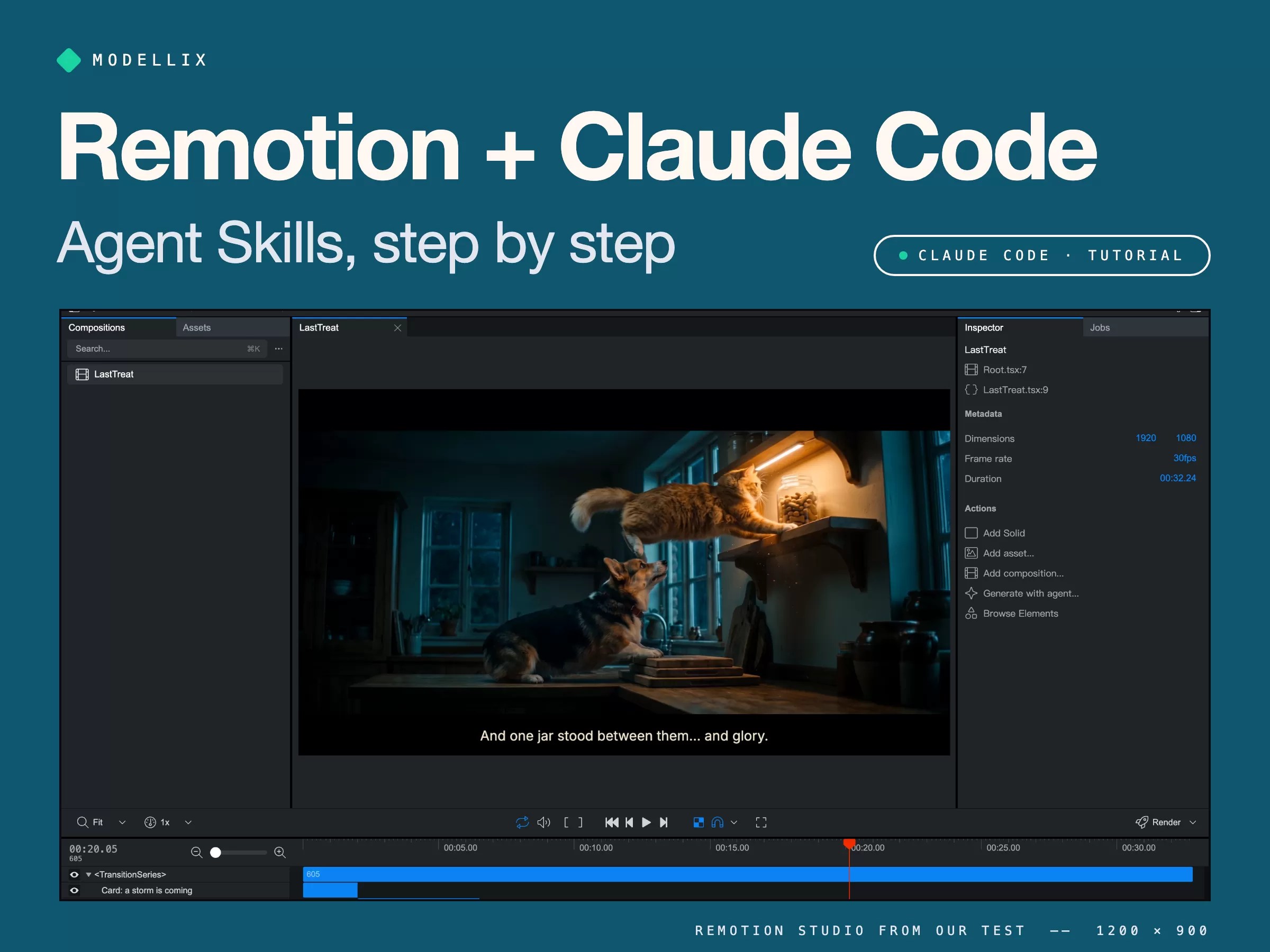
How to Use Remotion Agent Skills with Claude Code [Tested]
Install Remotion Agent Skills, generate consistent shots, and let Claude Code cut a 33-second movie trailer. Real commands, prompts, errors, and costs.
Claude Haiku 5.5: What’s New, Pricing & How to Try It
Explore Claude Haiku 5.5’s October release, token pricing, adjustable effort, and 1M context window, with subagent use cases and a simple prompt to try.
AI Animation Generator [No Code]: 4 Ways, Free to 4K
An AI animation generator turns one sentence into 2D cartoon, claymation, or 3D animation. Compare 4 ways, from free apps to an API, with real clips.

AI Anime Video Generator [Full Guide]: Free vs Paid vs API
Make anime with an AI anime video generator: 4 ways from free apps to an API, anime style recipes, character consistency, and a Seedance fight test.