Reference-to-video AI (R2V) is a video generation mode that takes a short reference clip or reference images as input and carries their subject, motion, scene, camera movement, and visual style into a newly generated clip. This page explains how R2V and fusion models work — the mechanism, the official PixVerse V6 API contract, the hard constraints, and what video-reference generation costs — with every factual claim linked to its source.
We run Modellix, an API aggregator that exposes image and video models from 12 providers behind a single REST API, so we have a commercial interest whenever Modellix appears. Model-specific facts below come from the PixVerse platform documentation, checked on August 3, 2026, and from the live PixVerse model page on Modellix. The goal is not to crown a tool; it is to give you a verifiable model of what R2V does before you spend time on a prototype.
What reference to video AI actually means
Reference-to-video sits one step past image-to-video on the same axis. A text-to-video model gets a prompt and nothing else. An image-to-video model gets a prompt plus one start frame, and everything after the first frame is free to drift. A reference-to-video model gets a prompt plus one or more reference assets — stills or a short clip — and is expected to hold the subject’s identity, movement, scene, and style through the whole output, not just at frame zero.
That last distinction is the one most product pages blur. Vidu’s reference-to-video page markets “character consistency across scenes” and lets you upload up to seven reference images per generation. The distinction is the whole point of the mode: R2V answers the “not just start frame” question, holding identity through the whole clip rather than animating frame zero. It is also not one vendor’s invention — Vidu and PixVerse document reference modes today, and other families expose their own: Wan’s 2.6 R2V, for example, is listed on Modellix’s model catalog alongside PixVerse’s V6. The mechanism is generic; the parameter surfaces are not.
Two naming collisions are worth clearing up before you search further. “Video reference” in this context is an input asset for AI generation — it has nothing to do with citing or referencing a video in a bibliography, which is what the phrase “reference to video” also retrieves. And “Fusion” here is PixVerse’s product name for its reference mode, not Autodesk Fusion 360; the PixVerse docs label the feature “Fusion (Reference to video)”.
How R2V / fusion models work
The PixVerse V6 Fusion integration guide describes the capability in one sentence: “V6 supports video references. The model can understand and reference subjects, actions, scenes, camera movements, and visual styles from input videos. It can also modify video content based on prompts to achieve effects such as subject replacement, video recreation, and motion imitation.”
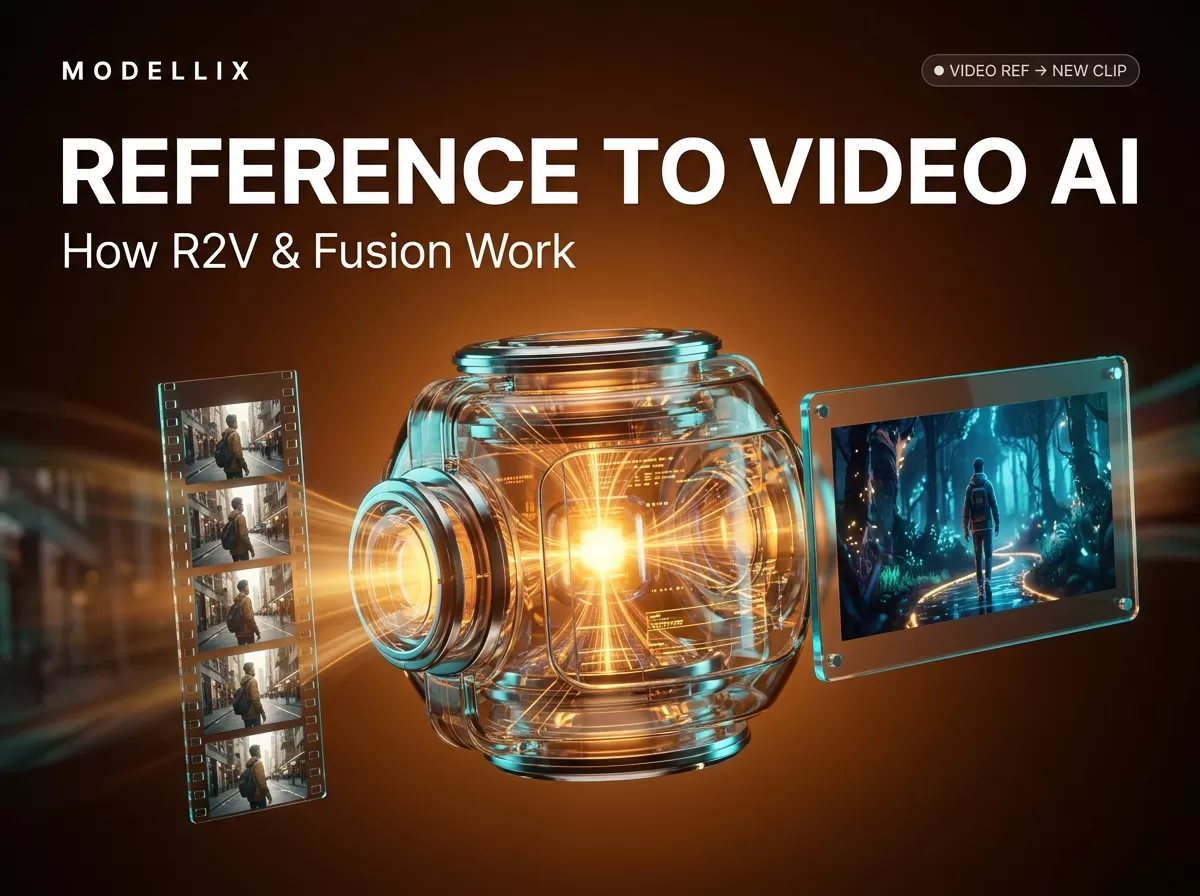
That sentence is the whole job description, and it maps to five conditioning channels: subject (who or what appears), action (what it does), scene (where it happens), camera movement (how the shot moves), and visual style (how it looks). The reference clip supplies those channels; the prompt then operates on top of them — replace the subject, recreate the video in a different style, or imitate the motion with a new character.

How a reference clip and a prompt combine in a fusion (omni) generation: the reference supplies subject, motion, scene, camera, and style channels; the prompt modifies them. Mechanism per the PixVerse V6 Fusion documentation, captured August 3, 2026.
Mechanically, a video-reference request is a fusion: the model receives the reference video alongside your prompt and conditions every output frame on both. In PixVerse’s API this is reference mode omni, the same mode that accepts up to 10 reference images and 2 reference videos in a single request and supports an aspect_ratio of "auto" so the output geometry can follow the reference. One honest limit on this page: the integration guide documents the API-level contract, not the network architecture behind it, and this article stays on the documented surface. The wider PixVerse surface — text-to-video, image-to-video, first-last-frame, and reference modes — is covered in our PixVerse video generator overview.
The reference-to-video API contract (PixVerse V6 Fusion)
The official workflow has three steps, and all three are asynchronous-friendly:
- Upload the reference video and keep the returned
media_id. - Submit the generation request with
video_references,model: "v6", andreference_mode: "omni". - Poll the video status endpoint until the status changes from
5to1, then retrieve the output from the returned URL.
A minimal request body, using the field names from the guide:
1 | { |
The guide pairs those steps with six constraints that are easy to miss and expensive to discover at runtime:
| Constraint | Official V6 Fusion rule |
|---|---|
| Model support | video_references is supported only by the V6 model |
| Reference mode | reference_mode must be set to omni |
| Reference videos per request | Maximum 2 |
| Total reference duration | Must not exceed 15 seconds |
duration field |
Must be 0 when using video references; output length auto-matches the longest reference video |
| Omni reference ceiling | Up to 10 reference images and 2 reference videos |

The video-reference constraints and credit tables in the official PixVerse V6 Fusion integration guide, captured August 3, 2026.
Parameter names are not portable across platforms, so verify the surface you are actually calling. On Modellix, the same model family is exposed as pixverse/v6-r2v, with a documented parameter table that uses reference_images (1–7) and named references you can address in the prompt as @ref_name for multi-subject composition — a different, image-first surface than the video-reference mode above. For the full PixVerse capability matrix, including the video-reference row, our PixVerse API guide walks the wider contract.
What reference-to-video costs
PixVerse bills video-reference generation in Platform credits, and the published table prices the video mode at exactly twice the image-reference rate at every quality tier. Per second of output, with no generated audio, the table is:
| Quality | Credits/s without video references | Credits/s with video references |
|---|---|---|
| 360p | 5 | 10 |
| 540p | 7 | 14 |
| 720p | 9 | 18 |
| 1080p | 18 | 36 |
Those numbers are PixVerse Platform credits, not US dollars — credit-per-dollar depends on the package you buy, so treat the table as a relative multiplier, not an absolute price. Credit pricing and packages are documented on the PixVerse platform site and change.
If you access the model through an aggregator, the unit of billing is different but easier to compare. On Modellix, pixverse/v6-r2v lists transparent per-second pricing, pulled from the live model page on August 3, 2026: $0.0575/s at 360p, $0.0805/s at 540p, $0.1035/s at 720p, and $0.2070/s at 1080p without generated audio, with an audio premium at each tier. That is a billing structure, not a price ranking: this is not a claim that Modellix is the cheapest way to buy PixVerse capacity — credit pricing and per-second pricing are different units, and the right choice depends on your volume and quality mix. Validate live prices before committing.
Where reference-to-video works — and where it breaks
The documented capability list tells you what the mode is for: subject replacement (same body, new context), video recreation (same clip, new style), and motion imitation (new subject, same movement), which maps cleanly onto production needs like keeping a character consistent across a multi-scene short, preserving a product’s details across ad variants, or transferring a signature camera move to new footage.
The same documentation tells you where it breaks. Reference clips are capped at 15 seconds total and two per request, so you cannot feed a full scene and expect a full re-render. Output duration follows the longest reference rather than a requested length, which changes how you plan shots. When the prompt and the reference conflict — “same face, different person” is the classic — the model resolves the tension in ways you should test rather than assume. Drift under prompt pressure (faces, clothing, objects) is a failure mode the product pages’ own FAQs acknowledge — Vidu’s, for example, warns that faces or outfits can change between shots — and it is why reference strength and per-shot verification still matter in production. For the trade-offs against image-to-video as an input path, see our image-to-video API guide.
How to try it via API
You have two reasonable paths. The direct one is the PixVerse platform: create an API key, upload a short reference clip, and run the three-step flow above against the official endpoint — a 15-second reference is enough to see whether the mechanism holds identity for your use case. The alternative is an aggregation layer such as Modellix, where pixverse/v6-r2v sits alongside the rest of the PixVerse family on Modellix and other providers behind one key and one bill, with per-task cost logs to measure what a prototype actually burns. Both are legitimate; the choice is about billing and workflow, not capability.
Frequently Asked Questions About Reference to Video AI
What is the difference between reference-to-video and image-to-video?
Image-to-video animates a single start frame with a prompt; everything after the first frame can drift. Reference-to-video conditions the whole output on one or more reference assets, so the subject, motion, scene, and style are expected to hold across the clip, not just at frame zero.
How many reference videos can one R2V request use?
In PixVerse V6 Fusion, at most two reference videos per request, with a combined duration of no more than 15 seconds. Omni mode additionally allows up to 10 reference images in the same request.
Why must the duration field be 0 when using video references?
PixVerse documents that when video_references are present, duration must be 0; the output length then matches the longest reference video automatically instead of being requested independently.
Does reference-to-video cost more than image-reference generation?
In PixVerse’s billing, yes: video references consume 2× the credits of the image reference mode at the same quality. Aggregator pricing such as Modellix’s pixverse/v6-r2v page quotes per-second USD instead, so compare units before comparing numbers.
Is r2v the same as video-to-video?
No. Video-to-video usually transforms an existing clip (style transfer, restyle). Reference-to-video generates a new clip conditioned on a reference — the reference supplies identity and motion channels, and the prompt drives the new content.
Can I keep the same character across multiple scenes with reference-to-video?
That is the mode’s main use case — Vidu’s product page and LTX Studio’s reference-to-video page are both built around it, and PixVerse documents the underlying capability — but the practical ceiling is the constraint set: short references, limited counts, and output length tied to the reference. Plan shots accordingly and verify per scene.
Which models support reference-to-video?
Vidu (up to seven reference images per generation), PixVerse V6 Fusion (video and image references in omni mode), and LTX Studio (image and audio references) all document reference modes, and Wan’s 2.6 R2V is listed on Modellix’s model catalog as well. The parameter surfaces differ per provider, so check each model’s documentation before integrating.
Can I use an audio reference with reference-to-video?
Some platforms support it — LTX Studio documents generating video from an audio reference in its reference-to-video workflow. It is an input-side capability and a separate surface from video references, so check the provider’s documentation for what it accepts before assuming audio and video references can be combined.
Provider details and pricing reflect public information as of August 3, 2026 and change frequently. Validate against each provider’s live pricing before committing. Access image and video models, including the leading Chinese models, through a single API key at modellix.ai.