Four numbers decide whether an image editing API fits your product: how many reference images one call accepts, whether you can scope the change to a region, what pixel dimensions each output setting actually produces, and what one call costs at that setting. For OpenAI’s GPT Image 2.5 editing models the answers are 16, yes with a PNG mask, up to 3840×2160, and — measured on September 17, 2026 — a band of $0.0366 to $0.6718 per image. This page is about those four numbers and the plumbing around them, not about what image editing is.
It is worth saying plainly what this page is not. It does not rank editing models by quality, and it does not claim the route below is the cheapest or the best one. Modellix is a distribution layer for other vendors’ models, not the author of them — OpenAI documents the endpoint this wraps in its own image edit API reference, and that request shape is not the same one (it takes size strings and object-typed image and mask references) — so what follows is the field-level contract of the Modellix schema and the plumbing around the call. Expect the facts, three commands you can run yourself, and the two places where a first integration usually breaks.
What an AI image edit API actually accepts
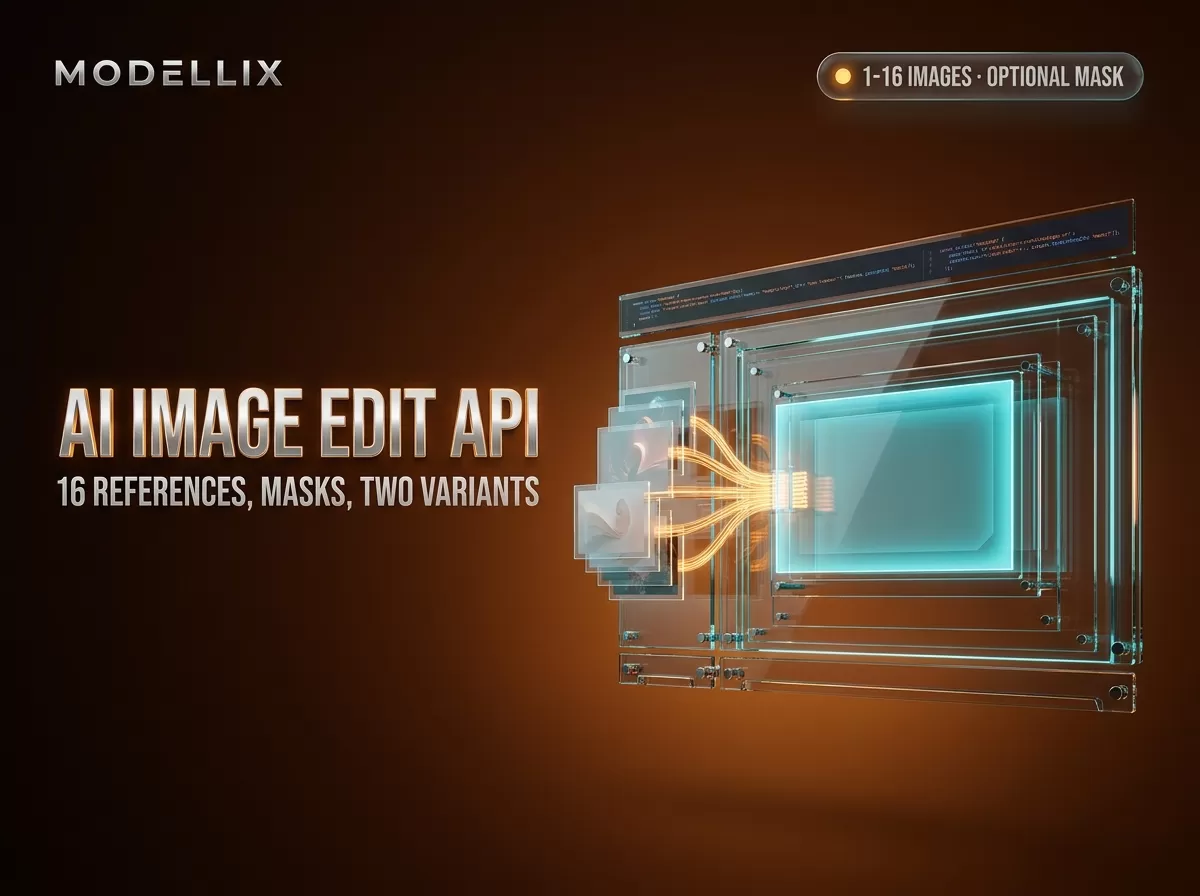
GPT Image 2.5 shipped two editing models on September 16, 2026, and they share one request schema: openai/gpt-image-2.5-flare-edit for speed-priority work and openai/gpt-image-2.5-sunburst-edit for quality-priority work. The GPT image edit API surface is small — both models take the same seven fields, and only two of them are required.
| Field | Type | Default | Accepted values |
|---|---|---|---|
prompt |
string, required | — | 1–32,000 Unicode characters |
images |
string array, required | — | 1–16 image URLs |
mask |
string (URI) | omitted | Optional PNG mask URL for local edits |
aspect_ratio |
string | 1:1 |
1:1 3:2 2:3 3:4 4:3 4:5 5:4 9:16 16:9 21:9 |
resolution |
string | 1K |
1K 2K 4K |
quality |
string | low |
low medium high xhigh max |
background |
string | auto |
auto opaque transparent |
Two of those defaults are worth noticing before you write code. quality defaults to low, and aspect_ratio defaults to 1:1 regardless of what your input image looked like — the output ratio is independent of the input ratio, so a portrait reference photo passed without aspect_ratio comes back square. Both are set independently of each other.
The schema also names what these endpoints are built for: product image changes, masked object replacements, and edits guided by multiple reference images. A catalog batch is the workload where the 16-image ceiling and the mask rules below matter most, and it is also the workload where a surprise in the price band hurts most.
You do not have to take any of this on faith, because the schema endpoint is public and needs no API key — the GPT Image 2.5 Flare Edit reference documents the same operation it returns:
1 | curl -s https://www.modellix.ai/models/openai/gpt-image-2.5-flare-edit/api_schema |
That returned HTTP 200 with 6,454 bytes when we ran it on September 17, 2026, listing exactly the seven properties above and marking images and prompt as required. The CLI exposes the same endpoint locally, also without a key:
1 | npm install --global modellix-cli |
The reason to start here rather than with a paid call is the [Limitations] line in the schema itself: do not use these models to edit more than 16 input images, and arbitrary pixel dimensions are not selectable. Knowing the declared boundary before you design a batch job beats discovering it in production.

Caption: the documented request fields for both GPT Image 2.5 editing endpoints — images is required and capped at 16, and the outlined mask rule requires a PNG with an alpha channel matching the first input image’s dimensions. Captured September 17, 2026.
GPT Image 2.5 Edit Request Schema
See every field, default and enum value for the two GPT Image 2.5 editing endpoints.
View DocsFlare Edit or Sunburst Edit: the only routing rule that matters
The documented routing rule is one sentence, and it is deliberately not about price: choose Flare Edit when speed is the priority, and Sunburst Edit when image quality is the priority. Everything else about the two models — the 16-image ceiling, the optional mask, the 1K/2K/4K tiers, the transparent background option — is shared, and the documentation for each variant says so in the same words.
The intuition most developers bring to a two-tier lineup is that the quality tier costs more. On Modellix, as of September 17, 2026, it does not: both editing models are listed at the same band, so the name is a routing hint rather than a price signal. The decision is about workflow, not budget — interactive tools where a user waits for a preview want the speed variant, batch pipelines graded on output quality want the quality variant — and because both are separate model IDs on the same account, you can route per request without maintaining two integrations.
Where your 16 reference images come from
Here is the step that costs the most debugging time, and the one where most documentation stops: the images field takes URLs — not local paths, not multipart uploads in the edit request itself, but an array of URI strings. If the image is on a user’s disk, that leaves you a choice about who hosts it.
Modellix runs a File API for exactly this. You upload once over multipart/form-data with the form field named file, and the response gives you back a file_id, a media type, and a url:
1 | curl -X POST 'https://api.modellix.ai/api/v1/media/files' \ |
That url is what goes into the edit request — it is a plain HTTPS URL, so it drops straight into the images array:
1 | { |
The limits on that upload path are where the hard constraints live, and one of them will bite a batch job that runs longer than a week:
| Limit | Default |
|---|---|
| Maximum file size | 16 MB |
| Files per team | 10 |
| Concurrent uploads per team | 2 |
| Retention | About 7 days |
The 7-day retention is a hard constraint, not a soft guideline. Files expire after the retention window, so an input URL that worked last week can be gone this week. For pipelines that edit the same images repeatedly, either re-upload on each run or host those references yourself and pass your own URLs — the images array accepts any reachable URI, so the choice is about who owns the asset’s lifetime. Deleting unused files also frees the per-team count, which matters when the ceiling is 10.
Uploads are not billed, and files are scoped to your team. Accepted image extensions include png, jpg, jpeg, webp, gif, bmp, tiff, tif, heic, and heif, so you should not need to transcode a user’s photo first.

Caption: the File API’s upload response (outlined) returns the url that the second outlined request consumes as its image input — this is the step that turns a file on your disk into something the edit endpoint accepts. Captured September 17, 2026.
Masks, resolution tiers, and what each combination returns
Masked editing is the feature that separates an editing API from a restyling API, and it comes with two rules that are easy to miss. The mask field takes a PNG mask URL, the mask must have an alpha channel, and it must match the dimensions of the first input image. Transparent areas in the mask are the areas the model may change. That alpha channel is the same convention alpha compositing uses generally, which is why a flattened PNG exported from an editor silently fails to scope anything.
Two consequences follow. First, when you send several reference images, the mask applies to the first one — so ordering in the images array is a semantic decision, not a cosmetic one. Second, if your mask is generated from a thumbnail, resize it back to the full-resolution input before sending; a mask that differs from the input dimensions by even a few pixels is not a valid mask.
Resolution and aspect ratio are set independently, and the pixel result depends on both. The documentation gives three worked examples, which are the only concrete pixel numbers on the page:
aspect_ratio + resolution |
Output pixels |
|---|---|
1:1 + 1K |
1024×1024 |
1:1 + 4K |
2880×2880 |
16:9 + 4K |
3840×2160 |
For other combinations you have to reason from those anchors rather than read a table — which is precisely why resolution is a tier name (1K/2K/4K) and not a pixel count. If your product promises a specific export size, verify it against a real call at the tier you plan to bill for rather than assuming the tier name maps to a familiar number.
One more option changes the file you receive: background: transparent requests a transparent background and PNG output. Worth setting explicitly rather than leaving auto in place, since auto lets the model decide.
What it costs, and which two parameters move the number
Prices below were read from the live model pages on September 17, 2026 with curl, from the price element the storefront renders (detail-header__price-text). Model prices drift, so treat these as a measurement with a date, not a constant.
| Model | Band per image |
|---|---|
openai/gpt-image-2.5-flare-edit |
$0.0366 – $0.6718 |
openai/gpt-image-2.5-sunburst-edit |
$0.0366 – $0.6718 |
openai/gpt-image-2-edit (previous generation, for reference) |
$0.0360 – $0.2250 |

Caption: both editing models read $0.0366~$0.6718/img on the storefront, captured September 17, 2026 — the same band for the speed and quality variants, which is why the variant name is not a price signal.
Three things to read out of that table. The two 2.5 editing models share a band — the speed/quality choice is not a pricing lever. The previous-generation gpt-image-2-edit has a lower ceiling than either of them, so “newer” does not mean “cheaper at the top end”; it means the range got wider. And within one model, the same request can land anywhere in an 18× span.
That span is the part worth planning for. resolution and quality are the two fields that drive it: a 1K + low request and a 4K + max request are the same endpoint and the same model ID, and they are not the same line on your bill. If you are prototyping, pin both fields explicitly in your client defaults rather than relying on the schema defaults, because a default that changes upstream is a cost change you did not make.
We are not going to rank these numbers against competitors here. Modellix’s commercial interest is that you call these models through it, and the honest version of that interest is: the useful comparison is your own job mix at your own settings. Run one representative prompt at the settings you intend to ship, then read the per-task cost from the call log before committing to a volume. Our image model API pricing comparison covers the wider shelf; the public pricing page is the live source of truth.
Run your own cost check
Sign in to Modellix, run one edit at your shipping settings, and read the per-call cost from the task log.
LoginAsync by default: task IDs, polling, and the webhook header
Every editing call is asynchronous. A successful submission does not return an image; it returns a task handle:
1 | { |
Poll the URL in data.get_result.url to retrieve the result. Note the path: the model endpoint no longer carries an /async suffix, and the older /async form still routes — both returned an authentication error rather than a 404 when we probed them on September 17, 2026, and the changelog documents the older form as still working.
Polling is fine for a script. It is the wrong pattern for a web request handler, because a multi-reference 4K edit is exactly the kind of job that outlives a serverless timeout. For those, include an X-Webhook-URL header on the submission and let the platform POST the result to you:
1 | X-Webhook-URL: https://example.com/modellix/webhook |
The callback fires when the task reaches a terminal state — success, failed, or canceled — with headers to route on and deduplicate by: X-Modellix-Event (one of prediction.task.succeeded, .failed, .canceled), X-Modellix-Task-ID, X-Modellix-Delivery-ID, and X-Modellix-Retry-Count. The body matches the task-result response, so parsing code is shared between the polling and webhook paths. Two operational requirements: the URL must be publicly reachable HTTPS (no localhost, no private IP ranges, no embedded credentials), and your endpoint must answer 2xx to acknowledge receipt. For local development, the documentation suggests a tunnel such as ngrok.
How this compares to the rest of the edit-model shelf
The reason to route editing calls through an aggregator instead of one vendor’s API is not price and not model count — it is that the task lifecycle stops being something you rebuild per vendor. Submitting, polling, retrieving, logging cost, and handling failure keep the same shapes platform-wide, so switching which model handles a step is a change of model ID rather than a change of integration. A real but bounded advantage, and worth nothing if you only ever call one model.
If you are already calling the OpenAI image edit API directly, the two shapes are close but not identical — OpenAI takes size strings and object-typed images and mask references, while this schema takes aspect_ratio and resolution tiers and a PNG mask URL, and only prompt and background carry over unchanged. What changes beyond the schema is the surrounding lifecycle, and whether that lifecycle is worth swapping out is your call. On the boundaries: if your editing work is built around Alibaba’s Qwen editing models, the field contract is different — those take a small number of input images with no mask step at all, and we cover that route separately in the Qwen Image Edit API guide. If you are still deciding which generation of OpenAI’s image models to build on, the GPT Image 2.5 model overview covers all four model IDs, including the text-to-image pair, and the model directory lists what is currently callable alongside them.
If what you actually need is a hosted API photo editor you drive per request rather than a UI someone clicks, those endpoints are it — the difference is that every operation becomes a field you set. Modellix is a distribution layer for these models, not their author — so read the routing and the price band here as a map of what the endpoint accepts, not as a claim that this is the cheapest or the highest-quality edit path you can buy. The first-party documentation for each endpoint remains the contract of record.
Frequently Asked Questions About AI Image Edit APIs
How many reference images can one edit call take?
Up to 16, as documented in the images array (minItems: 1, maxItems: 16). The schema’s own limitations note says not to use these models for editing more than 16 input images.
Do I have to use a mask?
No. mask is optional, and a request with just images and prompt is valid. Use it when you want the change confined to a region — it is the difference between “make this photo look better” and “change only this object”.
What exactly must the mask file look like?
A PNG with an alpha channel, whose dimensions match the first image in the images array. Transparent areas mark what may be edited. A mask sized for a different image, or one flattened from an editor without alpha, will not scope the edit as intended.
Can I send a local file path instead of a URL?
No — images is an array of URIs. Upload first and pass the url the File API returns, or host the file yourself and pass your own public URL. Both are valid; they differ in who owns the asset’s lifetime.
How long do uploaded reference images stay available?
About 7 days by default. After that the file expires, so a stored URL is not a durable reference. Re-upload per run, or point at storage you control.
Is there a cheaper way to test before committing?
Pull the schema from the public endpoint or the CLI first — that confirms the field contract without a paid call. When you do call, submit one low-resolution request and read the recorded per-task cost before scaling up. Note that as of August 19, 2026 new registrations no longer receive a signup credit, so a test run is a billed run.
How is this different from a classic inpainting API?
Classic inpainting usually means you draw or compute a region and the model fills it. Here a mask image edit is a URL you supply, and the model is instructed by a prompt rather than by the mask alone — so the same call can do region-scoped edits, whole-image changes, or multi-reference fusion depending on what you send. The mask is a control, not the whole mechanism.
Can I get a transparent PNG straight out of the API?
Yes — set background: transparent, which requests PNG output with a transparent background. The default, auto, lets the model choose.
Model capabilities and prices reflect public information as of September 17, 2026 and change frequently. Validate against each provider’s live documentation and pricing before committing — every price in this article was read from a live page on that date and carries no forward guarantee. Access image and video models, including the leading Chinese models, through a single API key at modellix.ai.