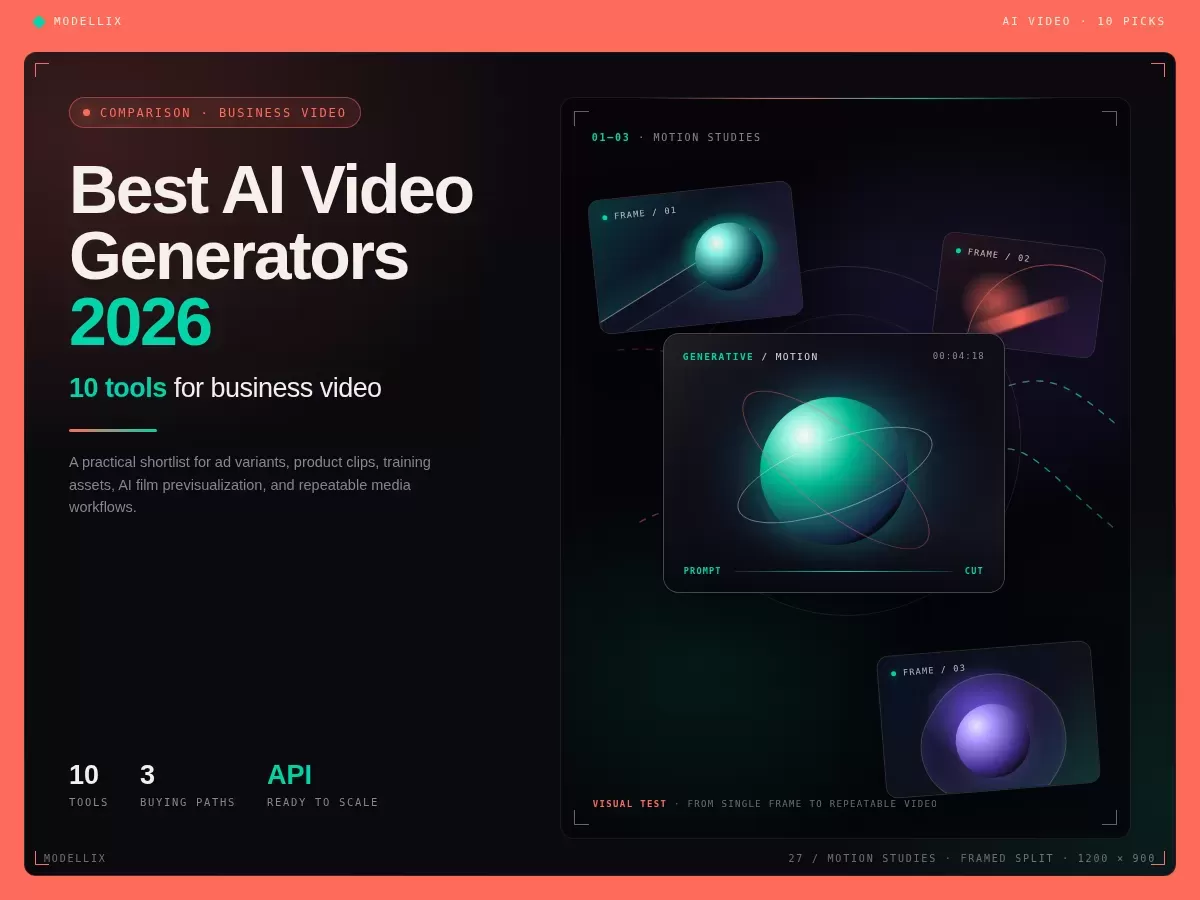
The best AI video generator depends on the business job, not the most impressive demo reel. Runway and Luma are strong creative studios, Kling and Vidu suit motion or reference-led generation, HeyGen and Synthesia lead avatar workflows, Canva and Adobe fit established marketing stacks, and Modellix is strongest when a team wants to test several video models through one UI and one API path.
The short answer: choose the workflow before the tool. Creative teams need visual quality and camera control. Marketing teams need brand assets, captions, resizing, and fast revisions. Learning teams need avatars and localization. Developers need async jobs, logs, predictable pricing, and model routing. No single generator is best at all four jobs.
For the narrower free and image-led intent, use our best free AI image-to-video tools 2026 comparison. To browse currently available video backends, open the AI video generation model collection.
10 AI Video Generators Compared: The Business Shortlist
| Rank | Tool | Best business fit | Free or trial boundary | Why it matters |
|---|---|---|---|---|
| 1 | Multi-model AI video testing, ad variants, |
One UI and one API path for several models without learning every provider separately | ||
| 2 | Premium creative reviews, agency concepts, cinematic clips | Free plan is a test drive, paid credits unlock serious usage | Strong studio interface and broad model access | |
| 3 | Cinematic ideation and high-quality motion tests | Paid plans focus on monthly credits and commercial use | Strong for creative direction and short-form mood work | |
| 4 | Motion-rich social videos, product scenes, storyboard shots | Credit cost varies by duration and mode | Strong motion quality, useful for campaign hooks | |
| 5 | Reference-led product clips and multi-image creative tests | Free tier exists, paid plans increase capacity | Good fit when image references matter | |
| 6 | Social video effects and creator-style clips | Free plan helps users learn the interface | Fast for lightweight creative experiments | |
| 7 | Marketing assembly, brand kits, light AI video elements | Free and paid plans share AI usage allowances | Best when design workflow matters as much as generation | |
| 8 | Avatar-led sales, training, and localization videos | Free plan supports limited short videos | Strong for business presenters and multilingual videos | |
| 9 | Enterprise training, enablement, and internal communications | Free plan and paid minutes vary by plan | Mature business video platform for avatar workflows | |
| 10 | Commercial-safe creative production inside Adobe workflows | Generative credits vary by plan | Useful when brand, IP posture, and Creative Cloud handoff matter |
This ranking is commercial rather than purely artistic. A tool can be excellent for a personal viral clip and still be a poor fit for a B2B content pipeline if it lacks commercial clarity, predictable cost, or a repeatable handoff.
How We Ranked the 10 AI Video Generators
We assessed each platform across six criteria: output fit for its stated business use, creative control, commercial workflow clarity, pricing visibility, collaboration or API handoff, and the cost of reaching one usable clip. Pricing, credits, and model availability can change, so use the linked official pages for final procurement decisions.
This is a platform comparison, not a claim that all ten products were rendered with one identical prompt. Modellix-owned historical samples are labeled by model below. That distinction matters because a platform may expose several video models, while a model is the generation engine itself.
Quick Picks Compared: Best AI Video Generator by Business Job
| Business job | Best starting point | Why |
|---|---|---|
| Compare several video models | Modellix | One Playground and one async API pattern across multiple providers |
| Cinematic concept development | Runway or Luma | Strong creative interfaces for visual direction and iteration |
| Motion-heavy product or storyboard shots | Kling AI | Broad video model family with motion and control options |
| Reference-led product and character clips | Vidu | Multi-reference workflows make source assets central to the result |
| Sales, training, and localization | HeyGen or Synthesia | Avatar, voice, template, and language workflows are the product core |
| Brand and campaign assembly | Canva or Adobe Firefly | Generation sits inside established design and editing systems |
If your team cannot name the job in the first column, do not buy an annual plan yet. Run one short task, score the output against a fixed brief, and only then compare production cost.
AI Video Platform vs Model: 6 Engines Businesses Should Know
An AI video platform is the interface, billing layer, editor, or API gateway a team uses. A video model is the engine that generates motion. The distinction matters because one platform can expose several model families, and the best model for a product ad may not be the best model for a cinematic shot or a human presenter.
| Video model | Best evaluation use | Modellix route or guide |
|---|---|---|
| Seedance 2.0 | Image-led ads, product motion, and cross-modal production | Seedance 2.0 I2V |
| Kling V3 | Complex motion, multi-shot concepts, and storyboard work | Kling V3 T2V |
| Veo 3.1 | Premium cinematic tests and high-fidelity creative review | Veo 3.1 T2V |
| Hailuo 2.3 | Human motion, expression, and stylized scenes | Hailuo 2.3 T2V |
| Wan 2.7 | Cost-aware text-to-video and programmable workflows | Wan 2.7 T2V |
| Vidu Q3 Mix | Reference-led product, character, and campaign concepts | Vidu Q3 Mix R2V |
The videos below are historical first-party outputs generated through Modellix. They are evidence of two model routes, not a claim that every platform in the ranking was tested on the same brief.
Hailuo 02 text-to-video sample generated through the unified API. Use it to inspect physical motion and atmosphere, then compare the current Hailuo 2.3 route for human-centered scenes.
Wan 2.7 text-to-video sample generated through the unified API. The Wan 2.7 API guide covers the model’s production and pricing considerations.
10 AI Video Generators Reviewed for Business Workflows
1. Modellix: Best for Cross-Model Testing and Production Handoff
Modellix is a unified AI media platform, not one proprietary video model. Its business value is that creative and technical teams can test Seedance, Kling, Wan, Hailuo, Veo, Vidu, and other models without adopting a different interface and integration pattern for each provider. The UI stays simple for first tests, while the API keeps the same submit, poll, and retrieve lifecycle when the job needs to repeat.
The included $1 credit is suitable for a small real-world evaluation, not unlimited free generation. Modellix ranks first here for multi-model procurement, ad variant pipelines, and product teams that need one API key and visible request history. A team committed to one studio interface may prefer a first-party creative app.
2. Runway: Best Premium Creative Studio
Runway is a strong all-around creative environment for agencies, filmmakers, and marketing teams that want generation and editing controls in one place. It is best evaluated as a studio product rather than only a model endpoint.
The tradeoff is credit economics. Use the free plan to judge the interface and a small number of outputs, then calculate paid cost from the number of attempts required to reach one approved clip. Confirm current allowances and rights on Runway’s pricing page.
3. Luma Dream Machine: Best for Cinematic Ideation
Luma is well suited to mood films, pitch visuals, camera experiments, and short cinematic concepts. It is a useful choice when the creative director wants to explore movement quickly and the output will continue into an editing workflow.
Its main limitation is that a beautiful one-off result does not prove production repeatability. Before scaling, check plan credits, priority, resolution, commercial terms, and how many retries the team needs per approved shot on Luma’s pricing page.
4. Kling AI: Best for Motion Control and Storyboard Shots
Kling’s broad model family makes it a serious option for product movement, action, camera control, and multi-shot concepts. Teams should specify the exact Kling version and mode in their evaluation because quality, capability, and cost can differ across the family.
The strongest buying process is to test one stable brief in standard and higher-quality modes, then compare cost per accepted clip. See the Kling API pricing guide for a deeper model-family breakdown.
5. Vidu: Best for Multi-Reference Video
Vidu is particularly useful when a campaign depends on reference images, characters, products, or visual consistency. That makes it a better fit for image-led concepts than tools optimized mainly for free-form text ideation.
Its free access is useful for learning the reference workflow. For client production, verify current credits, exports, rights, and API availability on Vidu’s official pricing page, then test the exact reference count and asset type your campaign requires.
6. Pika: Best for Fast Social Effects
Pika favors quick effects, creator-style transformations, and short social content. It is a practical creative sandbox when speed and novelty matter more than detailed backend control.
For a business campaign, check whether the effect remains consistent across multiple assets and whether watermark, export, and commercial-use rules fit paid media. The current boundaries are listed on Pika’s pricing page.
7. Canva: Best for Marketing Teams That Need Assembly
Canva is strongest when AI video generation is one piece of a larger content workflow. Brand kits, layouts, resizing, captions, templates, and team collaboration may create more value than the underlying generation model alone.
It is less suitable for teams that need deep model comparison or a custom video API. Choose Canva when marketers own the workflow and final assembly matters as much as raw generation quality. Review Canva’s AI access rules for current plan allowances.
8. HeyGen: Best for Sales and Localization Videos
HeyGen is built around avatar-led business communication, translation, and presenter workflows. It is a better fit for sales outreach, product explainers, and localized marketing than for cinematic text-to-video experimentation.
The buying question is whether avatar quality, voice, language coverage, and template control match the team’s communication needs. Use the free plan for a short representative test and check HeyGen’s pricing before estimating monthly production.
9. Synthesia: Best for Enterprise Training and Enablement
Synthesia is a mature choice for structured internal communication, learning, onboarding, and enablement content. Its value comes from repeatable avatar scenes, governance, templates, and enterprise workflow rather than cinematic generation.
It should be evaluated with a real training or policy module, not a generic visual prompt. Compare languages, review controls, brand templates, collaboration, and output minutes on Synthesia’s pricing page.
10. Adobe Firefly: Best for Existing Creative Cloud Workflows
Adobe Firefly fits teams that already rely on Creative Cloud and care about moving generated assets into established design and editing tools. Brand workflow, editing handoff, and Adobe’s commercial positioning are its main advantages.
It is not automatically the best standalone generator for every motion style. Evaluate the full production route from generation to edit, approval, and export, then verify current generative-credit limits on Adobe’s official plans.
3 Buying Paths Explained: Studio Apps, Template Tools, and APIs
Most teams are really choosing one of three buying paths.
| Buying path | Best for | Typical owner | Risk to check |
|---|---|---|---|
| Studio generator | Cinematic clips, social hooks, product motion | Creative director or video editor | Credit burn and inconsistent approvals |
| Template and avatar platform | Training, explainers, sales enablement | Marketing, enablement, HR | Limited scene flexibility |
| Unified API workflow | Product features, batch ad variants, model testing | Engineering and growth | Needs upfront workflow design |
The cleanest business stack often uses more than one path. A creative team may explore motion in a studio tool, then move winning prompts into a repeatable API workflow. A sales team may use avatar tools for explainers, while a growth team uses model routing for performance ad variants. Developers focused on integration can compare the best AI video generation APIs 2026 or use the text-to-video API production guide.
Ad Video Workflows Verified: Client Campaign Fit
For advertising, the best AI video generator is the one that produces many usable variants without wrecking brand control. One perfect render matters less than a workflow that can test hooks, camera moves, product angles, and aspect ratios quickly.
A B2B ad workflow should include:
- A fixed product image, brand still, or approved concept frame.
- Three motion briefs, such as product reveal, lifestyle shot, and premium cinematic close-up.
- Short clips first, usually 4 to 8 seconds.
- Acceptance scoring by product fidelity, hook clarity, and editability.
- A second pass only for the winners.
This is where cheap token pricing and unified model access become practical. If every model has a different interface, account, credit system, and result format, the campaign test slows down. A business should be able to compare models on the same brief before choosing which one deserves more budget.
AI Film Workflows Compared: Previz, Shots, and Series Production
AI film and TV work needs a different ranking lens. The goal is not only a beautiful single clip. The team needs camera continuity, character references, environment consistency, and a way to judge whether a scene idea deserves more time.
Use this model:
| Workflow stage | What to generate | Best tool type |
|---|---|---|
| Pitch | Mood clips, teaser shots, concept motion | Studio generator |
| Previz | Camera tests, action beats, scene rhythm | Image-to-video or text-to-video models |
| Series planning | Repeatable visual language across shots | Unified model workflow |
| Production support | Background plates, inserts, transition clips | API or batch route |
For AI film teams, the deciding factor is not only fidelity. It is whether the same creative language can survive across many prompts and shots. If a model creates one strong image but fails on continuity, use it for exploration rather than production planning.
Free Trials Explained: Why Cheap Tests Beat Unlimited Claims
Free access is valuable when it teaches the team something specific. It becomes distracting when it attracts users who only want unlimited output with no watermark, no login, and no budget.
For business evaluation, define the free test like this:
- One campaign asset or approved reference frame.
- One short clip per tool.
- One model route for product fidelity.
- One model route for cinematic motion.
- One cost estimate for a paid production batch.
The included $1 credit keeps this boundary clear for new users. It lets the test happen inside the same environment that can later support API calls, request history, model switching, and pricing visibility.
API Handoff Compared: When a Generator Becomes Infrastructure
An AI video generator becomes infrastructure when a team needs repeatable generation, not just a beautiful manual result. The handoff usually starts when one of these things happens:
- A growth team needs 100 ad variations from the same product image.
- A SaaS product wants users to generate videos inside the app.
- A studio wants to batch test scene ideas overnight.
- A support or education team needs consistent video generation from templates.
- A marketplace needs to log every generated asset for compliance and billing.
The API path should support async jobs. Video generation takes time, so a production workflow needs task submission, polling, result retrieval, and durable storage. A unified submit, poll, retrieve lifecycle is much easier to operate than separate job logic for every provider.
Pricing Control Compared: Cost per Usable Clip
Do not compare AI video tools only by monthly plan price. Compare them by cost per usable clip.
| Cost factor | What it reveals |
|---|---|
| Credits or tokens per attempt | The visible cost of each generation |
| Failed or rejected outputs | The hidden cost of creative variance |
| Export quality | Whether a clip can enter editing or ad delivery |
| Human review time | The labor cost of sorting outputs |
| Model switching | Whether a cheaper or better model can be tested quickly |
For business video, a cheap model with a low acceptance rate may be expensive. A premium model with fewer retries may be cheaper for executive creative review. The right answer is usually route-based: use faster, cheaper models for exploration, then promote promising prompts to stronger models for final review.
Final Recommendation: The Best Stack for Business Teams
If you need cinematic exploration, test Runway, Luma, Kling, Vidu, and Pika. If you need avatar-led business communication, test HeyGen or Synthesia. If you need brand-safe creative work inside an Adobe pipeline, include Firefly. If the work needs model comparison, ad variant production, or backend integration, test a unified workflow first so the result can move beyond a prompt box.
The strongest business choice is not one tool forever. It is a stack that lets creative teams test visually, marketers ship campaigns, and developers automate the winning route. Modellix belongs in that stack when the team wants simple UI testing, cross-model access, one API key, and low-cost iteration before scaling.
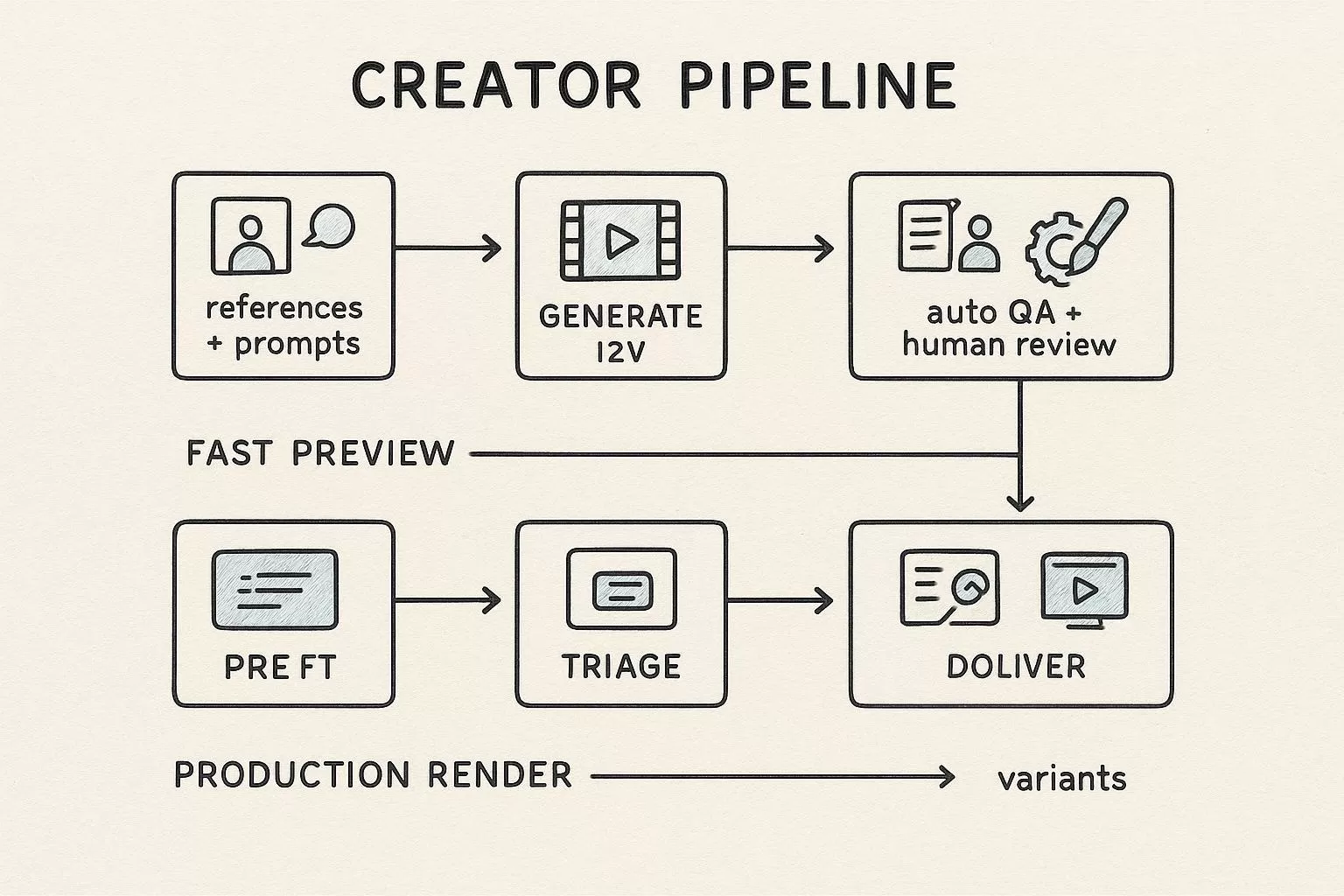
Modellix collection
Shortlist AI Video Models for Production
Compare text, image, and reference-led video workflows across multiple models from one production surface.
Good first tests: Seedance 2.0Wan 2.7HappyHorse 1.1
Explore the collectionHow to Test AI Video Generators on Modellix
Most users should not start with code. Run one real task in the Modellix Playground first, validate the prompt, parameters, cost, and output format, then decide whether the workflow is worth repeating through API, Skill, or CLI. Do not copy a complex code sample too early.
Quick start guide
Choose the right entry point for AI video testing
Playground: Best for most users and first-time visual checks. Open the Vidu Q3 Mix R2V model page or browse the model catalog.
API docs: Use this when a developer is ready for backend integration, batch jobs, or product workflows: https://docs.modellix.ai/ways-to-use/api.
Skill: Use this when an AI agent should generate media from your workspace: https://docs.modellix.ai/ways-to-use/skill.
CLI: Use this for terminal scripts, automation, and scheduled generation tasks: https://docs.modellix.ai/ways-to-use/cli.
The links above are the entry points. The path below is the practical route for most teams: create an account, use the included credit, run one Playground job, review the output, and move to automation only after the result is good enough to repeat.
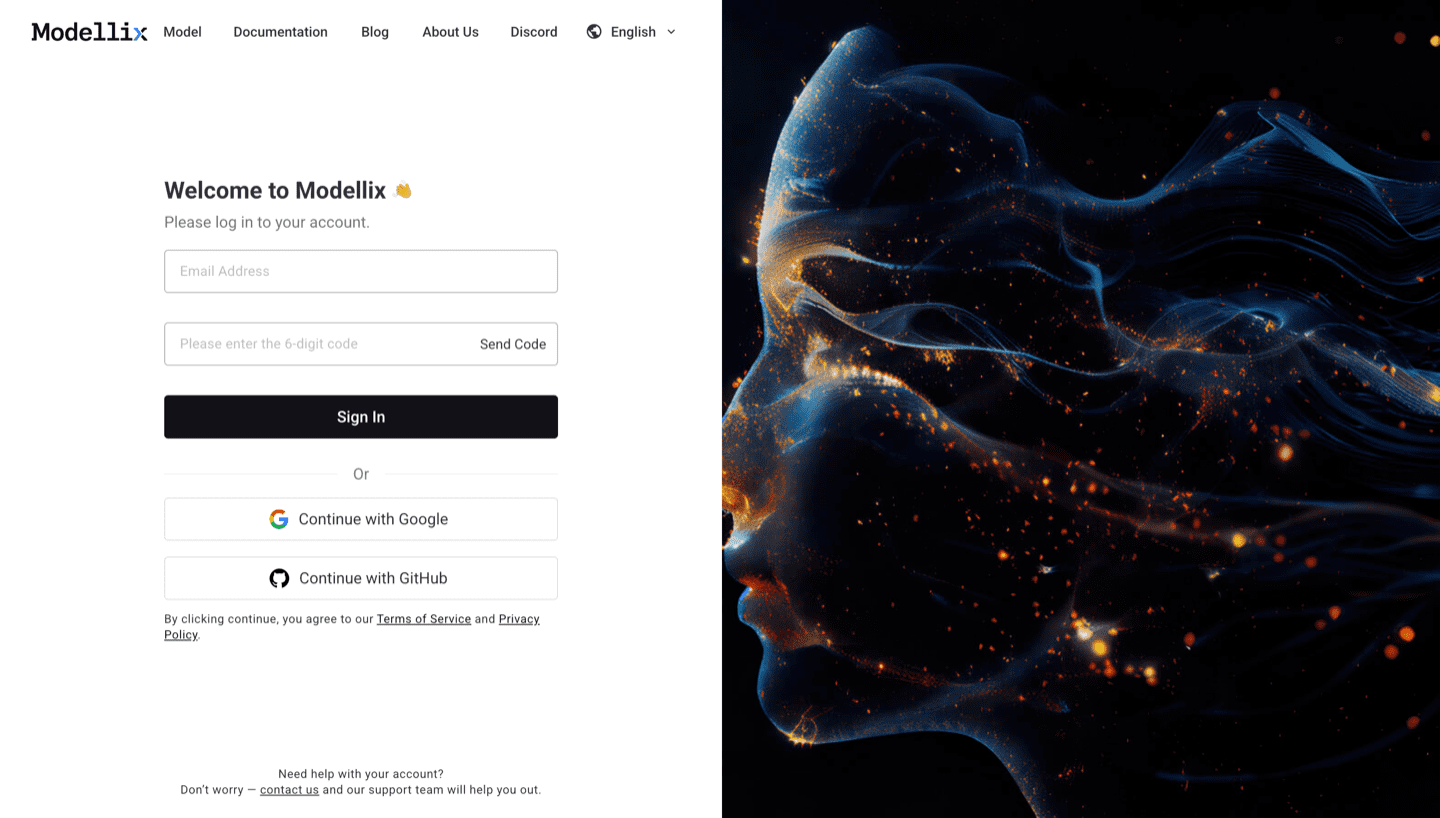
Step 1: Create or Sign In and Use the Included $1 Credit
Create or sign in to a Modellix account before comparing AI video generators. New users can use the included $1 credit to validate output quality, prompt behavior, cost visibility, and request logging before paying for a larger production test.
Step 2: Open the Model Page and Run One Prompt
Use the dashboard shortcuts or open the Modellix model catalog, then choose a video model that fits the job. For a first visual test, Vidu Q3 Mix R2V is a useful starting point because it supports reference-led video generation and a clear Playground flow.
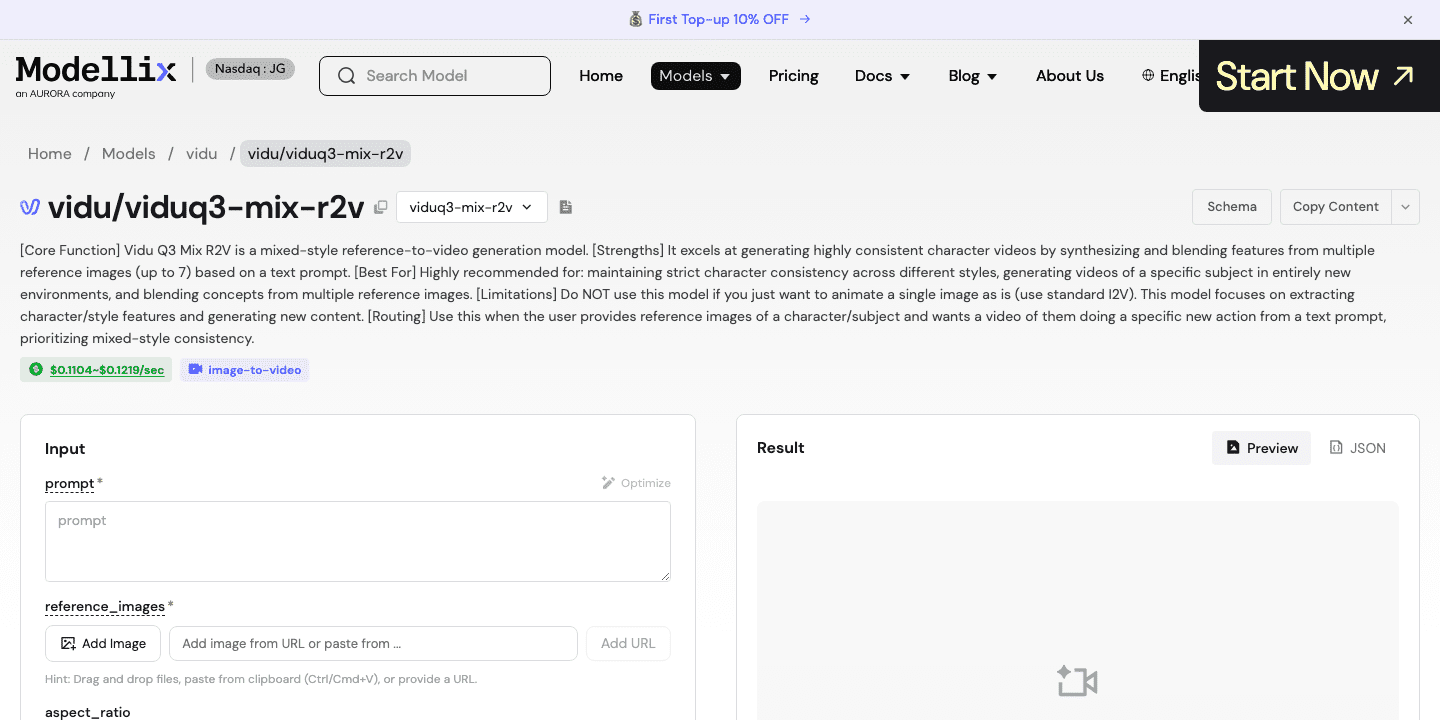
Step 3: Optimize the Prompt and Review the Output
Use the Optimize or Prompt Enhance control when the prompt is too thin. For a business video test, include the target audience, camera move, subject, setting, duration goal, and what must stay visually stable. Run one job, then inspect the generated preview before spending engineering time.


Step 4: Create an API Key Only When the Test Needs to Repeat
Stay in Playground for one-off creative exploration. Create an API key only when the test needs to repeat, such as ad variants, product videos, AI film shots, or a backend feature that must generate videos for users.
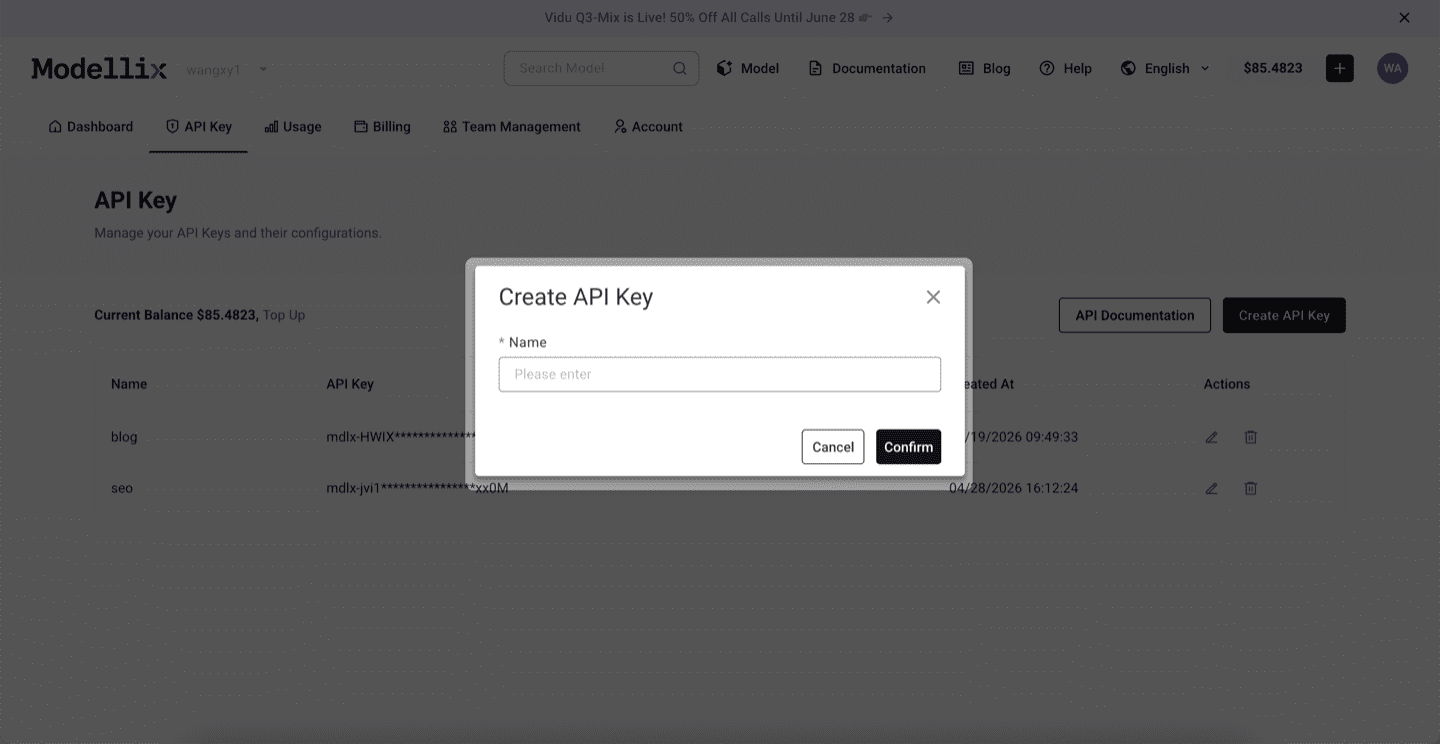
Step 5: Check Logs and Save the Result Before Scaling
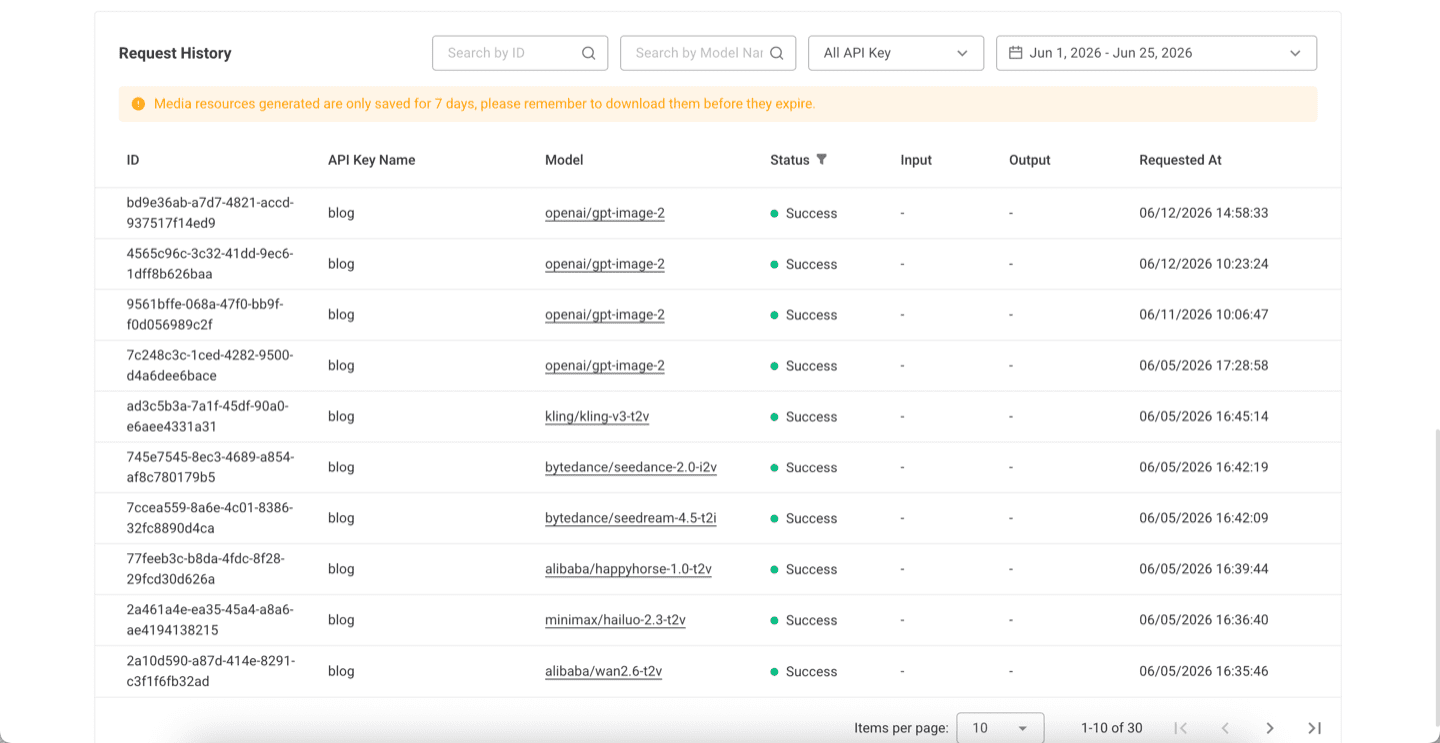
Before scaling from one manual run to repeated generation, check request history. Logs confirm the model slug, API key name, task status, request time, and result retention window, which makes model comparisons easier to debug.
Try AI Video Generation Next
Run one real AI video job before you commit engineering time
Start free with the included $1 credit, test one prompt or reference image, and automate only after the clip is good enough to repeat.
Frequently Asked Questions About AI Video Generators 2026
What is the best AI video generator in 2026?
For business use, the best choice depends on the job. Use cinematic tools for creative review, avatar tools for training and sales videos, and unified API workflows for repeatable generation across models.
Are free AI video generators good enough for ads?
Free access is good for testing hooks and motion direction, but paid usage is usually required for commercial rights, higher quality exports, watermark control, and predictable production volume.
What should B2B teams avoid?
Avoid building a workflow around unlimited-free claims, unknown commercial rights, missing request history, or a tool that cannot move from a manual UI test into a repeatable process.
Which AI video generator is best for enterprise customer ads?
Choose a workflow that can preserve product detail, produce multiple short variants, log cost, and hand successful prompts to a repeatable production route.
Which AI video generator is best for AI film and TV development?
Start with tools that support cinematic motion and reference-led generation. For larger workflows, prioritize repeatability, asset tracking, and model routing over one-off prompt novelty.