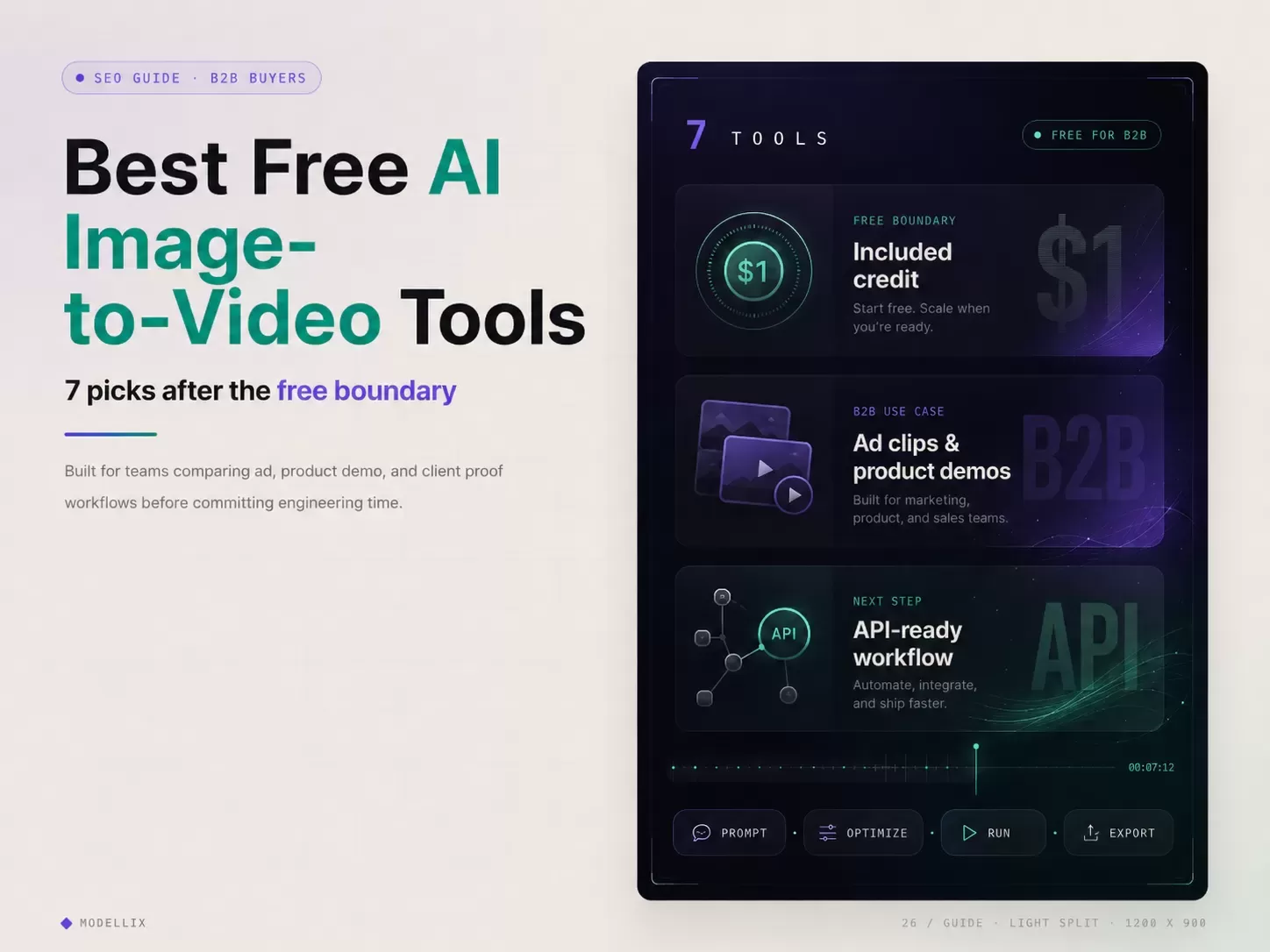
The best free AI image-to-video tools are not the ones that promise the most free generations. For a business, the better choice is the tool that can preserve a product shot, campaign still, storyboard frame, or character reference while creating controllable motion and a clear path to repeatable production.
The short answer: Modellix is the best first test for teams that want to compare several video models and later automate the winning route; Runway and Luma are strong for cinematic concept work; Kling is a strong motion-focused option; Vidu is useful for reference-led clips; Pika suits fast social effects; and Canva is best when generation must stay inside a broader marketing design workflow. Free access should validate one real business outcome, not fund a campaign.
This guide focuses on B2B evaluation. Readers looking for a wider market overview should use our best AI video generators 2026 comparison. Teams ready to browse available backends can start from the AI video generation model collection.
7 Free Tools Compared: The Shortlist for Business Video
| Tool | Best business test | Free boundary to check | Production concern |
|---|---|---|---|
| Testing several image-to-video and video models through one workflow | Best used when the next step may be |
||
| High-end creative review and agency concept clips | Free plan exists, but credits and exports are limited | Great studio UX, but teams must watch credit burn and model-specific limits | |
| Cinematic motion tests and brand mood clips | Paid plans focus on monthly credits and commercial use | Better for creative iteration than backend integration | |
| Motion-heavy product scenes and social hooks | Credit use depends on duration and mode | Strong output, but plan details and queue behavior matter for teams | |
| Reference-led product clips and short social variants | Free tier exists, with paid plans for higher usage | Useful for quick creative tests, less ideal if API control is the first need | |
| Fast social edits, effects, and creator-style clips | Free plan is useful for learning the interface | Watermark, rights, resolution, and repeatability need review before client work | |
| Lightweight marketing layouts with AI video elements | Free includes limited AI usage across eligible tools | Best for marketing assembly, not deep model evaluation |
This list deliberately filters out “free unlimited no sign up” intent. Those searches pull traffic, but they rarely turn into business users. A B2B image-to-video article should define free as trial credit, test allowance, or limited evaluation access. It should not train the reader to expect unlimited production output for $0.
How We Compared the 7 Tools
We reviewed each product against the same six business questions: source-image fidelity, motion control, export and watermark limits, commercial-use clarity, cost visibility, and whether a successful test can move into a repeatable workflow. Free plans and credit allowances can change, so verify the linked official plan before committing client work.
This is a workflow comparison, not a claim that every tool was rendered with one identical benchmark prompt. Where Modellix-owned historical output is available, this guide shows the real result and identifies the model used.
Free Credits Explained: 4 Boundaries That Count as Free in 2026
For business teams, “free” should mean “enough to validate risk.” It should not mean “enough to deliver a client campaign without paying.” The useful test budget is small but concrete.
A practical free image-to-video test includes:
- One product image or approved still frame.
- Two prompt directions, such as clean product rotation and lifestyle motion.
- One short clip per model route.
- A review of watermark, export quality, and commercial terms.
- A cost estimate for 50, 500, and 5,000 future clips.
The included $1 credit is designed for a real model test and request-history review, not unlimited production. That boundary is healthier for B2B buyers because a growth team can inspect output quality, model choice, and cost visibility before asking engineering to automate anything.
5 B2B Filters Verified: Remove the Freebie Trap
The same keyword can bring two very different readers. One wants a free clip for a personal post. The other wants to test an image-to-video workflow for ads, ecommerce, or AI film previsualization. The article and product path should qualify the second reader.
Use these filters before recommending any tool:
| Filter | Why it matters for B2B | What to ask |
|---|---|---|
| Commercial rights | Client work needs clear usage terms | Can the output be used in ads, pitches, or paid media? |
| Brand asset control | Product shots must stay recognizable | Does the model preserve packaging, logo shape, and composition? |
| Repeatability | Teams need more than a lucky clip | Can the prompt, model, settings, and result be logged? |
| Cost per usable clip | Rejected generations still cost time | How many attempts produce one approved output? |
| Workflow handoff | Designers and developers both need a path | Can the same test move from UI to API or batch generation? |
This is where consumer tools and business tools separate. A fun web app can win a one-off social post. A business workflow needs traceable inputs, predictable spend, and a repeatable route from creative test to production queue.
7 Free Image-to-Video Tools Reviewed for Business Use
1. Modellix: Best for Multi-Model Testing and API Handoff
Modellix is a unified model platform rather than a single image-to-video model. Its advantage is operational: a marketer can test visual results in one Playground, while a developer can later use one API pattern across model families such as Seedance, Kling, Wan, Hailuo, Veo, and Vidu. Teams do not need to learn a separate interface, account, and response format for every provider.
The included $1 credit is a trial boundary, not a free production plan. It is best used to compare a small number of real jobs, inspect token or request cost, and decide whether a winning prompt deserves automation. This is the strongest option in the list when model choice is still open and repeatability matters more than loyalty to one provider.
2. Runway: Best for Creative Direction and Agency Review
Runway is a strong choice for creative teams that want a polished studio interface, visual iteration, and a familiar review environment. It works well for agency concept clips, campaign mood work, and short sequences where an editor or creative director is making the final call.
Its limitation for a free business test is capacity. Treat the free plan as an interface and output-quality evaluation. Before client delivery, verify the current credit allowance, export rules, watermark behavior, and commercial terms on Runway’s official pricing page.
3. Luma Dream Machine: Best for Cinematic Motion Tests
Luma Dream Machine is useful when the evaluation target is camera feel, atmosphere, or cinematic movement rather than backend integration. It fits pitch films, mood reels, and early creative exploration built from a strong still image.
The free boundary should be judged by whether the team can create enough short tests to evaluate motion quality. For ongoing commercial work, compare monthly credits, priority processing, output rights, and production volume on Luma’s official plans.
4. Kling AI: Best for Motion-Heavy Product and Storyboard Shots
Kling is a serious candidate for complex subject motion, camera movement, product scenes, and storyboard shots. Its model family spans multiple quality and control modes, so a business should test the exact version and mode it expects to use rather than treating “Kling” as one fixed product.
The main risk is cost and queue variability across modes. Use a short clip first, record the settings, and compare the result with alternatives before scaling. Our Kling API and pricing guide explains the model-family and production tradeoffs in more detail.
5. Vidu: Best for Reference-Led Product Clips
Vidu is a good fit when one or more reference images carry the creative direction. That makes it useful for product ads, character-led concepts, and short variations where the source asset matters more than broad text-only ideation.
The free tier is suitable for learning the workflow and checking whether the model follows references. Teams should still verify current plan limits and commercial terms on Vidu’s pricing page. The real Vidu Q3 Mix R2V result in the guide below shows the prompt-to-output path inside Modellix.
6. Pika: Best for Fast Social Effects and Creator-Style Clips
Pika is optimized for fast visual experimentation, effects, and short creator-style content. A social team can use it to test an attention hook without building a full production pipeline.
For client work, the important checks are watermark rules, export resolution, usage rights, and whether the effect can be repeated consistently across a campaign. Confirm those boundaries on Pika’s official pricing page before treating a free experiment as a deliverable.
7. Canva: Best for Marketing Assembly Around AI Video
Canva is the best fit here when image-to-video is only one step inside a larger marketing workflow that also needs brand kits, layouts, captions, resizing, and team review. It is easier for a general marketing team than a model-specific studio.
The tradeoff is depth. Canva is not the first choice for comparing advanced image-to-video models or building a custom generation backend. Use it when assembly and collaboration matter as much as the generated clip, and review current AI allowances in Canva’s AI access guidance.
6 Image-to-Video Models Compared for 2026 Workflows
Platforms and models are not the same thing. Runway, Canva, and Modellix are product surfaces; Seedance, Kling, Veo, Wan, Hailuo, and Vidu are model families that may be available through first-party products or unified platforms. For business procurement, this distinction determines whether the team is buying one creative application or a route across several generation engines.
| Model family | Strong business test | Start here |
|---|---|---|
| Seedance 2.0 | Product motion, ad variants, and image-led scenes | Open Seedance 2.0 I2V |
| Kling V3 | Complex motion, storyboard sequences, and controlled shots | Read the Kling model guide |
| Veo 3.1 | Premium cinematic evaluation and high-fidelity creative review | Open Veo 3.1 I2V |
| Hailuo 2.3 | Human motion, expression, and stylized commercial scenes | Read the Hailuo comparison |
| Wan 2.7 | Cost-aware generation and developer-controlled workflows | Read the Wan 2.7 API guide |
| Vidu Q3 Mix | Multi-reference product, character, and campaign concepts | Open Vidu Q3 Mix R2V |
Use this model layer only after the business brief is fixed. A weak comparison changes the prompt, source image, duration, and review criteria at the same time. A useful comparison keeps the creative brief stable and changes one model route at a time.
Image-to-Video Workflow Compared: Ads, Product Demos, and AI Film
Image-to-video works best when the first frame matters. That is why it is so useful for commercial work: the team already has a product shot, campaign visual, key art, storyboard frame, or character reference.
For enterprise customer ad content, a strong workflow looks like this:
- Start with an approved product or lifestyle image.
- Generate three motion directions, such as slow product turn, handheld social shot, and premium cinematic push.
- Score outputs by product fidelity, motion clarity, brand tone, and editability.
- Promote only the best prompt package into higher resolution or longer duration.
- Store the result, prompt, model, and cost for repeat campaigns.
For AI film and TV development, the same pattern applies with different review criteria. The team is not looking for a finished movie from one prompt. It is testing camera language, shot mood, character pose, scene continuity, and whether an image plate can become a convincing animatic.
API Readiness Explained: When a Tool Becomes Production Infrastructure
A tool becomes production-ready when the team can repeat the generation outside a manual prompt box. That does not mean every user needs an API on day one. It means the workflow should not collapse when the test works and the business asks for 200 variants.
Look for these API-ready signals:
- One video generation collection or routing layer instead of separate accounts for every provider.
- Async task handling for submit, poll, and retrieve.
- Downloadable video results with predictable metadata.
- Request history for cost and debugging.
- Model switching without rebuilding the whole product surface.
This handoff matters because the UI can stay simple for first tests, while the same model families can move into a unified API workflow. That avoids the common failure mode where a marketer proves an idea in one consumer interface and engineering later has to rebuild the process against unrelated provider APIs.
Developers comparing only API providers should continue to the best AI video generation APIs 2026 benchmark. This page stays focused on the earlier decision: which free or limited-access tool deserves a business proof of concept.
Pricing Boundaries Compared: Credits, Tokens, and Usable Clips
The cheapest listed plan is not always the cheapest production path. AI video cost depends on output seconds, resolution, model tier, retry rate, and how many generations are rejected.
For B2B evaluation, use cost per usable clip:
| Metric | Why it matters |
|---|---|
| Cost per generation | The visible price of one attempt |
| Acceptance rate | How many attempts survive creative review |
| Review time | How long a human spends rejecting bad clips |
| Model switching cost | How hard it is to move from one backend to another |
| Export and storage cost | Whether the asset can be saved cleanly |
Cheap token pricing matters because business video work usually scales through iteration. A team making client ad variations may test 20 hooks before approving 3. A studio building AI film previz may generate dozens of short plates before a director picks the right camera language. Lower per-run pricing and one billing surface make those tests easier to approve.
Final Recommendation: Which Free Tool Should a Business Test First
If the goal is one polished creative concept, start with Runway, Luma, Kling, Vidu, or Pika and judge the output visually. If the goal is a business workflow that may move into ads, client delivery, backend automation, or AI film batch testing, start with a tool that makes model routing and cost logging visible from the beginning.
The best path is simple: use free access to validate quality, then switch the conversation to commercial rights, cost per usable clip, and repeatability. Modellix is strongest when the test needs a clean bridge from UI to unified API, especially for teams that want one workflow across multiple models instead of learning a different interface for each provider.

Modellix collection
Turn One Approved Image Into Video Variants
Compare image-to-video models for product motion, ad concepts, and reference-led creative production.
Good first tests: Seedance 2.0 I2VWan 2.7 I2VHappyHorse 1.1 I2V
Explore the collectionHow to Test Image-to-Video Ads on Modellix
Most users should not start with code. Run one real task in the Modellix Playground first, validate the prompt, parameters, cost, and output format, then decide whether the workflow is worth repeating through API, Skill, or CLI. Do not copy a complex code sample too early.
Quick start guide
Choose the right entry point for image-to-video testing
Playground: Best for most users and first-time visual checks. Open the Vidu Q3 Mix R2V model page or browse the model catalog.
API docs: Use this when a developer is ready for backend integration, batch jobs, or product workflows: https://docs.modellix.ai/ways-to-use/api.
Skill: Use this when an AI agent should generate media from your workspace: https://docs.modellix.ai/ways-to-use/skill.
CLI: Use this for terminal scripts, automation, and scheduled generation tasks: https://docs.modellix.ai/ways-to-use/cli.
The links above are the entry points. The path below is the practical route for most teams: create an account, use the included credit, run one Playground job, review the output, and move to automation only after the result is good enough to repeat.
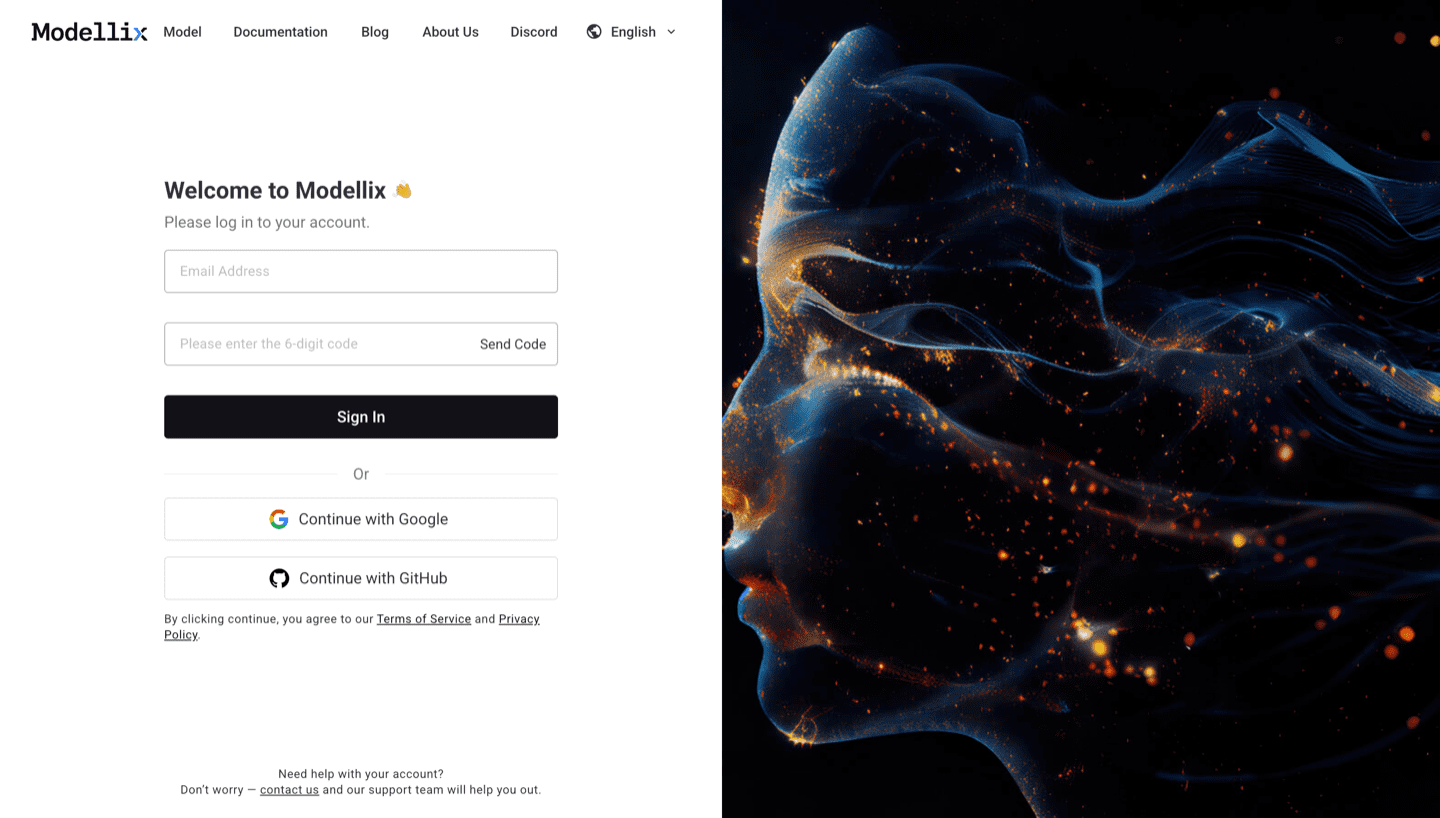
Step 1: Create or Sign In and Use the Included $1 Credit
Create or sign in to a Modellix account before testing an image-to-video tool. New users can use the included $1 credit to validate output quality, prompt behavior, cost visibility, and request logging before paying for a larger campaign test.
Step 2: Open the Model Page and Run One Prompt
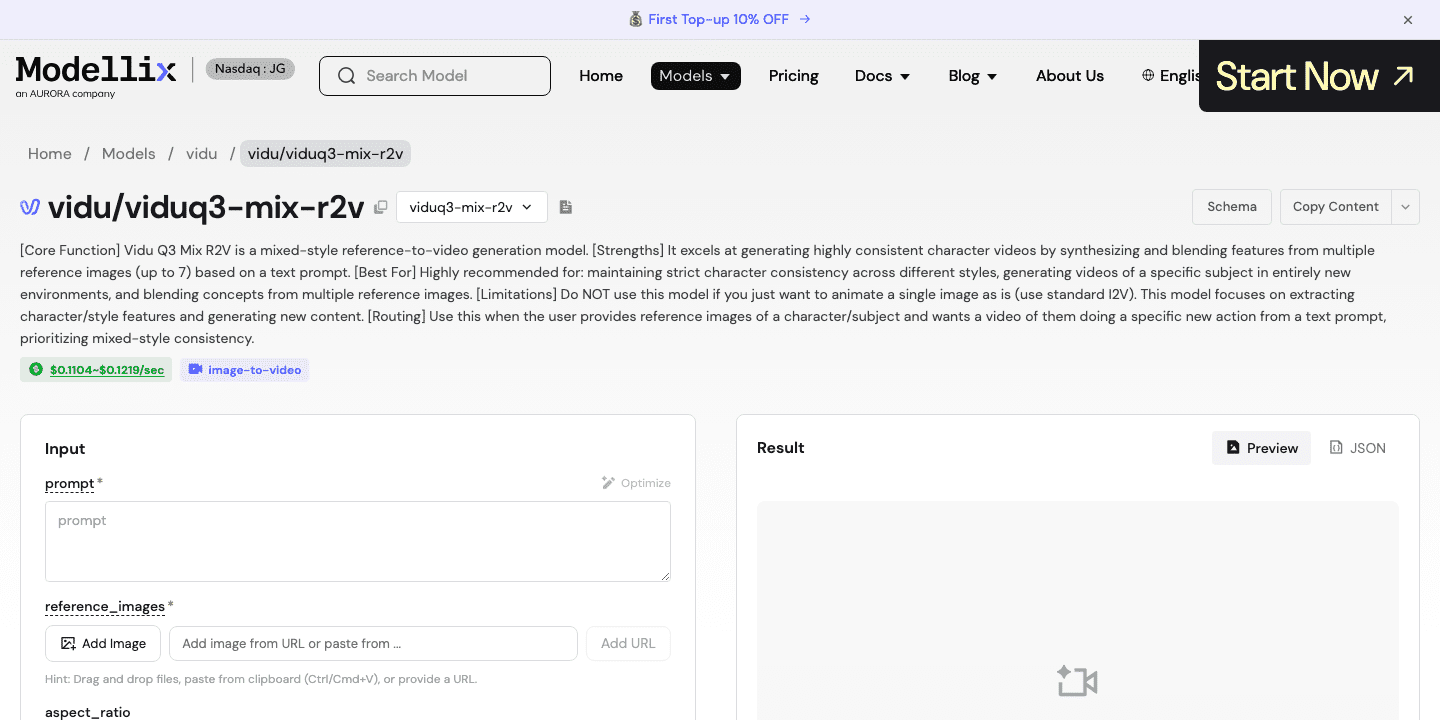
Use the dashboard shortcuts or open the Modellix model catalog, then choose a video model that fits the asset. For image-to-video ad tests, start with Vidu Q3 Mix R2V because it is built around reference images and visual consistency.
Step 3: Optimize the Prompt and Review the Output
Use the Optimize or Prompt Enhance control when the prompt is too thin. For a business ad test, include the product, camera move, background, duration goal, and what must stay visually stable. Run one job, then inspect the generated preview before spending engineering time.


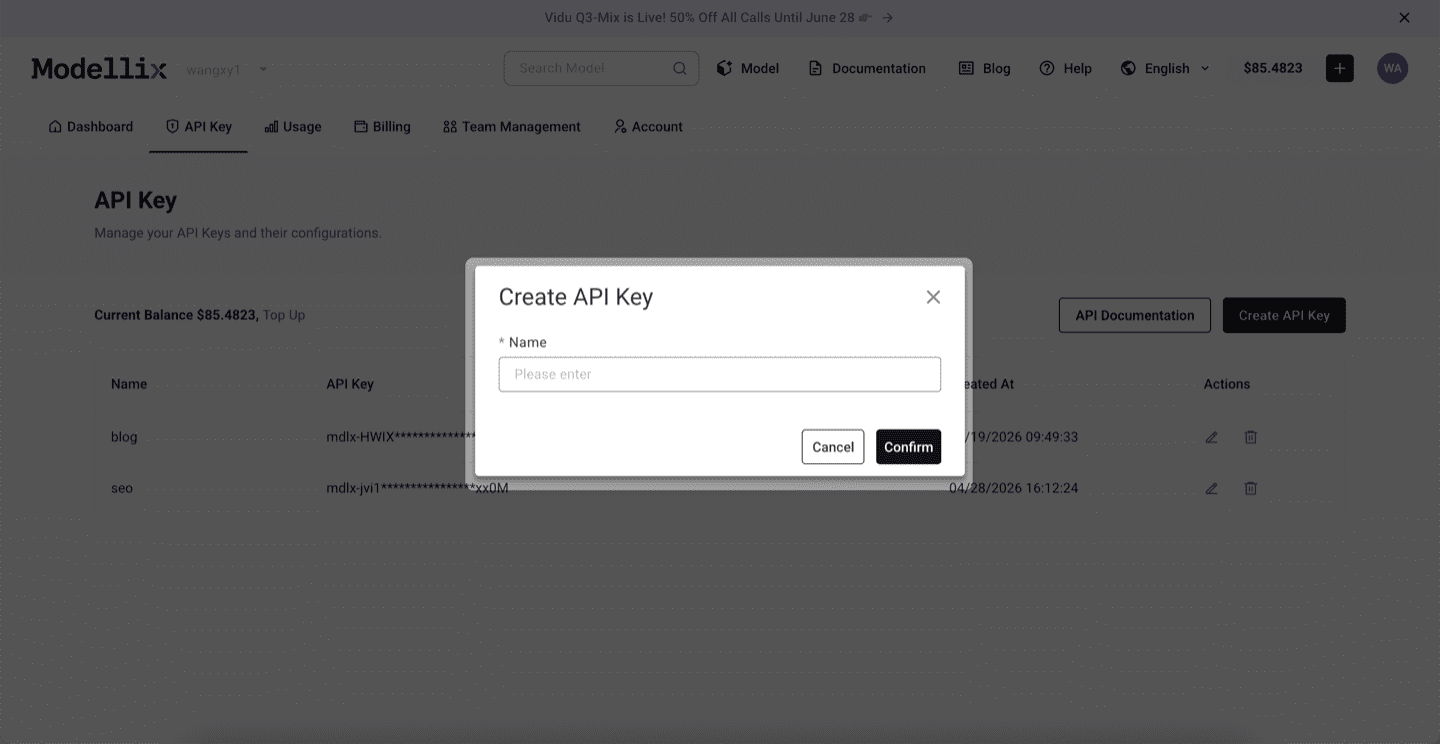
Step 4: Create an API Key Only When the Test Needs to Repeat
Stay in Playground for one-off creative exploration. Create an API key only when the test needs to repeat, such as a batch of product ad variants, a client workflow, or a backend feature that must generate videos from uploaded images.
Step 5: Check Logs and Save the Result Before Scaling
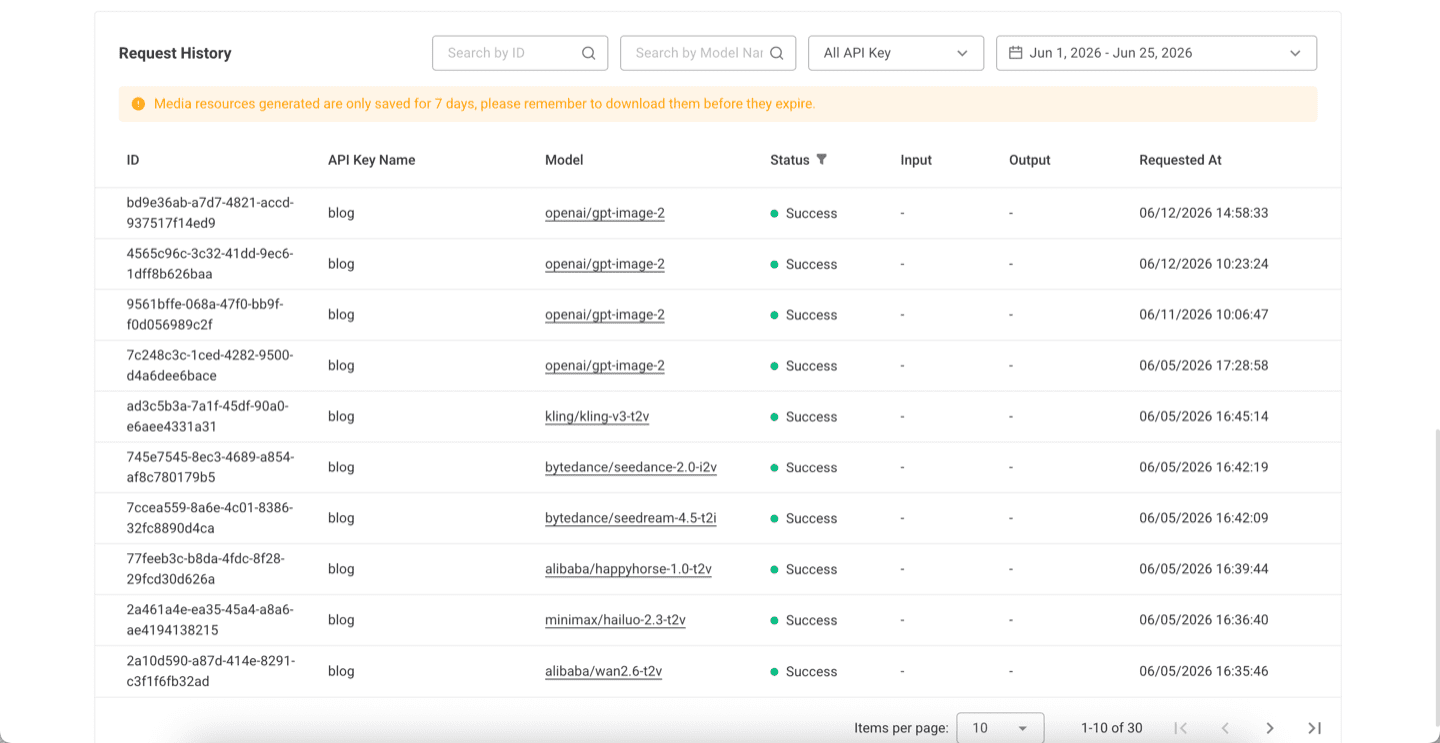
Before scaling from one manual run to repeated generation, check request history. Logs confirm the model slug, API key name, task status, request time, and result retention window, which makes campaign tests easier to debug.
Try Image-to-Video Ads Next
Run one real image-to-video job before you commit engineering time
Start free with the included $1 credit, test one product image or campaign still, and automate only after the clip is good enough to repeat.
Frequently Asked Questions About Free Image-to-Video Tools 2026
What is the best free AI image-to-video tool for business use?
The best choice depends on the next step. Use creator tools for visual exploration, but use a workflow with clear credits, request logs, and API handoff if the test may become a client campaign or product feature.
Is free AI image-to-video enough for commercial ads?
Usually not by itself. Free access is best for proof of quality. Before using output in paid campaigns, verify commercial rights, watermark rules, export quality, and whether the plan allows business use.
What should a company test first?
Start with a product shot, one campaign prompt, and one motion direction. Score the result by product fidelity, brand safety, clip quality, cost, and repeatability.
Why do image-to-video tools matter for AI film workflows?
They let teams animate approved stills, key frames, mood boards, or character references before committing to a more expensive production path. This is useful for previs, pitch decks, and early sequence planning.
When should a team move from UI testing to API integration?
Move to API when the same prompt pattern needs to run repeatedly, when outputs must be stored automatically, or when the team needs to compare multiple models on the same creative brief.