MiniMax’s Hailuo 02 climbed to #2 on the global AI video leaderboards on the strength of one thing most models still fumble: physics. Gravity, fluid dynamics, and complex human motion like gymnastics hold together in ways that read as filmed, not generated, at native 1080p and up to 10 seconds. Then MiniMax shipped Hailuo 2.3 on the same architecture, tuned for human motion and micro-expressions, at the same price. For developers, that raises a practical question, not a benchmark one.
This guide covers everything verified as of June 2026: what Hailuo 02 and 2.3 actually do, which one your pipeline should call, how text-to-video and image-to-video differ, how the async request lifecycle works with real Modellix endpoint examples, how per-video and per-second pricing compares across providers, and how to integrate Hailuo through a single API key. Can you put it into production today, and which version and endpoint should you reach for?

Hailuo Capabilities Explained: Physics Simulation, Native 1080p, and 4 Things That Matter for Production
Hailuo is MiniMax’s video generation family. According to MiniMax, Hailuo 02 is a next-generation model that ranked #2 globally on blind-preference video leaderboards. Four things matter once you move past the demo reel.
Physics simulation is the headline. Hailuo 02 models gravity, fluid dynamics, and complex movement (gymnastics, collisions, cloth) more convincingly than most competing models. For product, sports, and character work where motion has to look physically plausible, this is the reason teams pick it.
Native 1080p, not upscaled. Hailuo 02 generates directly at 1080p resolution, up to 10 seconds at 24 to 30 FPS. You are not paying for a 720p render plus a separate upscale pass.
Hailuo 2.3 retunes the same base for humans. Built on the Hailuo 02 architecture, the 2.3 release is tuned for human motion, micro-expressions, and stylized art. It outputs 1080p at 6 seconds or 768p at 10 seconds. Crucially, MiniMax kept it at the same price point as 02.
Both speak the same API. Text-to-video and image-to-video, async submit-and-poll, the same parameter shape. Switching between 02 and 2.3, or between text and image input, is a slug change, not a rewrite.
Generated through Modellix’s unified API in a single call: MiniMax Hailuo 02 text-to-video, a cinematic drift over a sea of clouds at sunrise, 1080p, 6 seconds. Cost to generate: roughly $0.30 to $0.70, billed per second. That is the whole price of one API request.
Hailuo 02 vs Hailuo 2.3: Which One Your Pipeline Should Call
Same family, same price, different sweet spots. Pick by what your content is made of.
| Dimension | Hailuo 02 | Hailuo 2.3 |
|---|---|---|
| Built for | Physics, motion realism, broad scenes | Human motion, micro-expressions, stylized art |
| Max output | 1080p up to 10s | 1080p at 6s, or 768p at 10s |
| Strongest at | Product, sports, dynamic action | Characters, faces, dialogue, stylized looks |
| Price | Same tier | Same tier as 02 |
The honest read: there is no “better” version, only a better fit. Reach for Hailuo 02 when physical plausibility and longer 1080p takes matter most. Reach for Hailuo 2.3 when your shots are built around people, faces, and expression, or a stylized art direction. Because pricing is identical, you can run both on the same prompt and keep whichever output your use case prefers.

Text-to-Video vs Image-to-Video: Which Endpoint You Need
Modellix exposes Hailuo as both text-to-video and image-to-video endpoints.
Text-to-video (hailuo-02-t2v) takes a prompt and generates a clip from scratch. Reach for it when you have no source frame: concept exploration, B-roll, fully synthetic scenes, and storyboard-to-motion work.
Image-to-video (hailuo-02-i2v) takes a reference image plus a prompt and animates it. Reach for it when the first frame is fixed: product shots that must stay on-brand, character consistency, or animating an existing still.
A simple rule: if a human would need to see a picture first to know what the output should look like, use image-to-video. If the prompt alone is enough, use text-to-video. Both share the same request schema and async lifecycle, so switching is a one-line change.
Hailuo API Request Lifecycle: Submit, Poll, and Retrieve
This section is for developers moving Hailuo from a manual model test into a backend service, queue, or agent workflow. A no-code Playground test is the fastest way to validate the model; the lifecycle below is for production implementation.
Hailuo video generation is asynchronous. You submit a job, poll for status, then retrieve the result. The pattern is identical across versions and input modes.
Step 1: Submit the Job
Text-to-video:
1 | curl --request POST \ |
For image-to-video, swap the endpoint and pass a reference image:
1 | curl --request POST \ |
The submission response carries a task_id and a polling URL:
1 | { |
Two Hailuo-specific notes. Set prompt_optimizer to true (the default) to let the model rewrite a thin prompt into something more directable. And remember the resolution and duration constraint: 10-second jobs run at 768P, while 1080P caps at 6 seconds.
Step 2: Poll for Status
Use the get_result.url and sort every response into three buckets:
| Status bucket | Examples | Action |
|---|---|---|
| In-progress | pending, processing |
Back off and re-poll with exponential backoff plus jitter |
| Blocked | invalid_input, content_policy |
Fix the input. Do not retry as-is. |
| Terminal | success, failed |
Collect the result or surface the error. Stop polling. |
A workable cadence: first check at 15 seconds, then exponential backoff starting at 5s, capped at 30s, maximum 12 attempts. Add roughly 20% jitter when running concurrent jobs.
Step 3: Retrieve and Validate Results
On a terminal success, the payload carries the output video URL. Log at minimum the task_id, your own correlation ID, the input hash, the output URL, the estimated cost, and wall-clock time from submit to terminal state.
Hailuo API Pricing: Per-Video vs Per-Second, and How Providers Compare (2026)
Hailuo pricing has a wrinkle worth understanding before you model costs: providers bill it two different ways. Most resellers charge a flat rate per generated video, while Modellix bills per second of output. The figures below are public list prices as of June 2026 and change frequently.
| Provider | Hailuo 02 | Billing | Source |
|---|---|---|---|
| fal.ai | ~$0.28 per video (6s, 768p ~$0.27) | per video | Public list price, Jun 2026 |
| Hailuo 2.3 (Fast tier) | from ~$0.19 per video | per video | Public list price, Jun 2026 |
| Modellix | $0.054 to $0.12 per second (768p to 1080p) | per second | modellix.ai, Jun 2026 |
The two billing models are not directly comparable, so do the math for your own clip length. A 6-second 768p clip lands near $0.27 to $0.32 on either model. Where per-second billing helps is granularity and predictability: you pay for exactly the seconds you generate, and the same metering applies whether you call Hailuo, Wan, Seedance, or Kling.
Modellix’s real argument for Hailuo is not being the absolute cheapest. It is access. Hailuo is a MiniMax model, and routing it through the same unified API you already use for other models, with transparent per-job cost logging, removes a separate vendor relationship and a separate billing surface. Current per-model rates are listed at docs.modellix.ai/get-started/pricing.
Single-Endpoint Access: One API Key for Hailuo and Every Major Video Model
Running Hailuo from MiniMax directly, Seedance from one reseller, and Kling from another means managing separate accounts, separate API keys, separate billing dashboards, and separate retry and polling logic for each. The moment you want to compare two models on the same prompt, you are reconciling two different response schemas.
Modellix solves this with a unified AI media API: one endpoint, one API key, one billing dashboard, and consistent async job patterns across every model. Hailuo 02, Hailuo 2.3, Seedance 2.0, Kling, Wan 2.7, and Seedream all share the same submit-poll-retrieve lifecycle. The idempotency and observability setup you build for one model works for all of them.
For international teams specifically, Modellix handles access to MiniMax’s models without a separate China-region account, the same way it abstracts other regional providers. No separate MiniMax account required. From a procurement standpoint, Modellix’s parent company JG Group is NASDAQ-listed, which matters when a vendor-stability or audit-trail question lands on the integration.

4 Reliability Patterns for Production Video API Pipelines
Past the proof-of-concept stage, these patterns cut operational pain.
Separate your retry buckets. Keep transient failures (5xx, network timeout before acknowledgment) in an auto-retry queue with backoff, and permanent failures (invalid input, content policy, quota) in an alert-and-stop queue. Mixing them is how you build a silent budget-burning loop.
Validate inputs locally before submitting. Confirm required fields and types, run a preflight HEAD request on every reference image URL to check it resolves and meets size limits, and catch resolution and duration contradictions (1080p with 10 seconds) before they cost a render.
Pin the version explicitly. Do not let “Hailuo” mean “whatever is newest.” Call hailuo-02 or hailuo-2.3 by name so a model update never silently changes your output style or your costs.
Monitor cost slope, not just cost total. Log estimated cost per job including retries, then roll up P50 and P95 weekly. P95 cost-per-job tells you when a new resolution setting is quietly getting expensive before it shows up on the invoice.
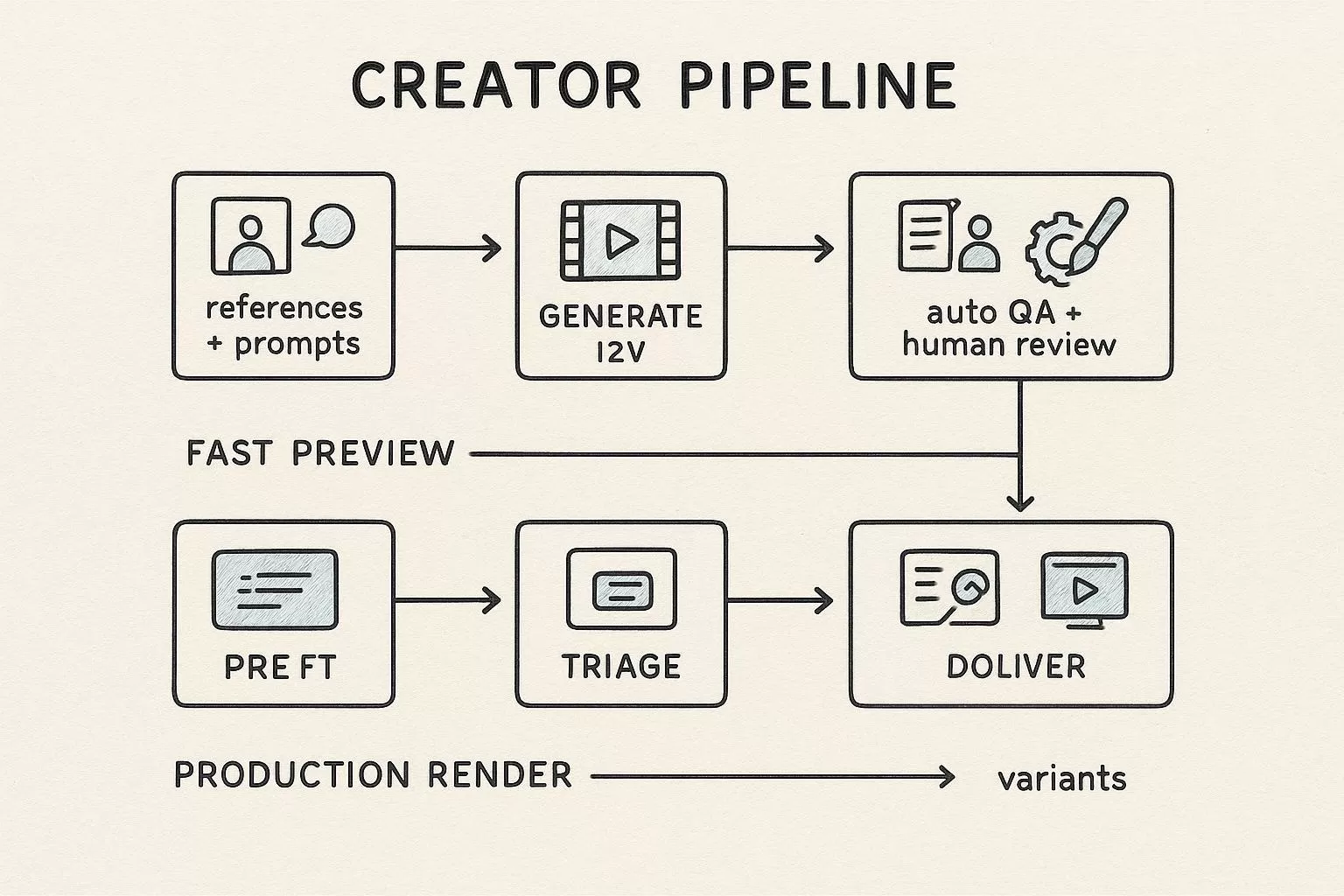
Modellix collection
Shortlist AI Video Models for Production
Compare text, image, and reference-led video workflows across multiple models from one production surface.
Good first tests: Seedance 2.0Wan 2.7HappyHorse 1.1
Explore the collectionHow to Test Hailuo Before API Integration
Most readers should not start with code. Use the Modellix Playground to run one real Hailuo job first, then move to API, Skill, or CLI only after the prompt, settings, cost, and output format are worth repeating. This keeps the guide useful for creators, product teams, and technical buyers, while developers still get a clean implementation path.
Quick start guide
Choose the right entry point for Hailuo
Playground: Best for most readers and first-time tests. Open the Hailuo model page and test the exact motion, duration, and resolution you expect to support: https://www.modellix.ai/models/minimax/hailuo-02-t2v.
API docs: Use this when a developer is ready to turn the validated prompt into a backend, batch, or product workflow. Start with Hailuo text-to-video parameters and the production request path: https://docs.modellix.ai/minimax/hailuo-02-t2v.
Skill: Use the Modellix Skill when an AI agent should create media from your workspace without hand-writing every request: https://docs.modellix.ai/ways-to-use/skill.
CLI: Use the CLI for repeatable terminal commands, local scripts, or scheduled generation jobs: https://docs.modellix.ai/ways-to-use/cli.
The links above are the routing layer. The walkthrough below is the practical path for the main audience: create an account, use the included credit, run one Playground job, and only then decide whether an API key is necessary.
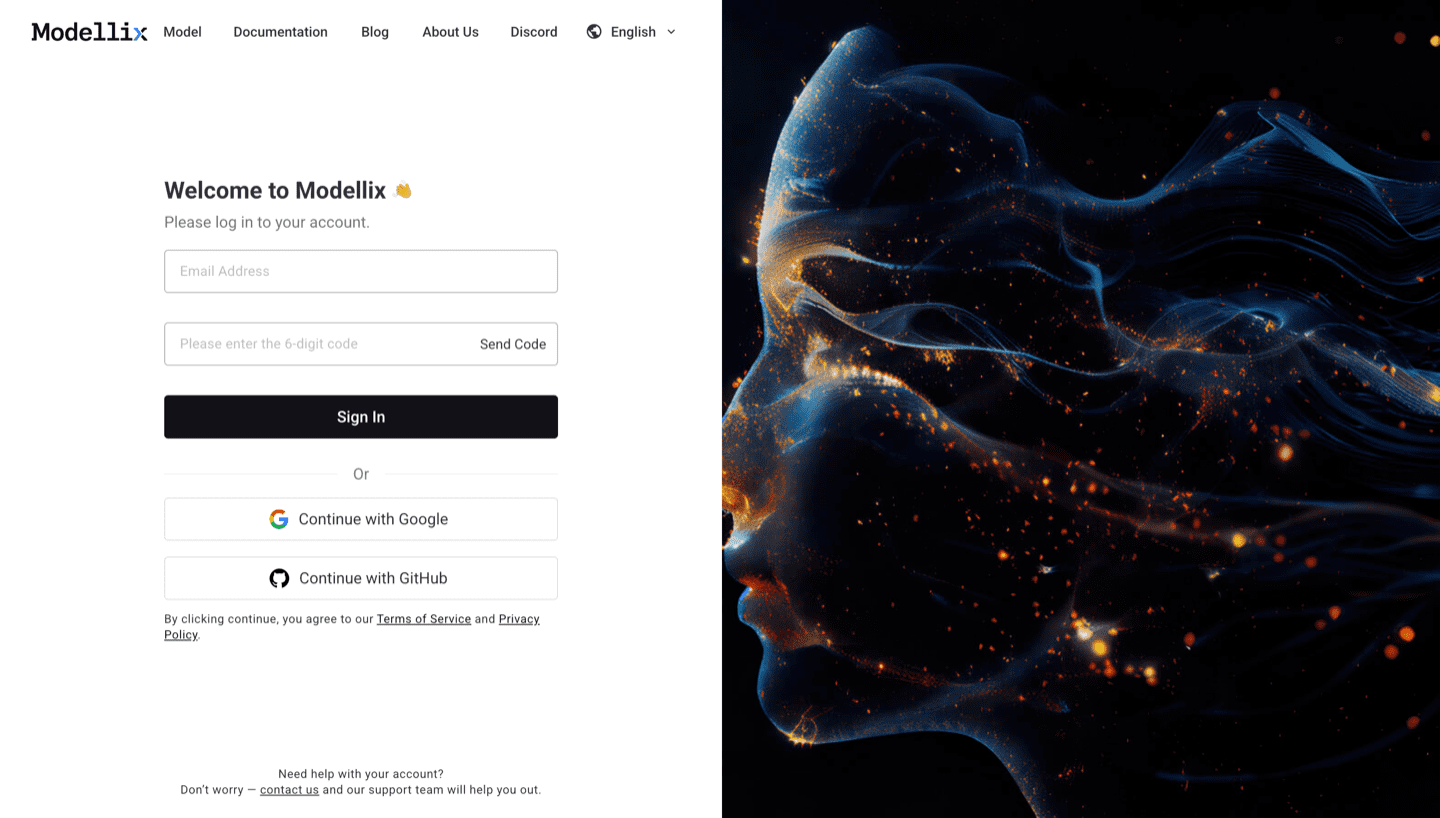
Step 1: Create or Sign In and Use the Included $1 Credit
Create or sign in to a Modellix account before you test Hailuo video models. New users can use the included $1 credit to validate model behavior, prompt quality, output download, and request logging without committing to a full integration.
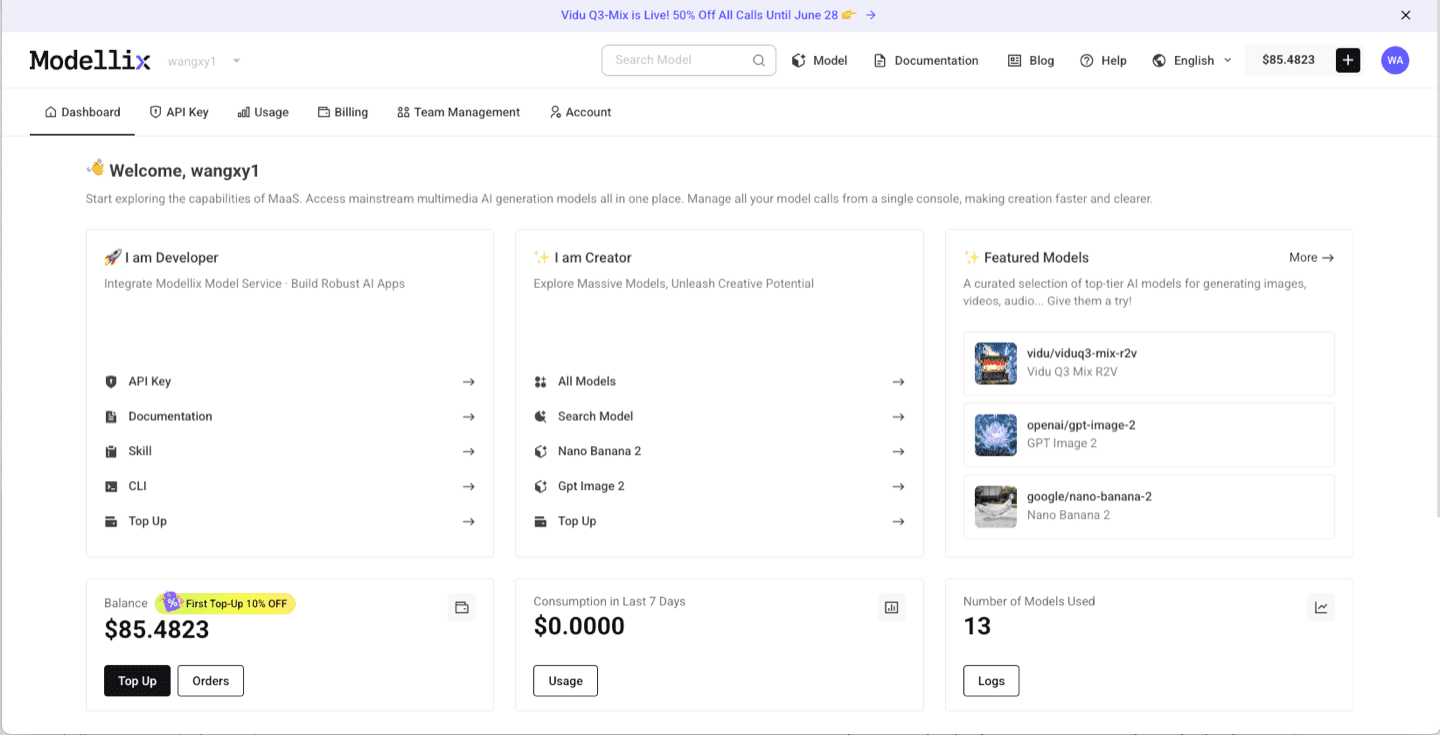
Step 2: Open the Model Page and Run One Prompt
After login, use the dashboard shortcuts or the Modellix model catalog to open Hailuo 02 T2V model page. For video models, start with a short clip, then check aspect ratio, duration, resolution, motion quality, and whether the output is worth repeating. This step is the fastest way to learn whether the model fits before you read more code.
Step 3: Optimize the Prompt and Review the Output
Before you automate anything, improve the prompt and inspect one real output. The example below uses Vidu Q3 Mix R2V, but the same Playground pattern applies across Modellix model pages: write the prompt, use prompt enhancement when the brief is too thin, run the job, and review the generated media before creating an API workflow.

After the run finishes, check whether the result matches the prompt, motion, framing, and output format you need. A real preview is the conversion point: if the result works, move to API key, Skill, or CLI; if it does not, iterate in Playground before spending engineering time.

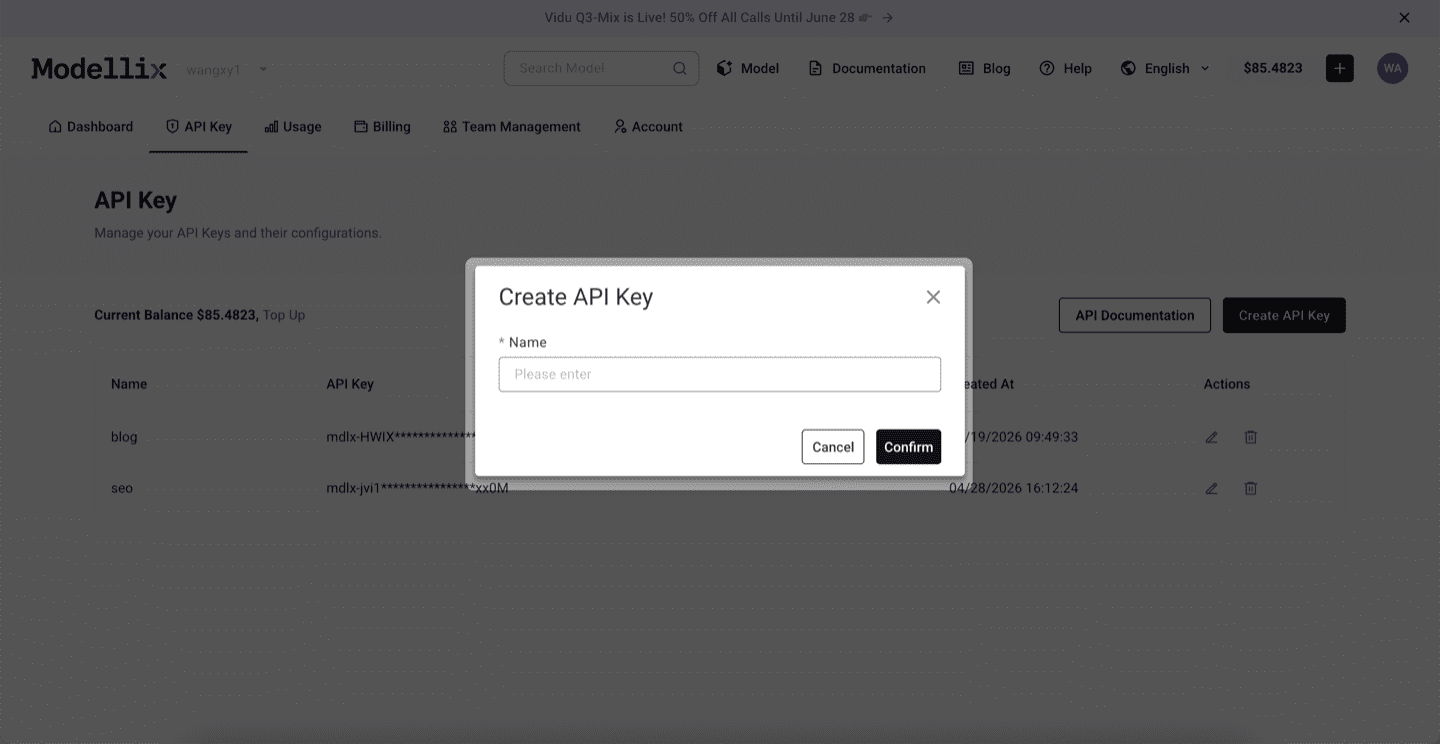
Step 4: Create an API Key Only When the Test Needs to Repeat
Stay in Playground for one-off exploration. Create an API key when a backend service, agent, batch script, or CLI workflow needs to repeat the same prompt pattern. This keeps the mainstream testing flow simple while giving developers a clean handoff point.
Step 5: Check Logs and Save the Result Before Scaling
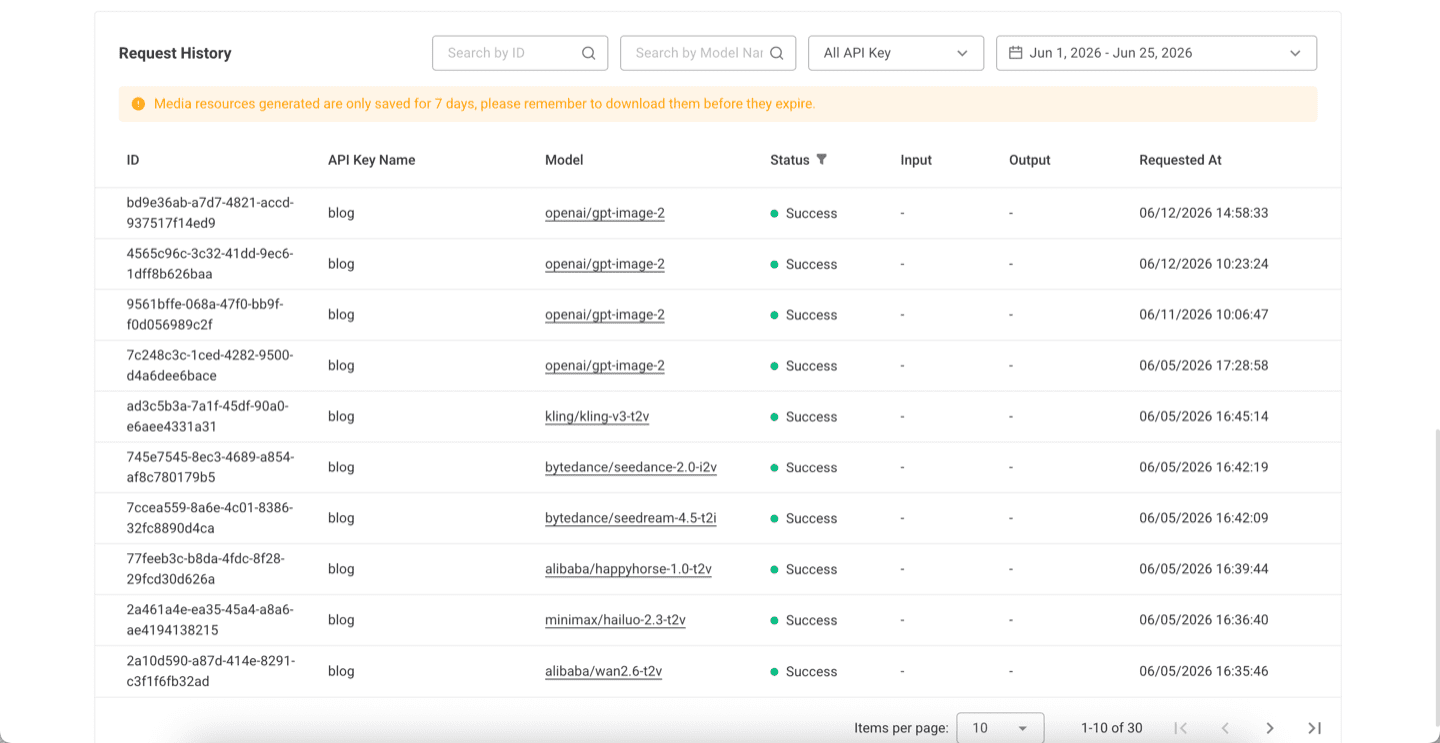
Before scaling from one manual run to repeated API, Skill, or CLI usage, review request history. Logs confirm the model slug, API key name, task status, request time, and result retention window, which makes the workflow easier to debug after it leaves Playground.
Try Hailuo Next
The practical next step is to run one real job from the official site, not to copy a complex code sample too early. Start from the Modellix console, open the Hailuo 02 T2V model page, and move to API, Skill, or CLI only after the output is good enough to repeat.
Run a Hailuo clip before building the endpoint
Open the official Hailuo model page, spend a small amount of the included credit on one prompt, then decide whether Hailuo belongs in your production route.
Frequently Asked Questions About the Hailuo AI API (2026)
What is the difference between Hailuo 02 and Hailuo 2.3?
Both are MiniMax video models at the same price. Hailuo 02 leads on physics and motion realism with 1080p up to 10 seconds. Hailuo 2.3 is built on the same architecture but tuned for human motion, micro-expressions, and stylized art, outputting 1080p at 6 seconds or 768p at 10 seconds. Use 02 for physical realism and longer takes, 2.3 for people and stylized looks.
How much does the Hailuo API cost?
Pricing depends on the billing model. As of June 2026, resellers charge a flat per-video rate of roughly $0.27 to $0.28 for Hailuo 02 and from about $0.19 for Hailuo 2.3 Fast. Modellix bills per second at $0.054 to $0.12 (768p to 1080p), so a 6-second clip lands in a similar range. Do the math for your specific clip length.
Does Hailuo support image-to-video?
Yes. Use the image-to-video endpoint and pass a reference image alongside your prompt. The model animates the still while following the prompt for motion. Text-to-video and image-to-video share the same request schema and async lifecycle.
What resolution and duration does Hailuo support?
Hailuo 02 generates native 1080p up to 10 seconds. On Hailuo 2.3, 1080p is capped at 6 seconds and 10-second jobs run at 768p. Plan your pipeline around the resolution and duration pairing rather than assuming 1080p at every length.
Does Hailuo generate realistic physics?
Yes. Physics simulation is Hailuo 02’s signature strength, covering gravity, fluid dynamics, and complex human motion. This is the main reason teams choose it for product, sports, and action content where motion has to look physically plausible.
How do I access Hailuo on Modellix?
Get an API key at modellix.ai/console/api-key. Hailuo is available under the minimax/ namespace, for example https://api.modellix.ai/api/v1/minimax/hailuo-02-t2v/async for text-to-video, with image-to-video and Hailuo 2.3 variants alongside it. No separate MiniMax account required.
How does Modellix pricing compare to going direct to MiniMax?
Modellix bills Hailuo per second with transparent per-model pricing at docs.modellix.ai/get-started/pricing. The value beyond price is operational: one API key, one billing dashboard, and the same async pattern across Hailuo, Seedance, Kling, and Wan, with no separate MiniMax account to manage.
Hailuo specifications are based on MiniMax’s public model documentation. Provider pricing reflects public list prices as of June 2026 and changes frequently. Access Hailuo 02 and 2.3 alongside Seedance, Kling, Wan, and Seedream through a single API key at modellix.ai.