Alibaba’s Tongyi Lab shipped the full Wan 2.7 suite on April 6, 2026, and the spec sheet reads like a direct shot at the closed-source video leaders: a 27B Mixture-of-Experts model, a new Thinking Mode that plans a shot before rendering it, native audio, and 1080p clips up to 15 seconds, all under an Apache 2.0 license. Within weeks the model was live across nearly every major inference provider, with public per-second prices starting around $0.06 for 720p.
This guide covers everything verified as of May 2026: what Wan 2.7 actually adds over Wan 2.6, when to call the text-to-video endpoint versus image-to-video, how the async job lifecycle works with real request examples, how per-second pricing compares across providers, and how to integrate it through a single Modellix key. Can you put it into a production pipeline today, and which endpoint should that pipeline actually call?
Wan 2.7 Capabilities Explained: Thinking Mode, Native Audio, and 4 Production Advantages
Wan 2.7 is the latest release in Alibaba’s Wan (Tongyi Wanxiang) video family. According to the Tongyi Lab announcement on April 6, 2026, the suite spans text-to-video, image-to-video, reference-to-video, and instruction-based video editing. Four things matter once you move past the demo reel.
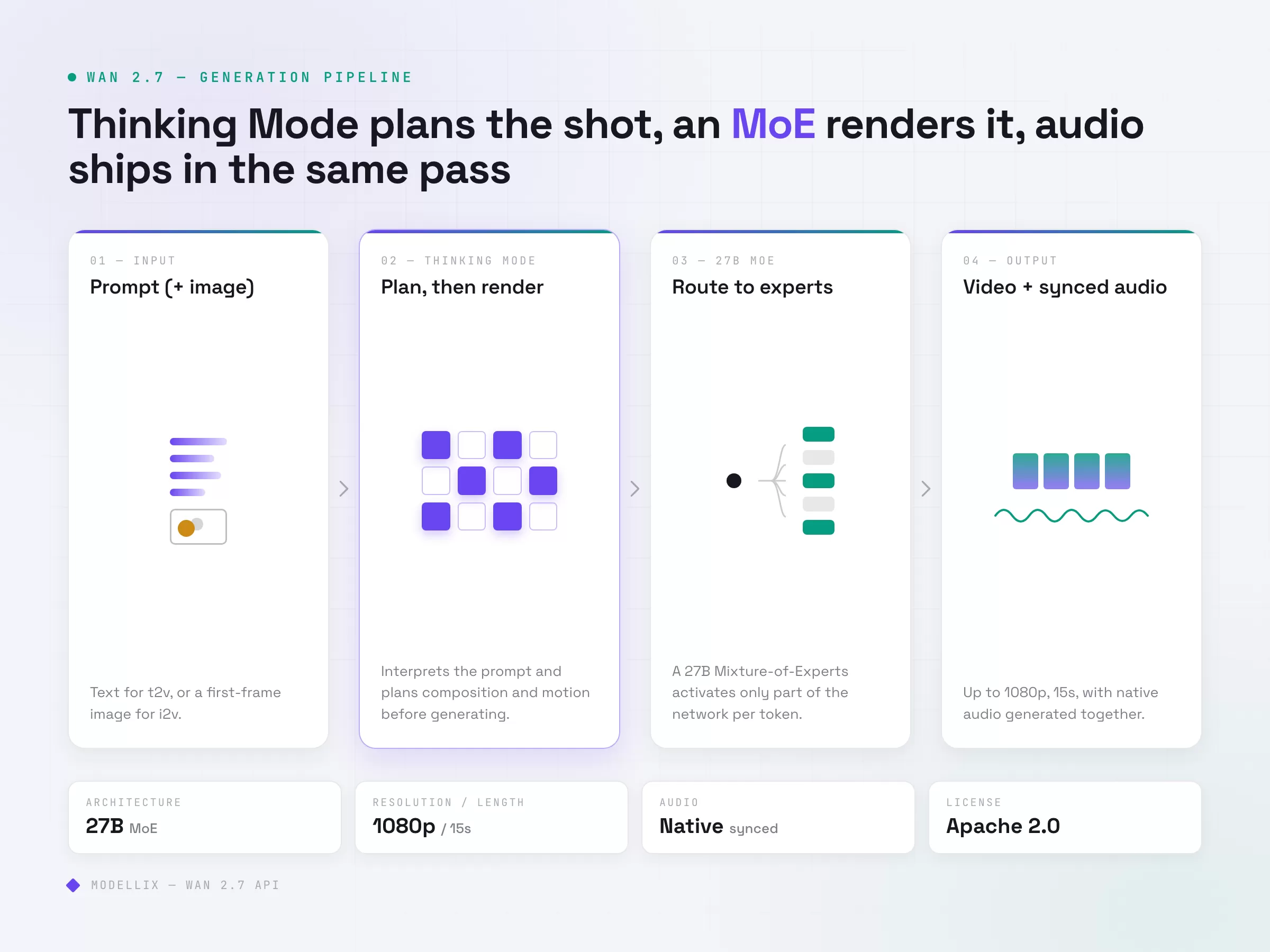
Thinking Mode changes how prompts resolve. Instead of denoising straight from the prompt, the model first interprets the instruction, plans composition and motion, then generates. In practice this means long or compound prompts (multiple subjects, staged camera moves, specific lighting) hold together better than they did in earlier Wan versions. It also means slightly higher latency on complex jobs, which matters when you size timeouts.
Native audio is generated with the video, not bolted on. Wan 2.7 produces a synchronized audio track in the same pass rather than requiring a separate lip-sync or sound model. For dialogue and ambient scenes this collapses a two-model pipeline into one call.
The 27B MoE architecture routes work to specialized experts. A Mixture-of-Experts design activates only part of the network per token, which is how a 27B model can stay cost-competitive with smaller dense models. Alibaba reports cinematic 1080p output up to 15 seconds per clip.
It is Apache 2.0. The weights are open and commercially usable without a platform subscription. That is the strategic difference from Veo or Seedance: you are not locked to one vendor’s hosted endpoint, and any inference provider can serve it. The tradeoff is that quality, latency, and pricing now vary by who hosts it, which is exactly what the rest of this guide helps you navigate.
Sample generated through Modellix’s unified API: a first frame from Seedream 4.5, animated by the Wan series image-to-video model (Wan 2.2 i2v-flash). One API key, two models.
Step back from the spec sheet and Wan 2.7’s place in the 2026 landscape is clear: it is the cost-performance route. Premium closed models like Google’s Veo still lead on raw fidelity, so if absolute output quality is the only metric that matters, that is where to look. Wan 2.7 competes on a different axis. Open weights create real price competition (the per-second rates below), the model is built for fast iteration, and a standard async API makes it straightforward to drop into an existing pipeline. For teams optimizing cost per usable clip instead of chasing the top of a quality benchmark, that is usually the better trade.
Wan 2.7 vs Wan 2.6: What Changed and Whether It Is Worth Switching
If your pipeline already runs Wan 2.6, the upgrade question comes down to three deltas.
| Dimension | Wan 2.6 | Wan 2.7 |
|---|---|---|
| Prompt handling | Direct generation | Thinking Mode (plan, then render) |
| Audio | Add-on / separate step | Native synchronized audio |
| Max clip | Shorter single-call clips | Up to 15 seconds at 1080p |
| License | Open weights | Apache 2.0 open weights |
| Best for | Fast, low-cost T2V baseline | Complex prompts, dialogue, longer takes |
The honest read: Wan 2.6 is still the cheaper, faster baseline for short, simple text-to-video shots, and in our earlier batch testing it returned the fastest completed result of any model in its tier. Move to Wan 2.7 when your prompts are getting complex enough that 2.6 starts dropping details, when you need synchronized audio in one call, or when you need clips past the 2.6 single-call ceiling. For high-volume, low-complexity work, there is no rush to switch.
Text-to-Video vs Image-to-Video: Which Endpoint Your Pipeline Needs
Modellix exposes Wan 2.7 as two production endpoints. Picking the wrong one wastes render budget on the wrong input shape.
Text-to-video (wan2.7-t2v) takes a text prompt and generates a clip from scratch. Reach for it when you have no source frame: concept exploration, B-roll, fully synthetic scenes, and storyboard-to-motion work where the look is described, not provided.
Image-to-video (wan2.7-i2v) takes one or more reference images plus a prompt and animates them. Reach for it when the first frame is fixed: product shots that must stay on-brand, character consistency across clips, animating an existing illustration, or any workflow where the visual identity is locked and only motion is generated.
A simple rule: if a human would need to see a picture first to know what the output should look like, use image-to-video. If the prompt alone is enough, use text-to-video. Both endpoints share the same request schema, the same async lifecycle, and the same pricing model, so switching between them is a one-line change.
Wan 2.7 API Request Lifecycle: Submit, Poll, and Retrieve
This section is for developers building Wan 2.7 into a backend, batch job, or agent workflow. If you are still validating creative quality, use the Playground guide first; use the lifecycle below when you are ready to automate generation.
Wan 2.7 video generation is asynchronous. You submit a job, poll for status, then retrieve the result. The pattern is identical across t2v and i2v.
Step 1: Submit the Job
Text-to-video:
1 | curl --request POST \ |
For image-to-video, swap the endpoint and pass a reference image instead of relying on the prompt alone:
1 | curl --request POST \ |
The submission response is the same shape for both endpoints:
1 | { |
Pass images and video references as URLs rather than inline blobs. Because Thinking Mode adds planning overhead before generation starts, set your first poll later than you would for a simpler model.
Step 2: Poll for Status
Use the get_result.url from the submission response and sort every response into three buckets:
| Status bucket | Examples | Action |
|---|---|---|
| In-progress | pending, processing |
Back off and re-poll with exponential backoff plus jitter |
| Blocked | invalid_input, content_policy |
Fix the input. Do not retry as-is. |
| Terminal | success, failed |
Collect the result or surface the error. Stop polling. |
A workable cadence for 1080p clips: first check at 20 seconds, then exponential backoff starting at 5s, capped at 30s, with a maximum of 12 attempts. Add roughly 20% jitter when you run concurrent jobs so your polls do not stampede.
Step 3: Retrieve and Validate Results
On a terminal success, the result payload carries the output video URL. Log at minimum the task_id, your own correlation ID, the input hash, the output URL, the estimated cost, and wall-clock time from submit to terminal state. Store the output URL immediately if it feeds a downstream edit or stitch step.
Wan 2.7 API Pricing: Per-Second Billing and How Providers Compare (May 2026)
Because Wan 2.7 is open-weight, no single vendor sets the price. Most providers bill text-to-video per second of output, while image-to-video and reference-to-video are often billed per run because of the added conditioning work. The table below compares per-second rates across the providers most teams evaluate, as public list prices in May 2026. They change frequently, so treat them as a snapshot, not a contract.
| Provider | 720p | 1080p | 10s 1080p clip |
|---|---|---|---|
| Modellix (unified API) | $0.065/s | $0.095/s | $0.95 |
| Kie.ai | $0.08/s | ~$0.12/s | $1.20 |
| Together AI | from $0.10/s | n/a | ~$1.00 |
| fal.ai | $0.10/s | $0.15/s | $1.50 |
Modellix rates are from modellix.ai; reseller rates are public list prices, May 2026. At these rates, a 10-second 1080p text-to-video clip runs roughly $0.95 to $1.50. Image-to-video typically costs more per equivalent output: Segmind, for example, lists Wan 2.7 reference-to-video at $0.625 for 720p and $0.9375 for 1080p per request as of May 2026.
Two things drive your actual bill more than the headline rate. First, you pay for output seconds, so your discard rate (failed or rejected jobs) directly shapes monthly cost. Second, resolution: 1080p runs materially more than 720p across every provider, so default to 720p for development and reserve 1080p for final renders.
On Modellix, Wan 2.7 text-to-video lists at $0.065 to $0.095 per second (720p to 1080p), roughly 60% of Alibaba Cloud’s official rate as of May 2026, billed per request with full job-level cost logging. As the matrix shows, that is the lowest per-second rate among the providers most teams evaluate, and the platform value sits beyond the headline number: one API key, one billing surface, and the same async pattern whether you call Wan 2.7, Seedance, or Kling. Current per-model rates are listed at docs.modellix.ai/get-started/pricing.

Single-Endpoint Access: One API Key for Every Major Video Model
Running Wan 2.7 direct from one reseller, Seedance from another, and Kling from a third means managing separate accounts, separate API keys, separate billing dashboards, and separate retry and polling logic for each. The moment you want to compare two models on the same prompt, you are reconciling two different response schemas.
Modellix solves this with a unified AI media API: one endpoint, one API key, one billing dashboard, and consistent async job patterns across every model. Wan 2.7 text-to-video and image-to-video, Seedance 2.0, Kling, Seedream, and Hailuo all share the same submit-poll-retrieve lifecycle. The idempotency and observability setup you build for one model works for all of them.
To benchmark Wan 2.7 against another model, you change a slug in the endpoint path, not your architecture. Run the same prompt across Wan 2.7 and Seedance, compare task time and discard rate, then route by use case in production.
From a procurement standpoint, Modellix’s parent company JG Group is NASDAQ-listed, which matters when a vendor-stability or audit-trail question lands on the integration. Full billing history and per-job cost logging are available in the dashboard without filing a support ticket.

4 Reliability Patterns for Production Video API Pipelines
Past the proof-of-concept stage, these patterns cut operational pain.
Separate your retry buckets. Keep transient failures (5xx, network timeout before acknowledgment) in an auto-retry queue with backoff, and permanent failures (invalid input, content policy, quota) in an alert-and-stop queue. Mixing them is how you build a silent budget-burning loop.
Validate inputs locally before submitting. Confirm required fields and types, run a preflight HEAD request on every reference URL to check it resolves and meets size limits, and catch logical contradictions in the prompt before they cost a render.
Size timeouts for Thinking Mode. Wan 2.7 plans before it generates, so cold-start and complex-prompt latency runs higher than a direct-generation model. Set your first poll later and your overall timeout longer than you would for Wan 2.6.
Monitor cost slope, not just cost total. Log estimated cost per job including retries, then roll up P50 and P95 weekly. P95 cost-per-job tells you when a new resolution setting is quietly getting expensive before it shows up on the invoice.
Modellix collection
Shortlist AI Video Models for Production
Compare text, image, and reference-led video workflows across multiple models from one production surface.
Good first tests: Seedance 2.0Wan 2.7HappyHorse 1.1
Explore the collectionHow to Test Wan 2.7 Before API Integration
Most readers should not start with code. Use the Modellix Playground to run one real Wan 2.7 job first, then move to API, Skill, or CLI only after the prompt, settings, cost, and output format are worth repeating. This keeps the guide useful for creators, product teams, and technical buyers, while developers still get a clean implementation path.
Quick start guide
Choose the right entry point for Wan 2.7
Playground: Best for most readers and first-time tests. Open the Wan 2.7 model page and test whether text-to-video or image-to-video fits your asset plan: https://www.modellix.ai/models/alibaba/wan2.7-t2v.
API docs: Use this when a developer is ready to turn the validated prompt into a backend, batch, or product workflow. Start with Wan 2.7 text-to-video parameters and the production API path: https://docs.modellix.ai/alibaba/wan-2-7-t2v.
Skill: Use the Modellix Skill when an AI agent should create media from your workspace without hand-writing every request: https://docs.modellix.ai/ways-to-use/skill.
CLI: Use the CLI for repeatable terminal commands, local scripts, or scheduled generation jobs: https://docs.modellix.ai/ways-to-use/cli.
The links above are the routing layer. The walkthrough below is the practical path for the main audience: create an account, use the included credit, run one Playground job, and only then decide whether an API key is necessary.
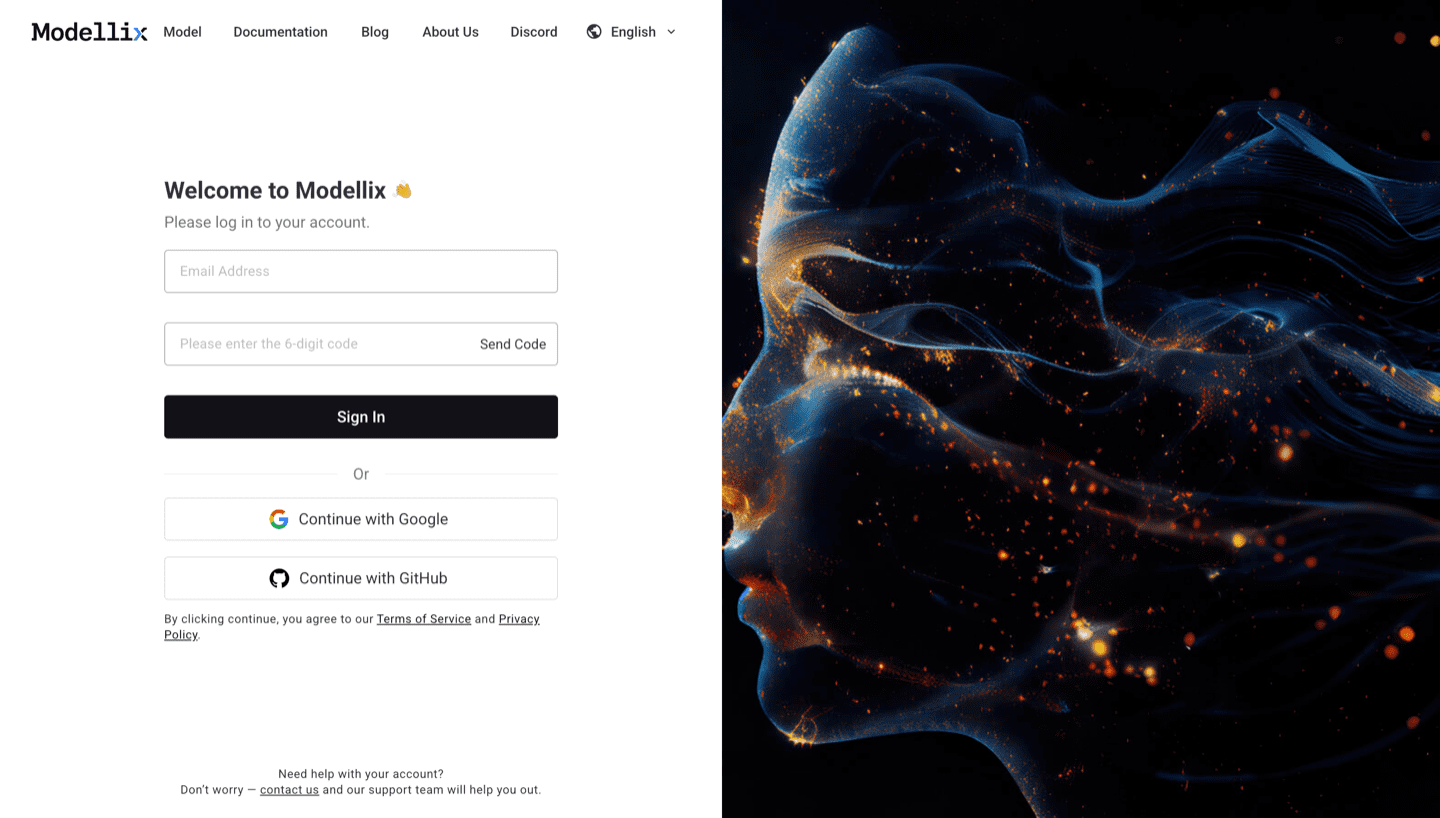
Step 1: Create or Sign In and Use the Included $1 Credit
Create or sign in to a Modellix account before you test Wan 2.7 video generation. New users can use the included $1 credit to validate model behavior, prompt quality, output download, and request logging without committing to a full integration.
Step 2: Open the Model Page and Run One Prompt
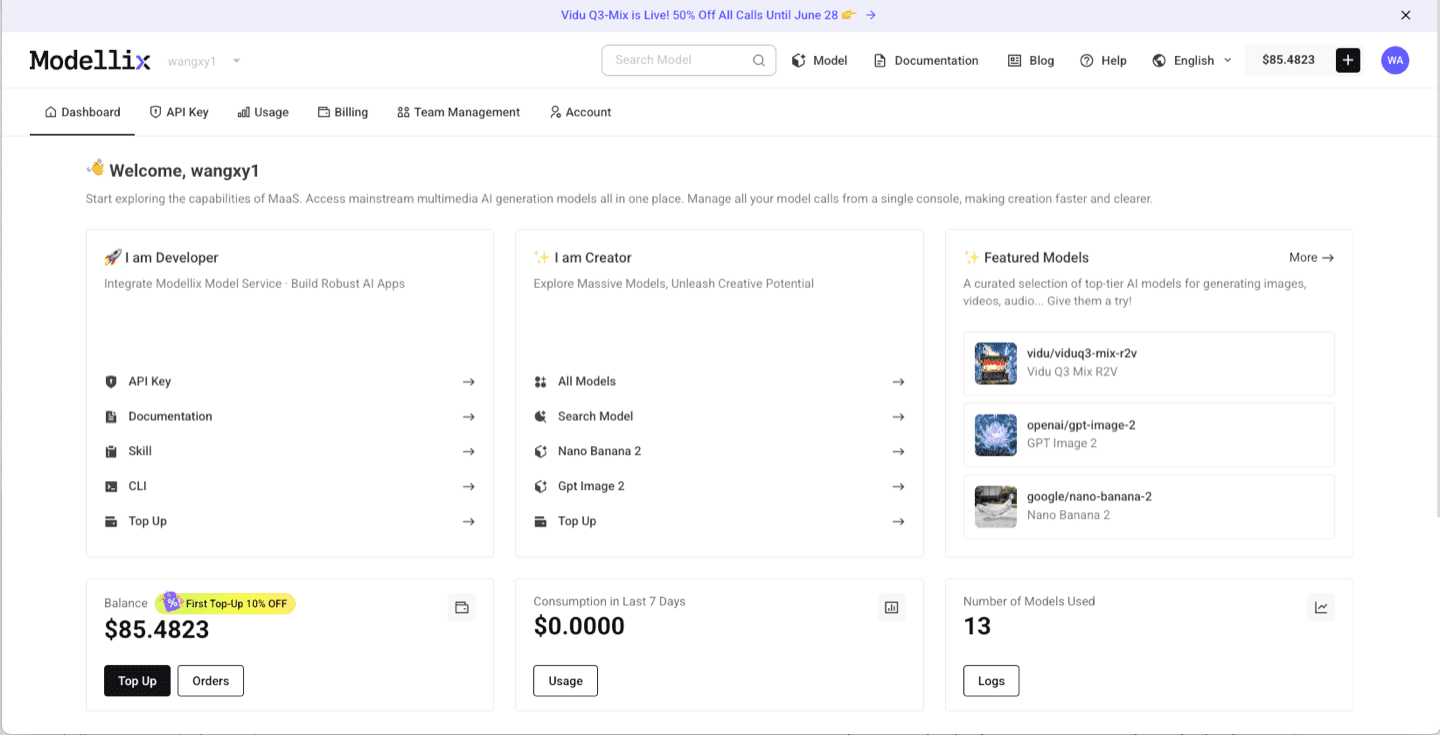
After login, use the dashboard shortcuts or the Modellix model catalog to open Wan 2.7 T2V model page. For video models, start with a short clip, then check aspect ratio, duration, resolution, motion quality, and whether the output is worth repeating. This step is the fastest way to learn whether the model fits before you read more code.
Step 3: Optimize the Prompt and Review the Output
Before you automate anything, improve the prompt and inspect one real output. The example below uses Vidu Q3 Mix R2V, but the same Playground pattern applies across Modellix model pages: write the prompt, use prompt enhancement when the brief is too thin, run the job, and review the generated media before creating an API workflow.

After the run finishes, check whether the result matches the prompt, motion, framing, and output format you need. A real preview is the conversion point: if the result works, move to API key, Skill, or CLI; if it does not, iterate in Playground before spending engineering time.

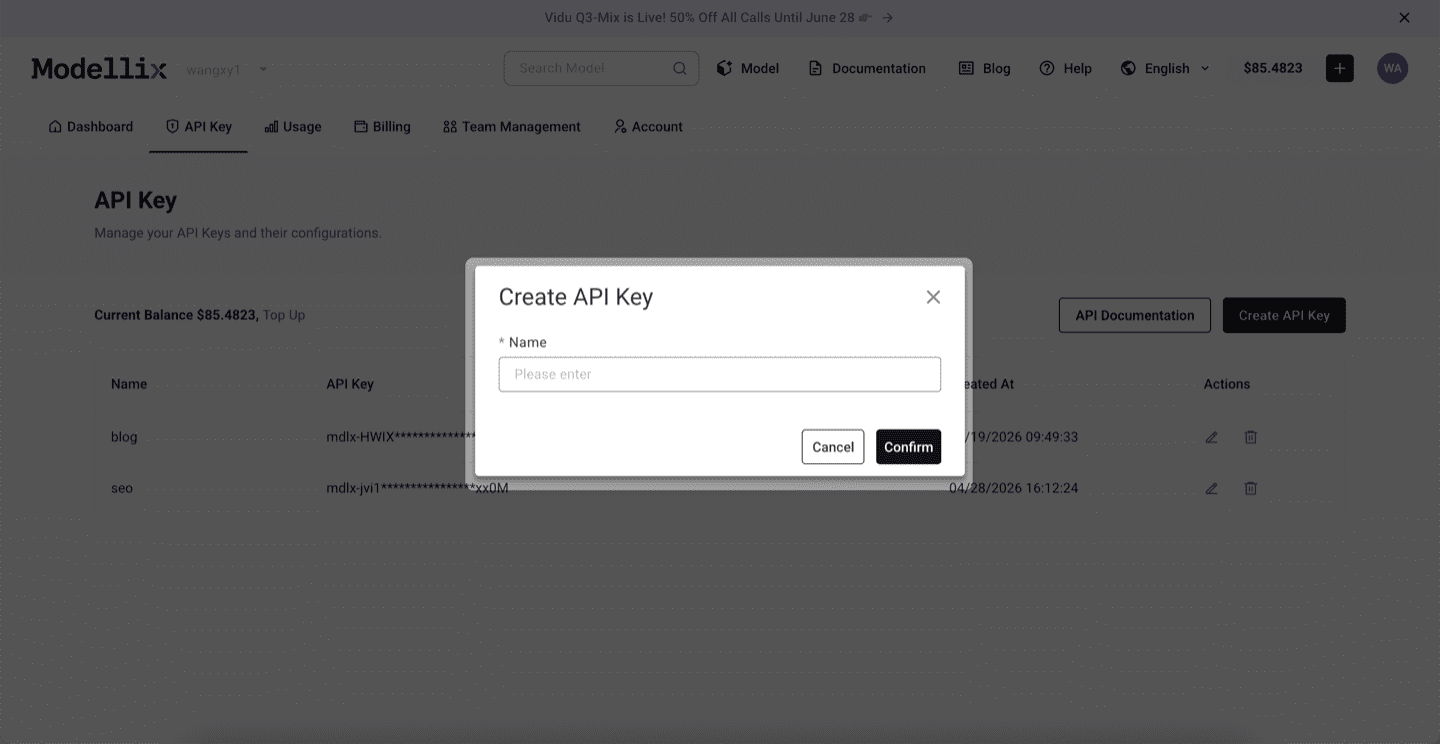
Step 4: Create an API Key Only When the Test Needs to Repeat
Stay in Playground for one-off exploration. Create an API key when a backend service, agent, batch script, or CLI workflow needs to repeat the same prompt pattern. This keeps the mainstream testing flow simple while giving developers a clean handoff point.
Step 5: Check Logs and Save the Result Before Scaling
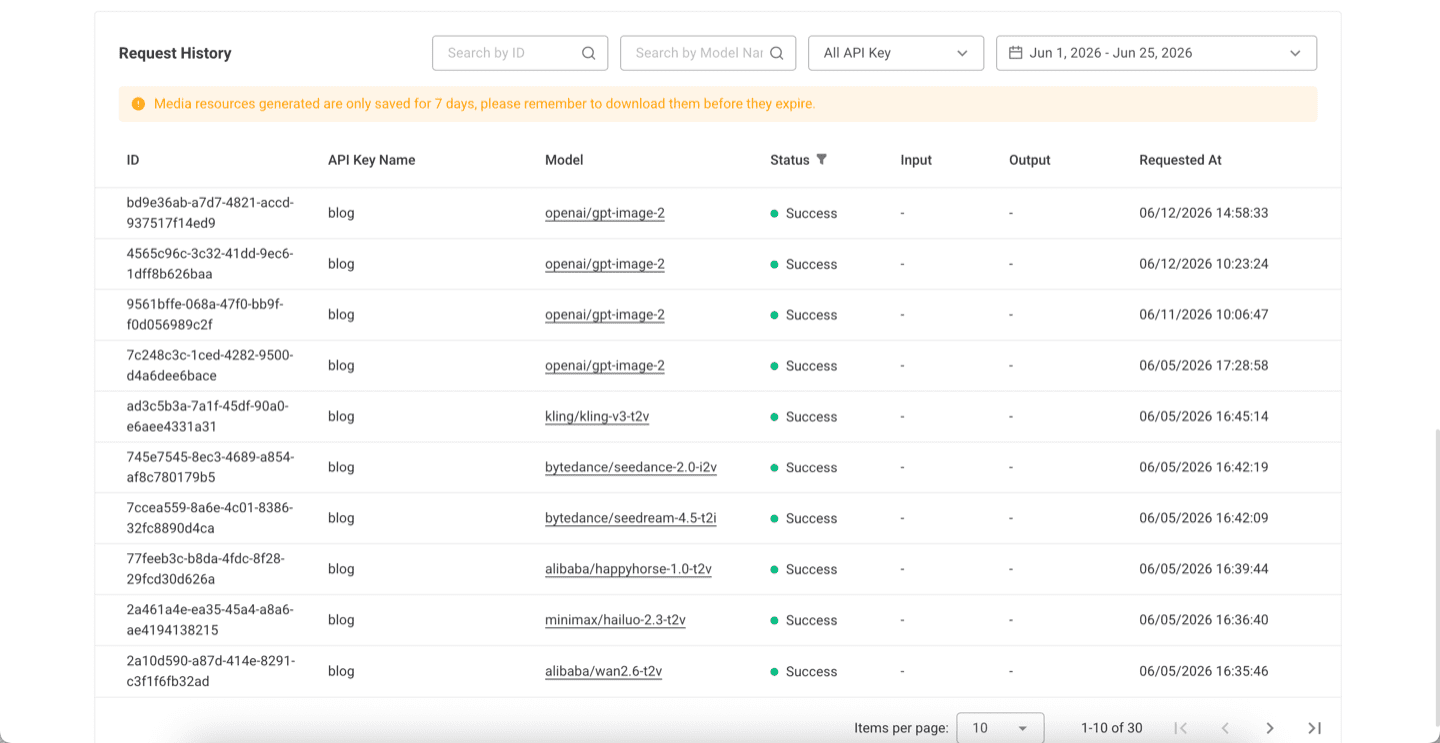
Before scaling from one manual run to repeated API, Skill, or CLI usage, review request history. Logs confirm the model slug, API key name, task status, request time, and result retention window, which makes the workflow easier to debug after it leaves Playground.
Try Wan 2.7 Next
The practical next step is to run one real job from the official site, not to copy a complex code sample too early. Start from the Modellix console, open the Wan 2.7 T2V model page, and move to API, Skill, or CLI only after the output is good enough to repeat.
Validate Wan 2.7 with one real clip first
Open the official Wan 2.7 model page, test a short prompt with the included credit, and confirm quality, duration, and cost before you build a repeatable workflow.
Frequently Asked Questions About the Wan 2.7 API (2026)
What is the difference between Wan 2.7 text-to-video and image-to-video?
Text-to-video generates a clip from a prompt alone, with no source frame. Image-to-video animates one or more reference images using the prompt for motion direction. Use text-to-video for synthetic scenes and concept work, and image-to-video when the first frame is fixed, such as product or character-consistent content. Both share the same request schema and async lifecycle.
How much does the Wan 2.7 API cost?
Most providers bill text-to-video per second of output. As of May 2026, public list prices run from roughly $0.06 per second at the low end (720p) to $0.15 per second at premium 1080p tiers, so a 10-second clip lands around $0.90 to $1.50. Image-to-video and reference-to-video are often billed per run and cost more. Prices change frequently because Wan 2.7 is open-weight and hosted by many providers.
Is Wan 2.7 better than Wan 2.6?
For complex prompts, dialogue with synchronized audio, and longer single-call clips, yes. Wan 2.7 adds Thinking Mode, native audio, and clips up to 15 seconds at 1080p. For short, simple, high-volume text-to-video, Wan 2.6 remains the faster and cheaper baseline.
Is Wan 2.7 open source?
Yes. According to Alibaba’s Tongyi Lab, the Wan 2.7 suite is released under the Apache 2.0 license, which allows commercial use. Because the weights are open, quality, latency, and pricing vary by which provider hosts the model.
Does Wan 2.7 generate audio?
Yes. Wan 2.7 produces synchronized native audio in the same generation pass, rather than requiring a separate lip-sync or sound model. Pass generate_audio: true on the request when you want it.
How do I access Wan 2.7 on Modellix?
Get an API key at modellix.ai/console/api-key. Both endpoints are available under the alibaba/ namespace: https://api.modellix.ai/api/v1/alibaba/wan-2.7-t2v/async for text-to-video and wan-2.7-i2v for image-to-video. No separate Alibaba Cloud account required. The full Wan 2.7 family, including image models, is listed on the Wan 2.7 series page.
How does Modellix pricing compare to going direct to Alibaba Cloud?
As of May 2026, Modellix prices Wan 2.7 access at roughly 60% of Alibaba Cloud’s official rate, billed per request with transparent per-model pricing at docs.modellix.ai/get-started/pricing. Beyond price, the value is one API key, one billing dashboard, and the same async pattern across Wan 2.7, Seedance, Kling, and Hailuo.
Wan 2.7 specifications are based on Alibaba Tongyi Lab’s April 6, 2026 announcement. Provider pricing reflects public list prices as of May 2026 and changes frequently. Access Wan 2.7 text-to-video and image-to-video alongside Seedance, Kling, Seedream, and Hailuo through a single API key at modellix.ai.