Google Veo 3.1 is the model most teams name first when the brief says cinematic. It generates 1080p clips with synchronized native audio, dialogue, ambience, and sound effects produced in the same pass, at durations up to 8 seconds, and it sits at or near the top of the blind-preference video leaderboards. The catch has never been quality. It is access: premium per-second pricing, a Vertex AI integration path heavier than a single REST call, and region and quota gates that slow teams down before the first render.
This guide covers everything verified as of June 2026: what Veo 3.1 adds, when to call the standard model versus the fast variant, the text-to-video and image-to-video split, the duration and resolution rules that trip up first integrations, how the async job lifecycle works with real request examples, how premium per-second pricing actually behaves, and how to reach Veo 3.1 through a single Modellix key. For the full Google media suite (Imagen, Nano Banana, and Veo together), see the Google models guide. This one focuses on the Veo 3.1 video API specifically. Can you put it into production today, and which variant should that pipeline call?
Veo 3.1 Capabilities Explained: Native Audio, Resolution Tiers, and What Changed from Veo 3
Veo 3.1 is the latest release in Google DeepMind’s Veo video family. It carries forward the headline feature that set Veo 3 apart and tightens the controls developers asked for. Four things matter once you move past the demo reel.
Native audio is generated with the video, not added later. Veo produces a synchronized soundtrack, dialogue, ambient sound, and effects, in the same generation pass. For a talking scene or an atmospheric shot, that collapses a separate lip-sync or sound step into one call, which is the single biggest reason teams reach for Veo over a video-only model.
Resolution and duration are tied together. On the standard tier, clips run 4, 6, or 8 seconds, and the higher resolution tiers (1080p and above) are available at the 8 second duration. The practical takeaway: prototype at 720p and shorter durations, then commit to the longer high-resolution render only for final output. Sizing this wrong is the most common first-integration mistake.
Veo 3.1 improves consistency and reference control. Compared with Veo 3, the 3.1 update sharpens temporal consistency and gives stronger control when you condition on a starting image, which is what makes its image-to-video path practical for brand-consistent and character-consistent work rather than one-off clips.
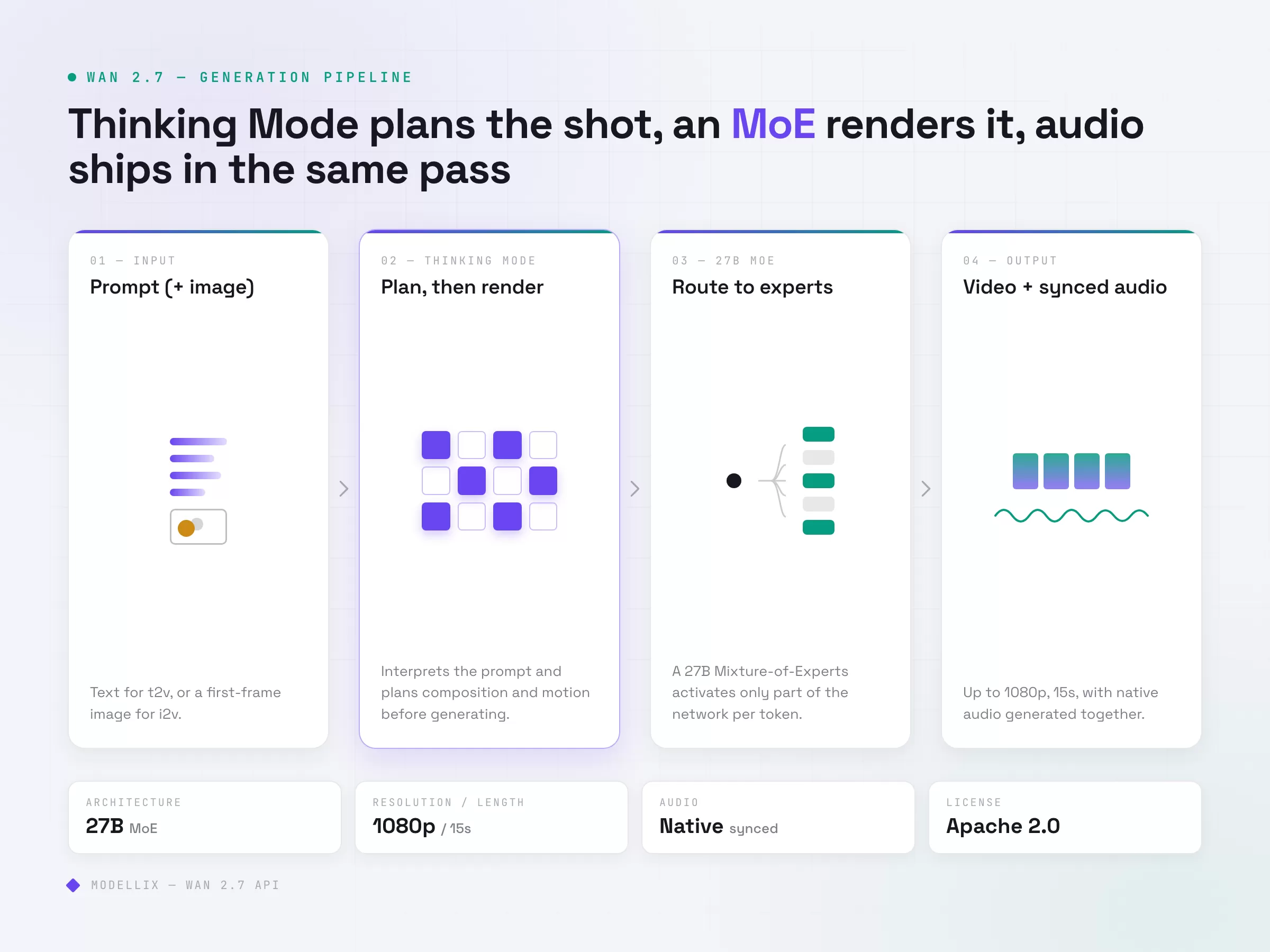
It is a closed, hosted model. Unlike open-weight options such as Wan 2.7, you do not self-host Veo. You call Google’s hosted endpoint, which means consistent quality and no GPU management, but also premium pricing and access through Google’s platform unless you route it through an aggregator. That tradeoff frames the rest of this guide.
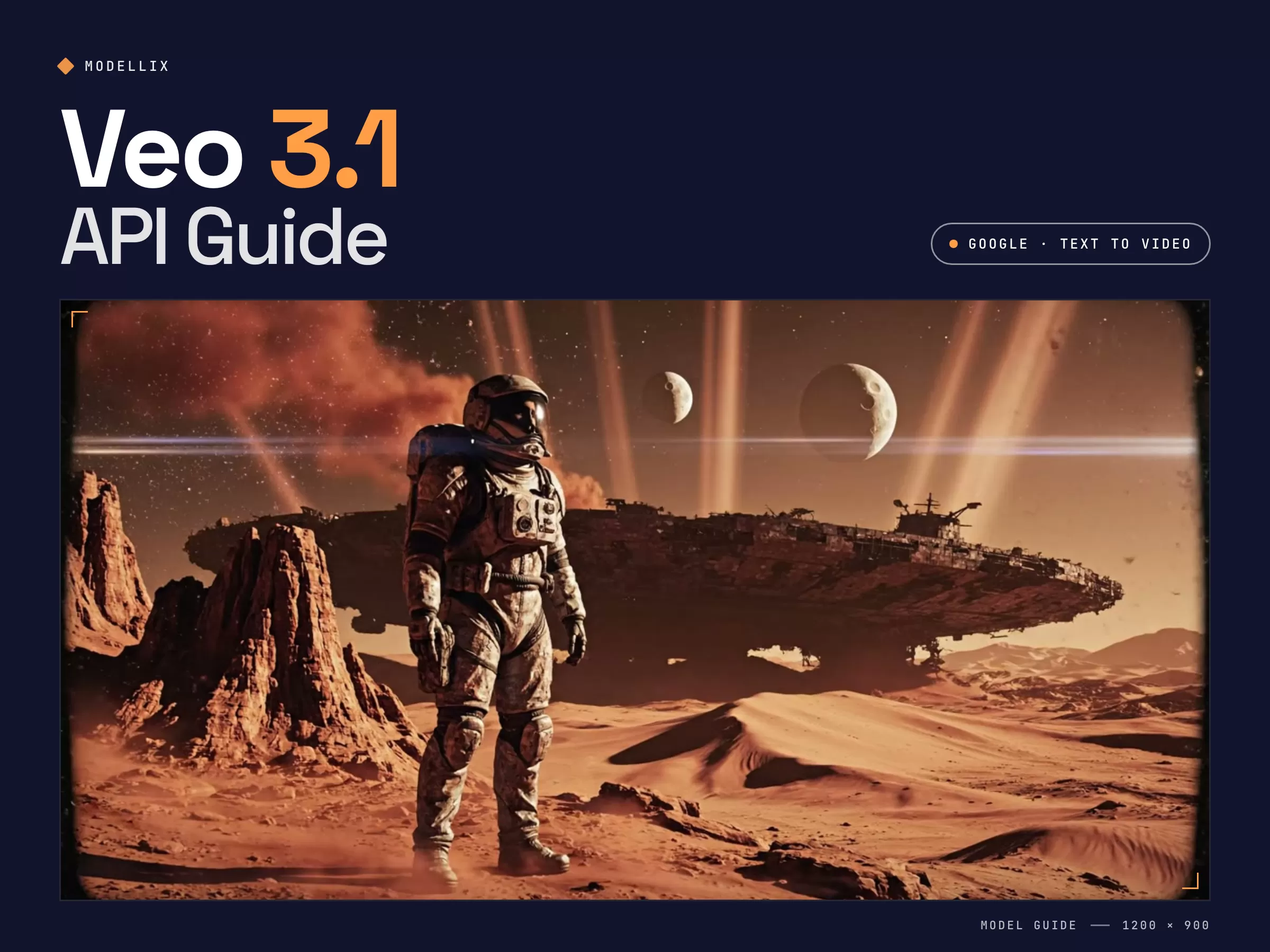
Sample generated through Modellix’s unified API on Veo 3.1 Fast text-to-video: a cinematic science-fiction establishing shot from a single text prompt. One API key, same async lifecycle as every other model.
Step back and Veo 3.1’s position in the 2026 landscape is clear: it is the premium fidelity route. If absolute output quality and native audio are the metrics that decide the brief, Veo is where to look. Open-weight models compete on cost and control instead. Most serious pipelines end up using both, Veo for hero shots and a cheaper model for volume, which is exactly why one integration that covers all of them matters.
Veo 3.1 vs Veo 3 Fast: Which Variant Your Pipeline Should Call
Veo ships in more than one shape, and picking the wrong variant either overspends or underdelivers.
| Variant | Best for | Tradeoff |
|---|---|---|
| Veo 3.1 (standard) | Hero shots, maximum fidelity, full audio detail | Highest cost per second, longer render |
| Veo 3.1 Fast | Iteration, drafts, high-volume generation | Lower fidelity ceiling than standard |
| Veo 3 / Veo 3 Fast | Existing pipelines already tuned to Veo 3 | Superseded by 3.1 on consistency |
| Veo 2 | Legacy compatibility | Older generation, no native audio parity |
Model shortcuts for implementation planning: Veo 3.1 Fast T2V, Veo 3.1 T2V, Veo 3.1 Fast I2V, and Veo 3.1 I2V are live model pages for checking supported parameters before you wire the endpoint into production.
The practical workflow: draft and explore on Veo 3.1 Fast where speed and cost per clip matter, then promote only the shots that survive review to the standard model for the final render. Treating Fast as the iteration tier and standard as the finishing tier is how teams keep a Veo bill from running away while still shipping premium output.
Text-to-Video vs Image-to-Video on Veo 3.1: Which Endpoint You Need
Veo 3.1 exposes both a text-to-video and an image-to-video path. Picking the wrong one wastes render budget on the wrong input shape.
Text-to-video takes a prompt and generates a clip from scratch. Reach for it when you have no source frame: concept exploration, synthetic B-roll, and storyboard-to-motion work where the look is described rather than provided.
Image-to-video takes a starting image plus a prompt and animates it. Reach for it when the first frame is fixed: a product shot that must stay on-brand, a character that has to look the same across clips, or animating an existing key frame. Veo 3.1’s improved reference control is what makes this path reliable enough for production rather than novelty.
A simple rule: if a human would need to see a picture first to know what the output should look like, use image-to-video. If the prompt alone is enough, use text-to-video. Both share the same async lifecycle, so switching between them is an endpoint change, not a rewrite.
Veo 3.1 API Request Lifecycle: Submit, Poll, and Retrieve
This section is for developers who need to automate Veo 3.1 generation after validating prompt quality and cost. Use Playground for a first run; use this lifecycle when you are ready for backend integration.
Veo 3.1 video generation is asynchronous. You submit a job, poll for status, then retrieve the result. The pattern is identical across the text-to-video and image-to-video paths.
Step 1: Submit the Job
Text-to-video, with the duration, resolution, and aspect ratio set explicitly:
1 | curl --request POST \ |
For image-to-video, call the i2v endpoint and pass a starting frame instead of relying on the prompt alone:
1 | curl --request POST \ |
The submission response is the same shape for both paths:
1 | { |
Two parameter notes save a failed render. Set durationSeconds and resolution to a valid pair: the higher resolution tiers are only available at the 8 second duration, so a request for 1080p at 4 seconds will be rejected. Pass reference images as URLs rather than inline blobs.
Step 2: Poll for Status
Use the get_result.url from the submission response and sort every response into three buckets:
| Status bucket | Examples | Action |
|---|---|---|
| In-progress | pending, processing |
Back off and re-poll with exponential backoff plus jitter |
| Blocked | invalid_input, content_policy |
Fix the input. Do not retry as-is. |
| Terminal | success, failed |
Collect the result or surface the error. Stop polling. |
A workable cadence for an 8 second 1080p clip: first check at 20 seconds, then exponential backoff starting at 5s, capped at 30s, with a maximum of 12 attempts. Add roughly 20% jitter when you run concurrent jobs so your polls do not stampede.
Step 3: Retrieve and Validate Results
On a terminal success, the result payload carries the output video URL, with the synchronized audio already muxed in. Log at minimum the task_id, your own correlation ID, the input hash, the output URL, the estimated cost, and wall-clock time from submit to terminal state. Output URLs are time-limited, so store the file immediately if it feeds a downstream edit or stitch step.
Veo 3.1 API Pricing: Premium Per-Second and How to Control It
Veo is priced as a premium model, and being honest about that is the fastest way to plan a budget. Google bills Veo by the second of generated output, with the standard tier costing materially more per second than the Fast tier, and audio-enabled generation priced above silent generation. Exact rates change, so price your own workload against the live numbers rather than a headline figure. Current per-model rates are listed at docs.modellix.ai/get-started/pricing, and Google publishes its own rates on the Vertex AI pricing page.
Three levers move a Veo bill more than the rate card:
Variant. Veo 3.1 Fast is the iteration tier for a reason. Drafting on Fast and promoting only finalists to the standard model is the single largest saving available.
Duration and resolution. You pay per output second, and the high-resolution tier only runs at the longest duration, so an 8 second 1080p clip is the most expensive shape Veo produces. Default to shorter 720p renders in development.
Discard rate. Because billing is per output second, every rejected or re-rolled clip is paid render time. Tightening prompts and validating inputs before submission cuts the invisible tax that discard rate adds to a premium model faster than any rate negotiation.
For teams that want Veo’s quality without committing the whole pipeline to it, the right move is an integration that prices Veo transparently per request and lets you fall back to a cheaper model for volume without a second integration.
Single-Endpoint Access: One API Key for Veo, Seedance, Kling, and Wan
The real friction with Veo has never been the model. It is the on-ramp. Going direct means a Google Cloud project, Vertex AI setup, and Google’s quota and region rules before your first call, and if you also run Seedance, Kling, or Wan, that is a separate account, API key, billing dashboard, and retry path for each.
Modellix collapses that into a unified AI media API: one endpoint, one API key, one billing dashboard, and a consistent async submit-poll-retrieve lifecycle across every model. Veo 3.1 text-to-video and image-to-video, Seedance 2.0, Kling, Wan 2.7, and Hailuo all share the same job pattern, so the idempotency and observability code you write once works for all of them, with no Google Cloud project required to call Veo.
To benchmark Veo against a cheaper model on the same brief, you change a slug in the endpoint path, not your architecture. Run the same prompt across Veo 3.1 and Wan 2.7, compare output quality, task time, and cost per usable clip, then route hero shots to Veo and volume to the cheaper model in production. For a full side-by-side of the video field, see the best AI video generation APIs of 2026.
From a procurement standpoint, Modellix’s parent company JG Group is NASDAQ-listed, and full billing history with per-job cost logging is in the dashboard rather than behind a support ticket.
4 Reliability Patterns for Production Veo Pipelines
Past the proof-of-concept stage, these patterns cut operational pain on a premium model.
Separate your retry buckets. Keep transient failures (5xx, network timeout before acknowledgment) in an auto-retry queue with backoff, and permanent failures (invalid input, content policy, quota) in an alert-and-stop queue. Mixing them on a per-second-billed model is how you build a silent budget-burning loop.
Validate the duration and resolution pair before submitting. The most common Veo rejection is an invalid duration and resolution combination. Check the pair client-side so you never pay for a round trip that was always going to fail.
Draft on Fast, finish on standard. Wire the variant as a config value, not a hardcoded endpoint, so promoting a shot from the iteration tier to the finishing tier is a parameter change your pipeline makes automatically.
Monitor cost slope, not just cost total. Log estimated cost per job including retries, then roll up P50 and P95 weekly. On a premium model, P95 cost-per-job warns you that a resolution or duration default is getting expensive before it lands on the invoice.
Modellix collection
Compare Text-to-Video Models With One Brief
Run the same campaign concept across text-to-video models and review motion, prompt adherence, and usable cost.
Good first tests: Seedance 2.0 T2VWan 2.7 T2VVeo 3.1 Lite T2V
Explore the collectionHow to Test Veo 3.1 Before API Integration
Most readers should not start with code. Use the Modellix Playground to run one real Veo 3.1 job first, then move to API, Skill, or CLI only after the prompt, settings, cost, and output format are worth repeating. This keeps the guide useful for creators, product teams, and technical buyers, while developers still get a clean implementation path.
Quick start guide
Choose the right entry point for Veo 3.1
Playground: Best for most readers and first-time tests. Open the Veo 3.1 model page and test one short prompt before deciding whether the standard or Fast route fits your budget: https://www.modellix.ai/models/google/veo-3.1-fast-t2v.
API docs: Use this when a developer is ready to turn the validated prompt into a backend, batch, or product workflow. Start with Veo 3.1 request parameters and the production API path: https://docs.modellix.ai/google/veo-3-1-fast-t2v.
Skill: Use the Modellix Skill when an AI agent should create media from your workspace without hand-writing every request: https://docs.modellix.ai/ways-to-use/skill.
CLI: Use the CLI for repeatable terminal commands, local scripts, or scheduled generation jobs: https://docs.modellix.ai/ways-to-use/cli.
The links above are the routing layer. The walkthrough below is the practical path for the main audience: create an account, use the included credit, run one Playground job, and only then decide whether an API key is necessary.
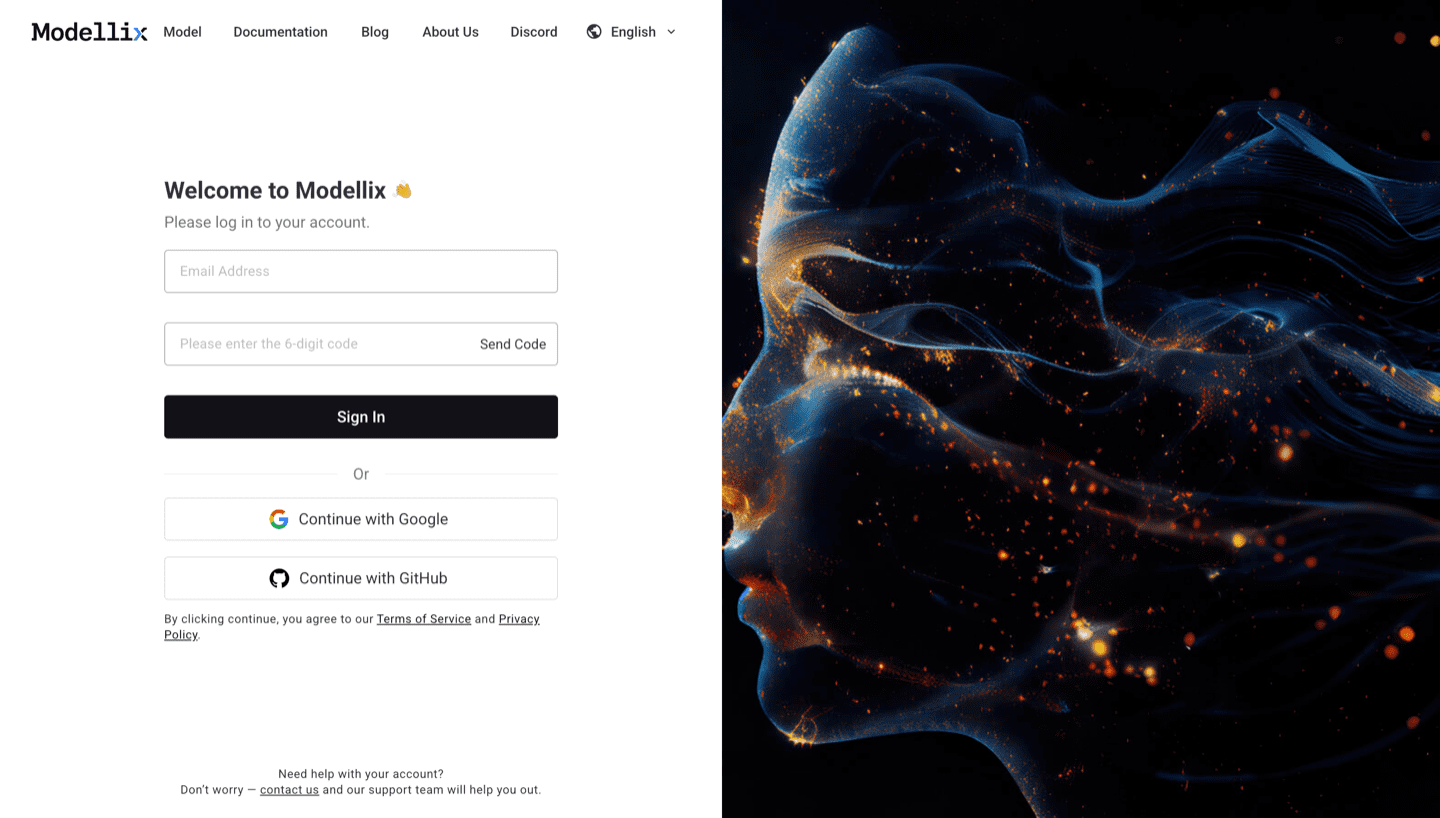
Step 1: Create or Sign In and Use the Included $1 Credit
Create or sign in to a Modellix account before you test Veo 3.1 video generation. New users can use the included $1 credit to validate model behavior, prompt quality, output download, and request logging without committing to a full integration.
Step 2: Open the Model Page and Run One Prompt
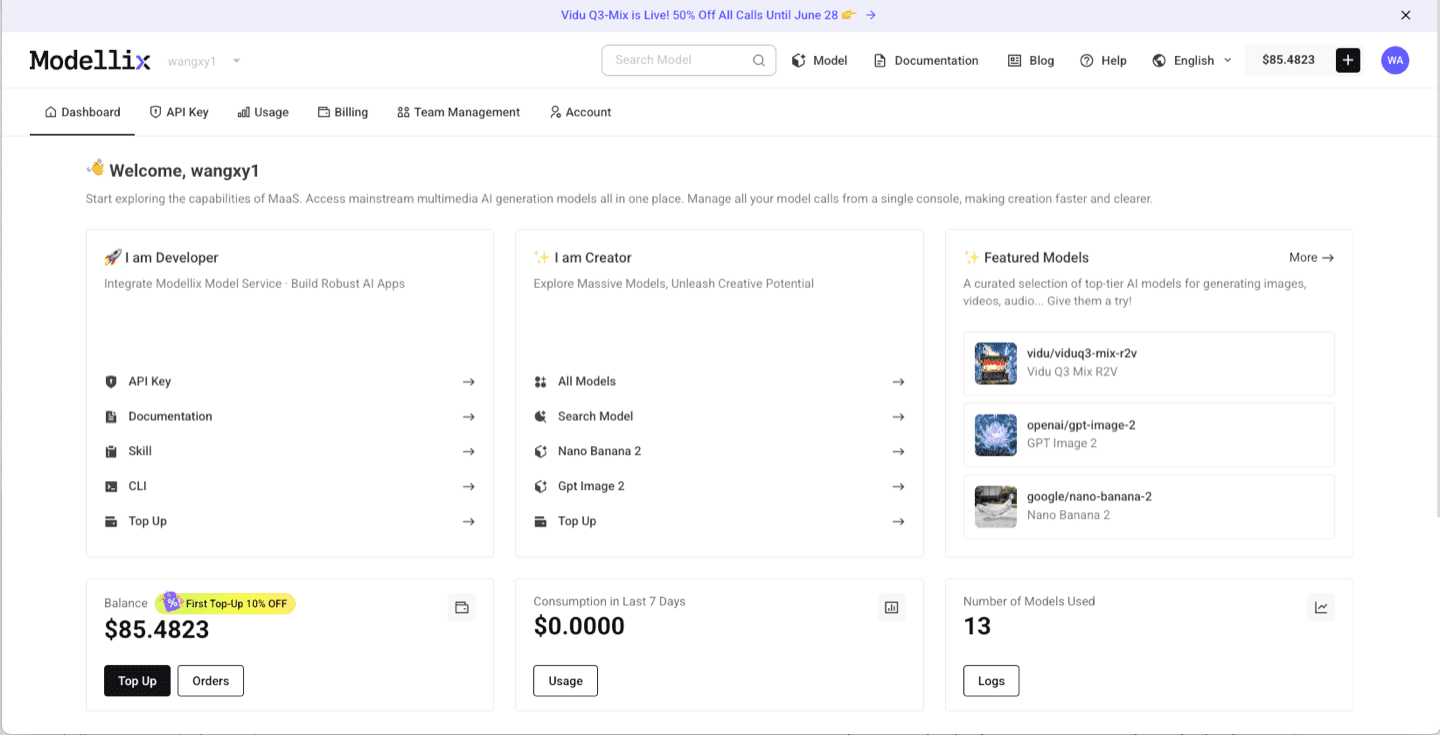
After login, use the dashboard shortcuts or the Modellix model catalog to open Veo 3.1 Fast T2V model page. For video models, start with a short clip, then check aspect ratio, duration, resolution, motion quality, and whether the output is worth repeating. This step is the fastest way to learn whether the model fits before you read more code.
Step 3: Optimize the Prompt and Review the Output
Before you automate anything, improve the prompt and inspect one real output. The example below uses Vidu Q3 Mix R2V, but the same Playground pattern applies across Modellix model pages: write the prompt, use prompt enhancement when the brief is too thin, run the job, and review the generated media before creating an API workflow.

After the run finishes, check whether the result matches the prompt, motion, framing, and output format you need. A real preview is the conversion point: if the result works, move to API key, Skill, or CLI; if it does not, iterate in Playground before spending engineering time.

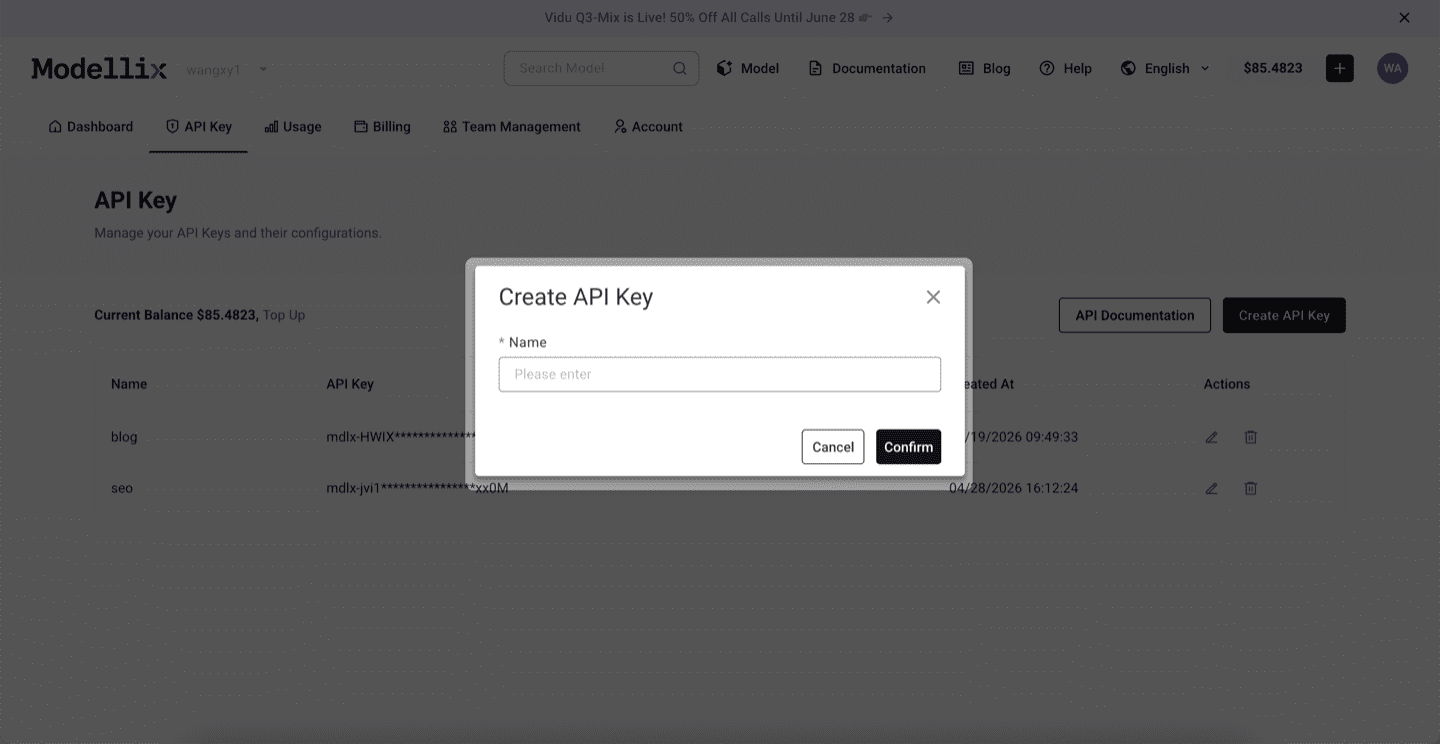
Step 4: Create an API Key Only When the Test Needs to Repeat
Stay in Playground for one-off exploration. Create an API key when a backend service, agent, batch script, or CLI workflow needs to repeat the same prompt pattern. This keeps the mainstream testing flow simple while giving developers a clean handoff point.
Step 5: Check Logs and Save the Result Before Scaling
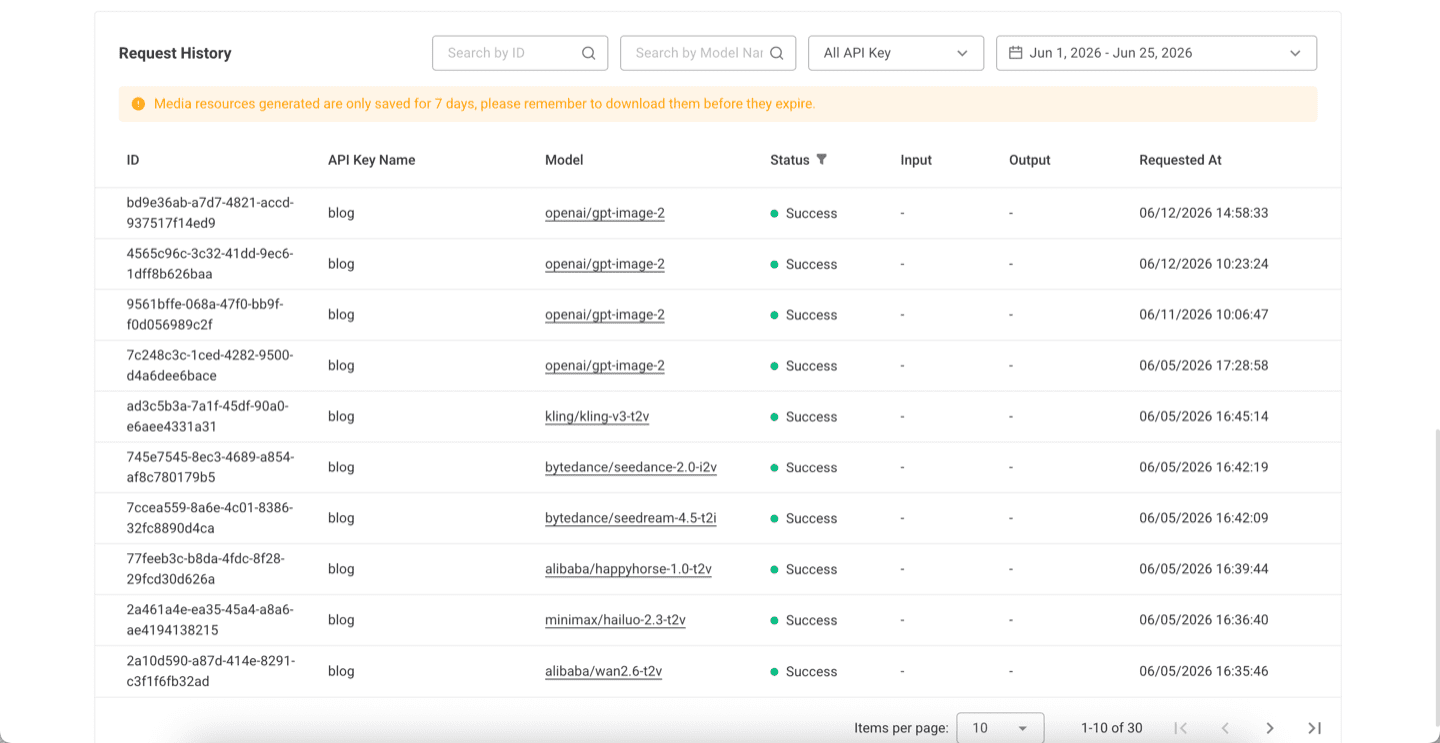
Before scaling from one manual run to repeated API, Skill, or CLI usage, review request history. Logs confirm the model slug, API key name, task status, request time, and result retention window, which makes the workflow easier to debug after it leaves Playground.
Try Veo 3.1 Next
The practical next step is to run one real job from the official site, not to copy a complex code sample too early. Start from the Modellix console, open the Veo 3.1 Fast T2V model page, and move to API, Skill, or CLI only after the output is good enough to repeat.
Run Veo 3.1 once before you plan production spend
Open the official Veo 3.1 Fast model page, use the included credit for one prompt, and compare output quality against the premium pricing before you automate it.
Frequently Asked Questions About the Veo 3.1 API (2026)
What is the Veo 3.1 API and how is it different from Veo 3?
Veo 3.1 is Google DeepMind’s latest video generation model, available as a text-to-video and image-to-video API. Compared with Veo 3 it improves temporal consistency and reference control while keeping the headline feature, synchronized native audio generated in the same pass. For brand-consistent or character-consistent work conditioned on a starting image, the 3.1 update is the meaningful upgrade.
How much does the Veo 3.1 API cost?
Veo is billed per second of generated output and is priced as a premium model, with the standard tier costing more per second than Veo 3.1 Fast, and audio generation priced above silent. Exact rates change, so price your own duration and resolution mix against the live pricing page rather than a headline number. The largest saving is drafting on Fast and promoting only finalists to the standard tier.
What is the difference between Veo 3.1 and Veo 3.1 Fast?
Standard Veo 3.1 targets maximum fidelity for hero shots, while Veo 3.1 Fast trades some quality ceiling for speed and lower cost per clip, which makes it the right tier for iteration and high-volume drafts. A typical pipeline drafts on Fast and renders finals on standard.
Does the Veo 3.1 API generate audio?
Yes. Veo produces a synchronized native audio track, dialogue, ambience, and effects, in the same generation pass rather than requiring a separate lip-sync or sound model, and the audio is muxed into the returned clip.
What durations and resolutions does Veo 3.1 support?
On the standard tier, clips run 4, 6, or 8 seconds, and the higher resolution tiers are available at the 8 second duration. A request that pairs a high resolution with a short duration will be rejected, so validate the pair before submitting and default to shorter 720p renders during development.
How do I access the Veo 3.1 API without a Google Cloud project?
Get an API key at modellix.ai/console/api-key and call Veo under the google/ namespace, for example https://api.modellix.ai/api/v1/google/veo-3.1-fast-t2v/async for text-to-video and veo-3.1-fast-i2v for image-to-video. No Google Cloud project or Vertex AI setup required, and the same key also calls Seedance, Kling, Wan 2.7, and Hailuo.
Veo 3.1 capabilities reflect Google DeepMind documentation and public information as of June 2026 and may change. Pricing is set by the provider and changes frequently, so validate against the live pricing page before committing. Access Veo 3.1 text-to-video and image-to-video alongside Seedance, Kling, Wan 2.7, and Hailuo through a single API key at modellix.ai.