As of June 25, 2026, a text to video API buyer is usually deciding between two paths: call one famous model directly, or build a router that can move prompts across several video models as quality, price, and availability change. The second path wins when the product needs predictable cost, fallback models, job logs, and a way to retrieve MP4 outputs without manual download steps.
Ahrefs data pulled for this article shows why the query is worth a BOFU page rather than another generic model roundup: text to video api has 150 monthly searches in the US, 400 globally, KD 3, and $3.00 CPC. Related buyer terms include free text to video api, text to video ai api, best text to video api, and text to video api pricing. The SERP is thin enough that a practical, developer-first page can compete if it answers integration, pricing, and trial-to-production questions directly.
Text to Video API Explained: 4 Production Requirements
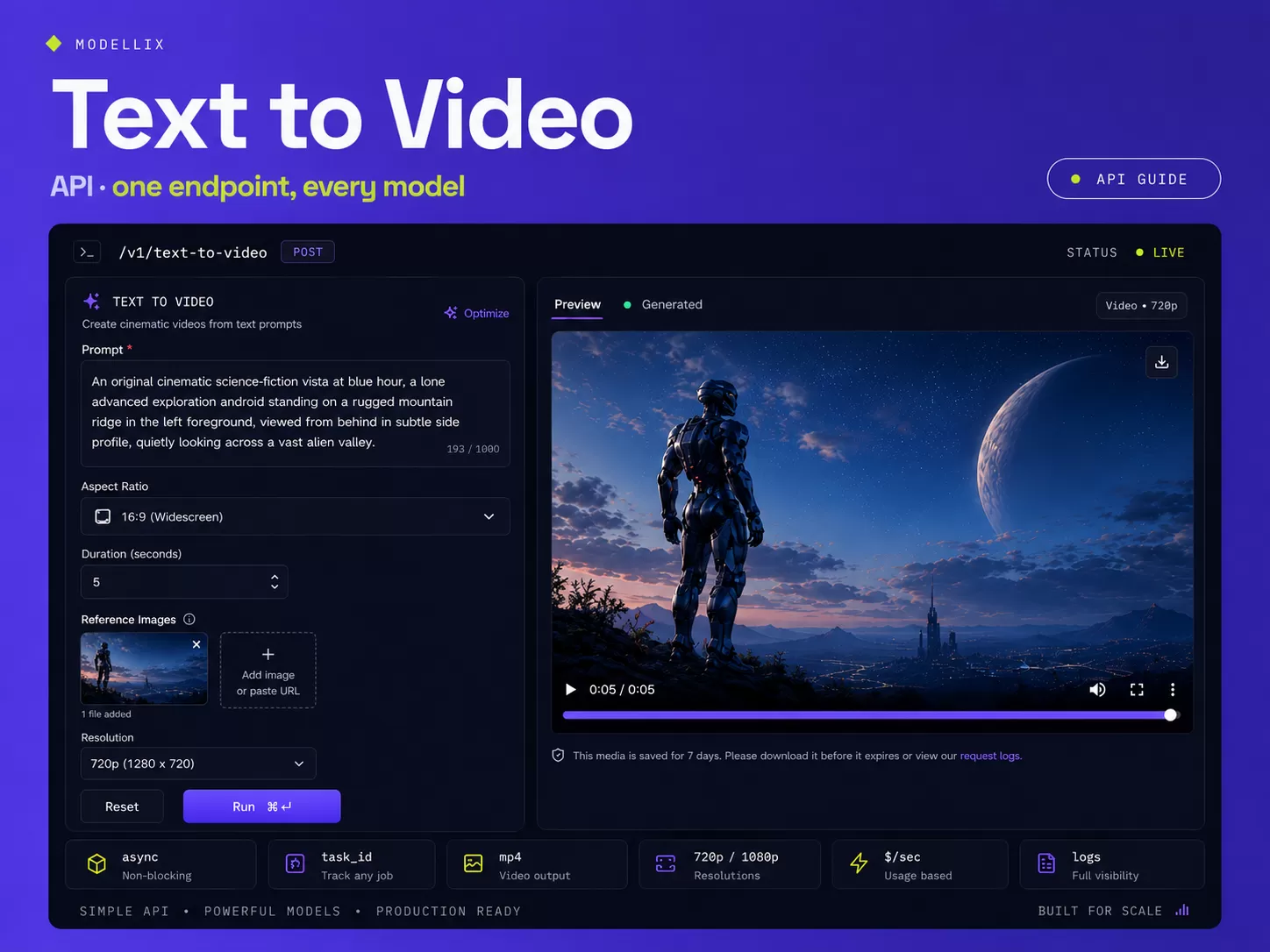
A text to video API turns a written prompt into a generated video through a programmatic endpoint. In production, the useful version is asynchronous: submit a generation task, poll status, retrieve the MP4 or media URL, then store the asset before temporary links expire.
Four requirements matter more than demo quality:
| Requirement | Why it matters | What to verify before launch |
|---|---|---|
| Async lifecycle | Video jobs take longer than image or text calls | Task ID, status states, retry rules, result expiry |
| Model routing | No single model is best for every prompt | T2V, I2V, native audio, duration, resolution, fallback |
| Cost logging | Output seconds and resolution drive spend | Price per second, failed job policy, discard rate |
| Asset retrieval | The product needs durable files | MP4 URL, poster generation, CDN copy, metadata logs |
The short answer: choose a text to video API only after you know how it behaves after the prompt is submitted. A good API is measured by task observability, pricing predictability, and how cleanly it lets your app switch models when the first choice fails or becomes too expensive.
5 Model Routes Compared for Video Apps
The model route should match the job, not the marketing name. Ahrefs shows video generation api has a stronger traffic potential than the exact text-to-video phrase, but its parent topic is pulled toward veo 3. That means buyers compare model names, yet still need a production routing answer.
| Route | Best fit | What to test |
|---|---|---|
| Veo 3.1 style premium T2V | Cinematic baseline, executive review, brand demos | Duration caps, resolution rules, prompt adherence |
| Kling V3 style motion | Social clips, storyboard movement, creator tools | Motion control, camera movement, prompt complexity |
| Seedance style short-form video | UGC ads, fast variants, reference-led creative | Image-to-video support, variant consistency |
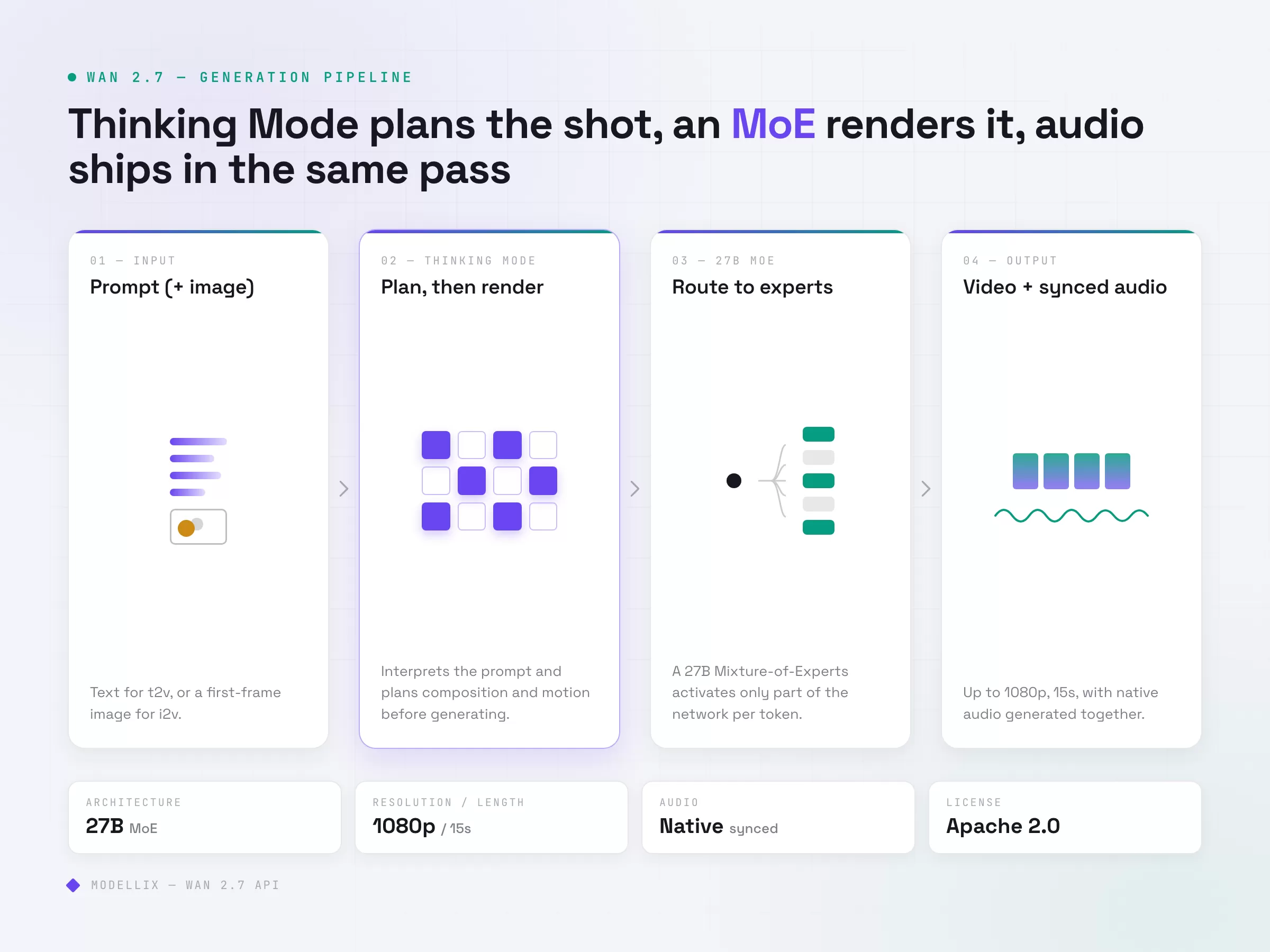
| Wan style cost-performance | High-volume short clips and iteration loops | Per-second cost, 720p vs 1080p quality, audio support |
| Hailuo style physics | Product motion, human movement, cinematic camera cues | Physical realism, task time, failure handling |
Use the Best AI Video Generation APIs 2026 benchmark when you need model-by-model examples. Use this page when your next decision is integration: how to put text-to-video behind a real product workflow.
Modellix collection
Compare Text-to-Video Models With One Brief
Run the same campaign concept across text-to-video models and review motion, prompt adherence, and usable cost.
Good first tests: Seedance 2.0 T2VWan 2.7 T2VVeo 3.1 Lite T2V
Explore the collectionHow to Test a Text to Video Model Before API Integration
Most readers should not start with code. Use the Modellix Playground to run one real text to video job first, then move to API, Skill, or CLI only after the prompt, settings, cost, and output format are worth repeating. This keeps the guide useful for creators, product teams, and technical buyers, while developers still get a clean implementation path.
Quick start guide
Choose the right entry point for text to video
Playground: Best for most readers and first-time tests. Open a video model page and test a short prompt with duration, aspect ratio, and resolution set deliberately: https://www.modellix.ai/models/vidu/viduq3-mix-r2v.
API docs: Use this when a developer is ready to turn the validated prompt into a backend, batch, or product workflow. Start with the shared async API path for text-to-video models: https://docs.modellix.ai/ways-to-use/api.
Skill: Use the Modellix Skill when an AI agent should create media from your workspace without hand-writing every request: https://docs.modellix.ai/ways-to-use/skill.
CLI: Use the CLI for repeatable terminal commands, local scripts, or scheduled generation jobs: https://docs.modellix.ai/ways-to-use/cli.
The links above are the routing layer. The walkthrough below is the practical path for the main audience: create an account, use the included credit, run one Playground job, and only then decide whether an API key is necessary.
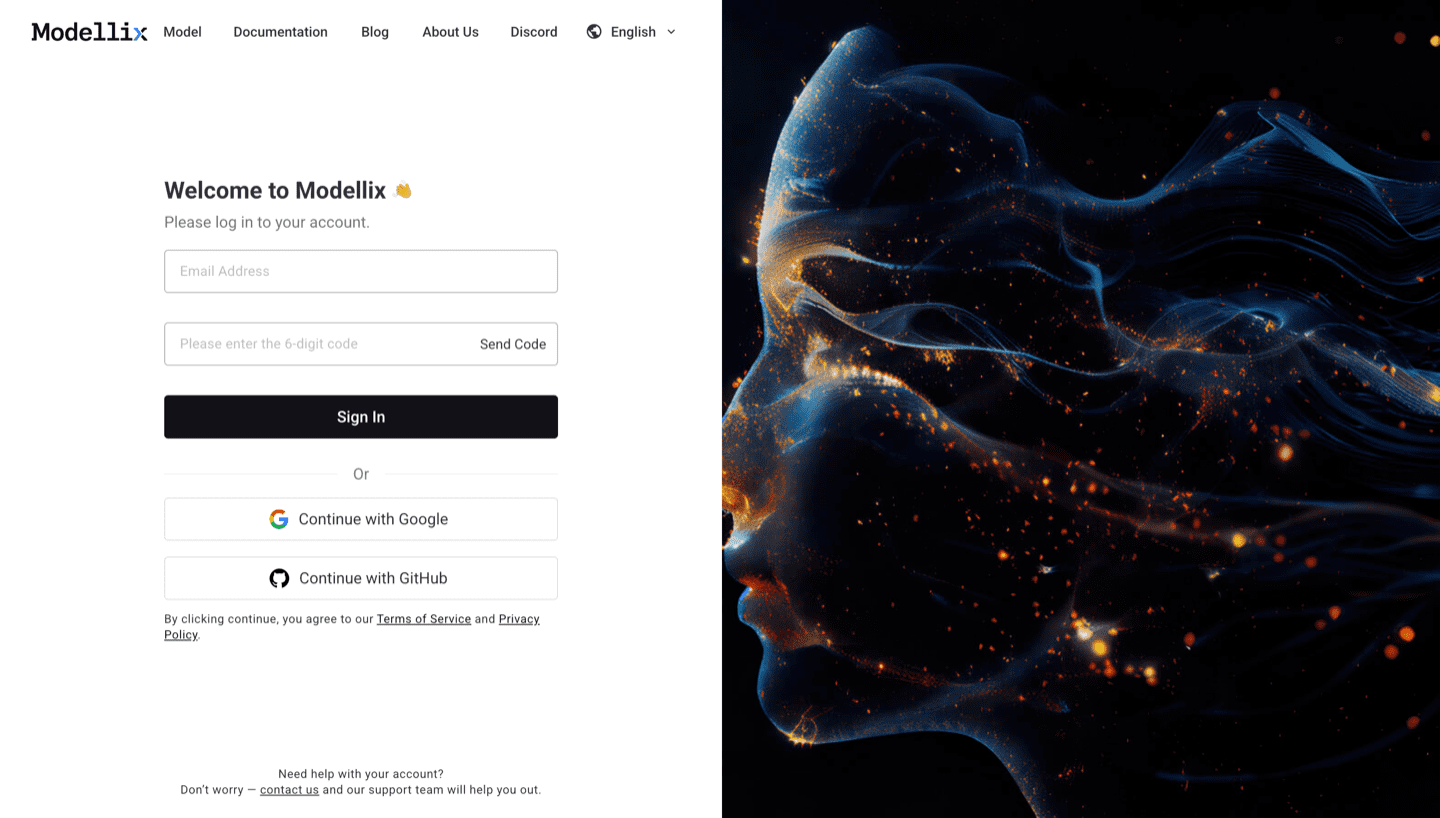
Step 1: Create or Sign In and Use the Included $1 Credit
Create or sign in to a Modellix account before you test a text to video model. New users can use the included $1 credit to validate model behavior, prompt quality, output download, and request logging without committing to a full integration.
Step 2: Open the Model Page and Run One Prompt
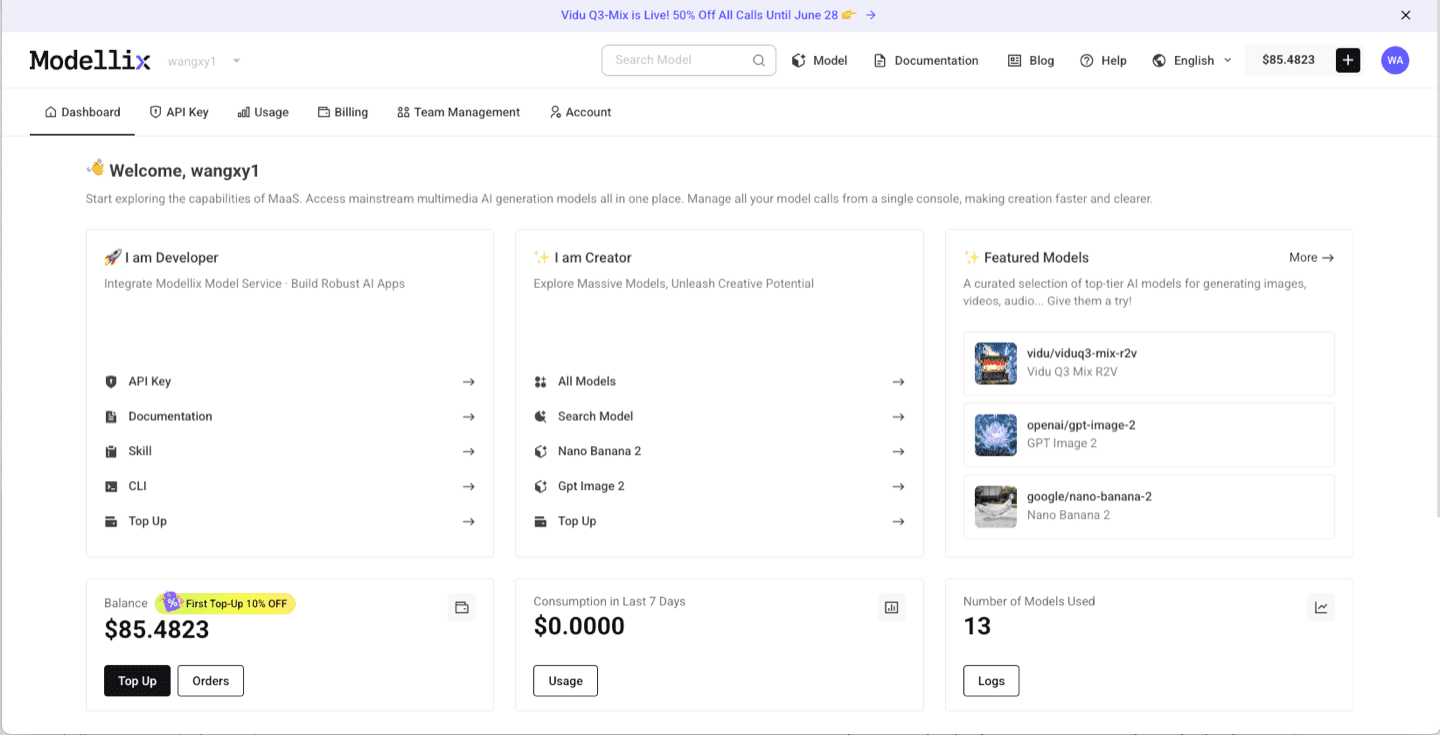
After login, use the dashboard shortcuts or the Modellix model catalog to open Vidu Q3 Mix R2V model page. For video models, start with a short clip, then check aspect ratio, duration, resolution, motion quality, and whether the output is worth repeating. This step is the fastest way to learn whether the model fits before you read more code.
Step 3: Optimize the Prompt and Review the Output
Before you automate anything, improve the prompt and inspect one real output. The example below uses Vidu Q3 Mix R2V, but the same Playground pattern applies across Modellix model pages: write the prompt, use prompt enhancement when the brief is too thin, run the job, and review the generated media before creating an API workflow.

After the run finishes, check whether the result matches the prompt, motion, framing, and output format you need. A real preview is the conversion point: if the result works, move to API key, Skill, or CLI; if it does not, iterate in Playground before spending engineering time.

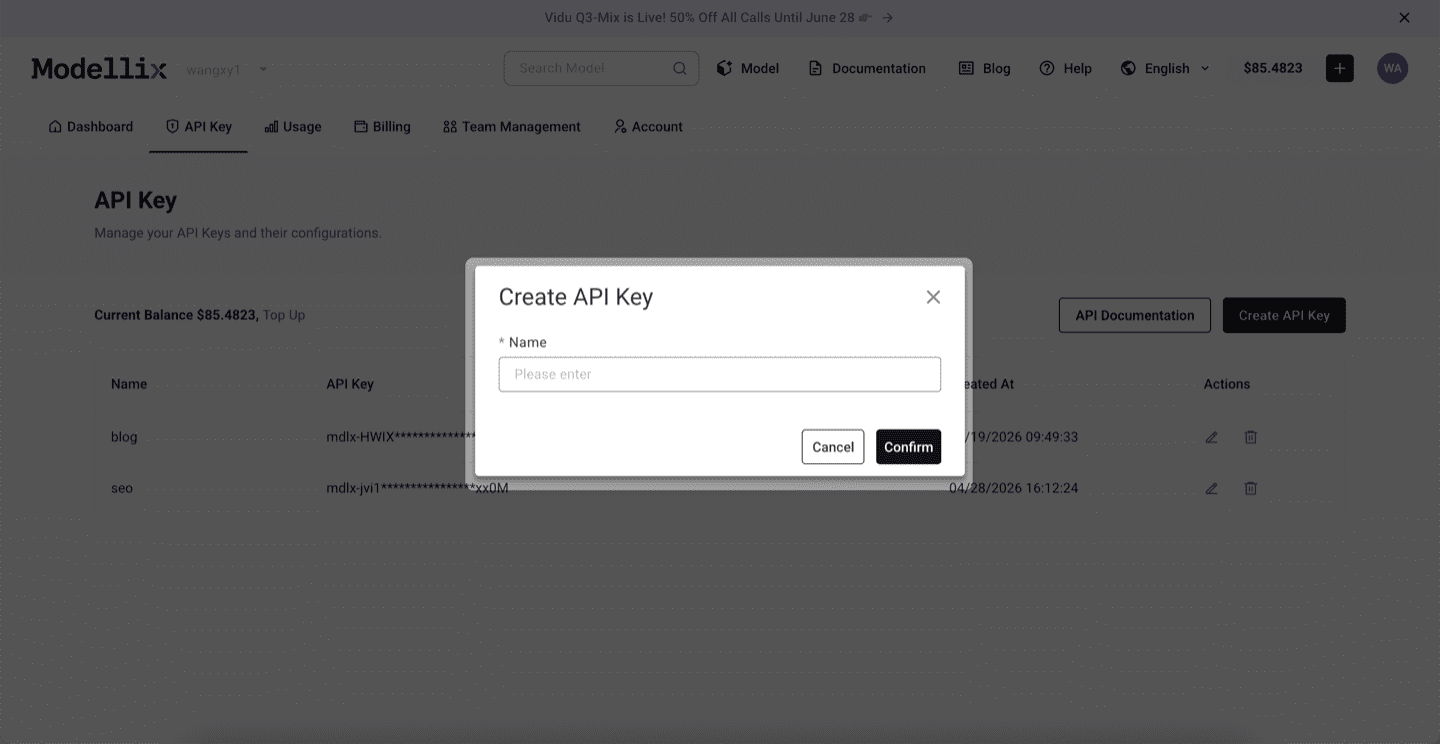
Step 4: Create an API Key Only When the Test Needs to Repeat
Stay in Playground for one-off exploration. Create an API key when a backend service, agent, batch script, or CLI workflow needs to repeat the same prompt pattern. This keeps the mainstream testing flow simple while giving developers a clean handoff point.
Step 5: Check Logs and Save the Result Before Scaling
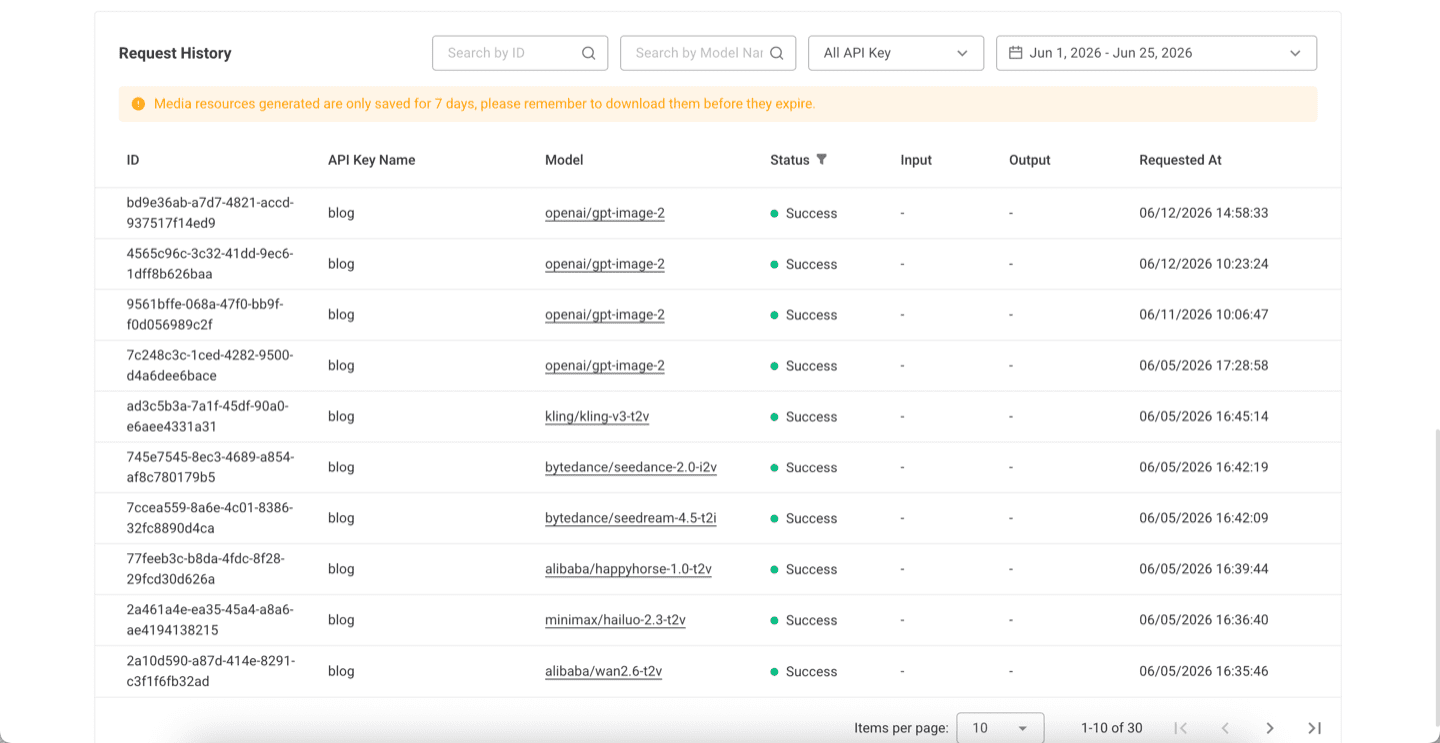
Before scaling from one manual run to repeated API, Skill, or CLI usage, review request history. Logs confirm the model slug, API key name, task status, request time, and result retention window, which makes the workflow easier to debug after it leaves Playground.
Try a Text to Video Model Next
The practical next step is to run one real job from the official site, not to copy a complex code sample too early. Start from the Modellix console, open the Vidu Q3 Mix R2V model page, and move to API, Skill, or CLI only after the output is good enough to repeat.
Run one text to video job before you automate it
Start from the official Vidu Q3 Mix R2V model page or the broader model catalog, use the free credit, and check output quality plus request logs before building a production text-to-video route.
Developer Workflow: 3 Step Async Video Generation
This section is for developers who are ready to move beyond Playground testing and wire text-to-video into a backend service. If you only need a manual test, use the quickstart guide first; if you need automation, the async submit, poll, and retrieve pattern below is the production path.
Video generation APIs should be wired as jobs, not blocking HTTP calls. Modellix documents the same submit, poll, retrieve pattern across supported media models, which makes it easier to move from one model family to another without rewriting the service layer.
Step 1: Submit the Prompt
1 | curl --request POST \ |
The response should return a task_id, not an MP4 immediately. Store that task ID with your user ID, prompt hash, selected model, and expected budget.
Step 2: Poll With Backoff
Poll the task result endpoint with exponential backoff. Treat statuses as three groups:
| Status group | Examples | Product behavior |
|---|---|---|
| Running | pending, processing |
Show progress and continue polling |
| Fixable | invalid_input, content_policy, missing_parameter |
Stop and ask for corrected input |
| Final | success, failed |
Retrieve output or surface a recoverable error |
For user-facing products, do not let the browser own the whole workflow. Put polling in a backend job or queue so refreshes, mobile sleep, and flaky networks do not lose the result.
Step 3: Retrieve and Store
On success, the result payload should include a media resource URL, format, duration metadata, and task timing. Copy the file to your own storage if it needs to survive beyond the provider’s temporary result window.
The practical minimum log record is:
task_id- model slug
- prompt hash
- input references
- output resource URL
- status timeline
- cost estimate
- final asset location
Pricing Explained: Seconds, Resolution, and Discard Rate
Most AI video APIs charge by output seconds, by request, or by GPU time. For text-to-video, per-second billing is the easiest to forecast if you know clip length and resolution.
| Cost driver | How it changes the bill | Production advice |
|---|---|---|
| Duration | A 10 second clip usually costs about twice a 5 second clip | Default to the shortest clip that proves the idea |
| Resolution | 1080p often costs more than 720p | Use 720p for drafts, 1080p for accepted renders |
| Discard rate | Rejected or low-quality outputs raise cost per usable clip | Track accepted outputs, not just completed jobs |
| Model tier | Premium models can cost more but reduce review time | Compare cost per usable clip, not headline price |
| Retries | Blind retries multiply failures | Retry transient API errors, not bad prompts |
Modellix pricing is public by model, and video generation is priced in USD per second for to-video models. That makes the first estimate simple: model rate times output seconds, then add your expected discard rate.
Free Text to Video API Explained: What It Usually Means
Search demand includes free text to video api, but free usually means one of three things:
- trial credits for testing
- a playground that does not allow production API volume
- a limited model route with lower resolution, shorter duration, or slower queueing
Free is useful for proving request shape. It is not enough for production planning. Before you build the feature, verify rate limits, billing thresholds, result retention, commercial terms, and whether the provider can support your target concurrency.
When One API Key Beats Direct Model Integrations
Direct model APIs are fine when your product only needs one model and that model is stable. A unified media API becomes more useful when you need model routing, fallback behavior, shared billing, and one async job layer across text-to-video, image-to-video, image generation, and audio.
Use a unified route when:
- Your product compares Veo, Kling, Wan, Seedance, and Hailuo on the same prompt.
- Your UI offers both text-to-video and image-to-video.
- Your team needs job-level cost logs for every generation.
- Your roadmap changes models faster than engineering wants to rewrite integrations.
- You need one key, one dashboard, and one result schema for multiple providers.
Stop comparing from a spreadsheet. Run one video now.
Modellix lets teams route text-to-video jobs across leading media models with one API key, transparent pricing, and the same submit, poll, retrieve lifecycle. Start free, use the included $1 credit, then keep the API key only if the result is worth automating.
Text to Video API FAQ
What is a text to video API?
A text to video API is a programmatic endpoint that accepts a written prompt and returns a generated video through an async task. The production flow usually returns a task ID first, then lets your app poll until the result includes an MP4 or media resource URL.
What is the best text to video API for developers?
The best text to video API depends on the route you need. Use a premium model for cinematic quality, a motion-focused model for creator clips, a cost-performance model for batch ideation, and a unified API when your product needs several routes behind one workflow.
Is there a free text to video API?
Some providers offer trial credits or free playground access, but free tiers are rarely enough for production video generation. Before relying on one, check duration caps, resolution caps, rate limits, result retention, and whether commercial use is allowed.
How much does a text to video API cost?
Most production video APIs charge by output seconds, by request, or by GPU time. For per-second pricing, estimate cost as model rate times clip length, then adjust for resolution and discard rate. Modellix lists current model pricing publicly, including USD per second for video generation models.
How do I integrate text-to-video into an app?
Create a backend endpoint that submits a prompt to the provider, stores the returned task ID, polls with backoff, retrieves the result URL, copies the asset to your storage, and reports final status to the user. Do not make the frontend wait on one long blocking request.
Sources Checked for This Guide
- Official Modellix docs for REST API setup, task results, pricing units, and current models.
- Ahrefs US keyword and SERP data for
text to video apiandvideo generation api, pulled June 25, 2026.