
Google Veo 3.1 is the model most teams name first when the brief says cinematic. It generates 1080p clips with synchronized native audio, dialogue, ambience, and sound effects produced in the same pass, at durations up to 8 seconds, and it sits at or near the top of the blind-preference video leaderboards. The catch has never been quality. It is access: premium per-second pricing, a Vertex AI integration path heavier than a single REST call, and region and quota gates that slow teams down before the first render.
This guide covers everything verified: what Veo 3.1 adds, when to call the standard model versus the fast variant, the text-to-video and image-to-video split, the duration and resolution rules that trip up first integrations, how the async job lifecycle works with real request examples, how premium per-second pricing actually behaves, and how to reach Veo 3.1 through a single Modellix key. For the full Google media suite (Imagen, Nano Banana, and Veo together), see the Google models guide. This one focuses on the Veo 3.1 video API specifically. Can you put it into production today, and which variant should that pipeline call?
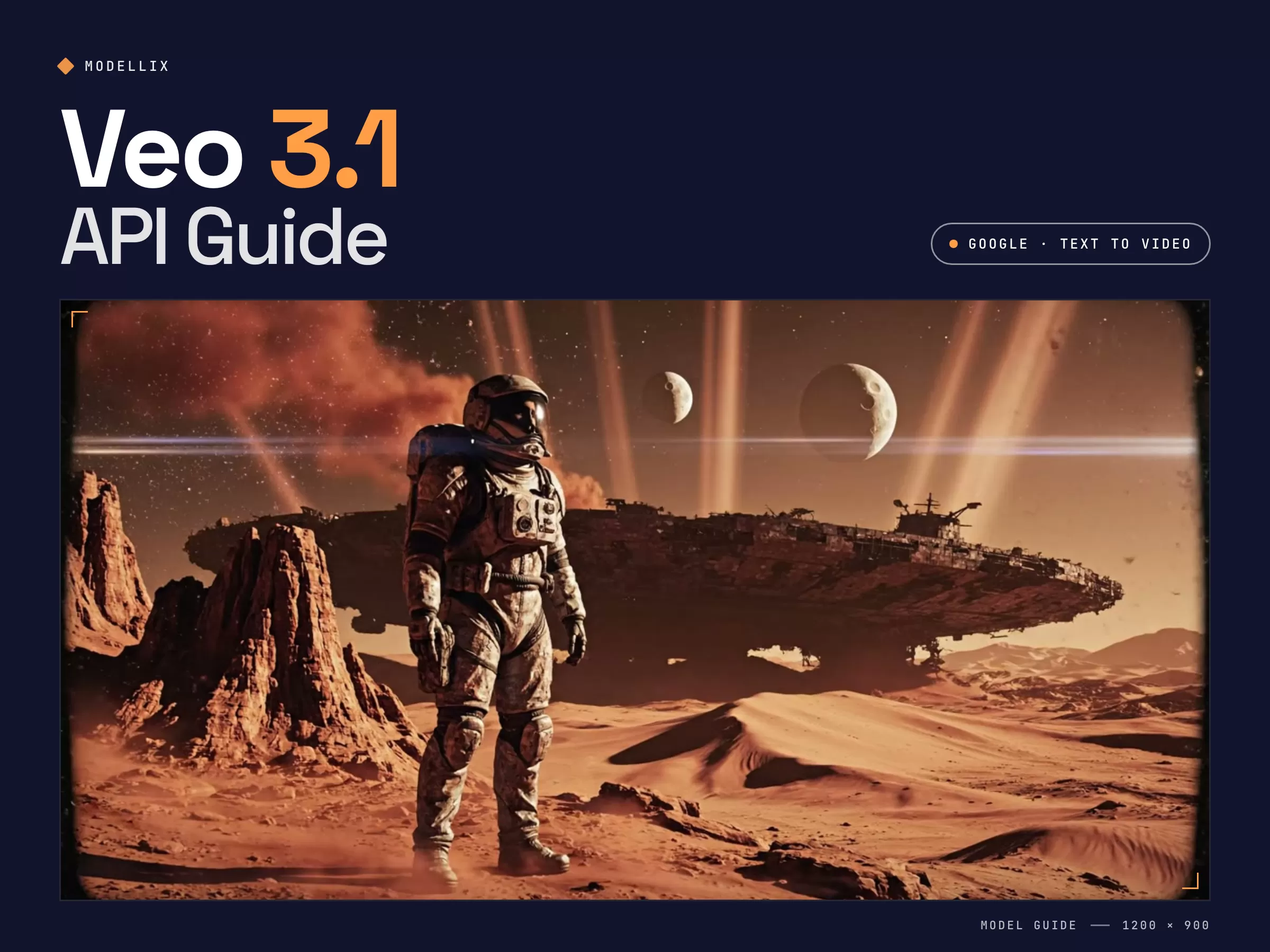
Veo 3.1 Capabilities Explained: Native Audio, Resolution Tiers, and What Changed from Veo 3
Veo 3.1 is the latest release in Google DeepMind's Veo video family. It carries forward the headline feature that set Veo 3 apart and tightens the controls developers asked for. Four things matter once you move past the demo reel.
Native audio is generated with the video, not added later. Veo produces a synchronized soundtrack, dialogue, ambient sound, and effects, in the same generation pass. For a talking scene or an atmospheric shot, that collapses a separate lip-sync or sound step into one call, which is the single biggest reason teams reach for Veo over a video-only model.
Resolution and duration are tied together. On the standard tier, clips run 4, 6, or 8 seconds, and the higher resolution tiers (1080p and above) are available at the 8 second duration. The practical takeaway: prototype at 720p and shorter durations, then commit to the longer high-resolution render only for final output. Sizing this wrong is the most common first-integration mistake.
Veo 3.1 improves consistency and reference control. Compared with Veo 3, the 3.1 update sharpens temporal consistency and gives stronger control when you condition on a starting image, which is what makes its image-to-video path practical for brand-consistent and character-consistent work rather than one-off clips.
It is a closed, hosted model. Unlike open-weight options such as Wan 2.7, you do not self-host Veo. You call Google's hosted endpoint, which means consistent quality and no GPU management, but also premium pricing and access through Google's platform unless you route it through an aggregator. That tradeoff frames the rest of this guide.
Sample generated through Modellix's unified API on Veo 3.1 Fast text-to-video: a cinematic science-fiction establishing shot from a single text prompt. One API key, same async lifecycle as every other model.
Step back and Veo 3.1's position in the 2026 landscape is clear: it is the premium fidelity route. If absolute output quality and native audio are the metrics that decide the brief, Veo is where to look. Open-weight models compete on cost and control instead. Most serious pipelines end up using both, Veo for hero shots and a cheaper model for volume, which is exactly why one integration that covers all of them matters.
Veo 3.1 vs Veo 3 Fast: Which Variant Your Pipeline Should Call
Veo ships in more than one shape, and picking the wrong variant either overspends or underdelivers.
| Variant | Best for | Tradeoff |
|---|---|---|
| Veo 3.1 (standard) | Hero shots, maximum fidelity, full audio detail | Highest cost per second, longer render |
| Veo 3.1 Fast | Iteration, drafts, high-volume generation | Lower fidelity ceiling than standard |
| Veo 3.1 Lite | Lowest-cost 720p drafts and bulk jobs | No 4K, no reference images, no video extension |
| Veo 3 / Veo 3 Fast | Retired: shut down on the Gemini API on June 30, 2026 | Migrate to Veo 3.1 or Veo 3.1 Fast |
| Veo 2 | Retired: shut down on June 30, 2026 | Migrate to Veo 3.1 |
Model shortcuts for implementation planning: Veo 3.1 Fast T2V, Veo 3.1 T2V, Veo 3.1 Fast I2V, Veo 3.1 I2V, and Veo 3.1 Lite T2V are live model pages for checking supported parameters before you wire the endpoint into production.
What happened to Veo 3 Fast? Google shut down veo-3.0-generate-001 and veo-3.0-fast-generate-001 (along with veo-2.0-generate-001) on June 30, 2026, and its deprecations table names veo-3.1-generate-preview and veo-3.1-fast-generate-preview as the replacements. A shut-down model's endpoint is removed entirely, so a listing that still sells "Veo 3 Fast" under a vendor alias such as veo3-fast is routing to something else. The live fast tier is Veo 3.1 Fast: native audio that is always on, 24 fps, 4, 6, or 8 second clips, 16:9 or 9:16, with 1080p and 4K available only at 8 seconds. Modellix retired its own Veo 3.0 routes on August 27, 2026 and now carries six Veo 3.1 routes: standard, Fast, and Lite, each as -t2v and -i2v.
Fast solves latency more than it solves the bill. On Google's September 2026 list rates, Fast at 4K ($0.30 per second) is only about 25% cheaper than standard at 720p ($0.40), so dropping resolution usually saves more than switching tier. Google publishes no per-tier render times, so measure latency on your own prompts before treating it as the deciding factor.
The practical workflow: draft and explore on Veo 3.1 Fast where speed and cost per clip matter, then promote only the shots that survive review to the standard model for the final render. Treating Fast as the iteration tier and standard as the finishing tier is how teams keep a Veo bill from running away while still shipping premium output.
Text-to-Video vs Image-to-Video on Veo 3.1: Which Endpoint You Need
Veo 3.1 exposes both a text-to-video and an image-to-video path. Picking the wrong one wastes render budget on the wrong input shape.
Text-to-video takes a prompt and generates a clip from scratch. Reach for it when you have no source frame: concept exploration, synthetic B-roll, and storyboard-to-motion work where the look is described rather than provided.
Image-to-video takes a starting image plus a prompt and animates it. Reach for it when the first frame is fixed: a product shot that must stay on-brand, a character that has to look the same across clips, or animating an existing key frame. Veo 3.1's improved reference control is what makes this path reliable enough for production rather than novelty.
A simple rule: if a human would need to see a picture first to know what the output should look like, use image-to-video. If the prompt alone is enough, use text-to-video. Both share the same async lifecycle, so switching between them is an endpoint change, not a rewrite.
Veo 3.1 API Request Lifecycle: Submit, Poll, and Retrieve
This section is for developers who need to automate Veo 3.1 generation after validating prompt quality and cost. Use Playground for a first run; use this lifecycle when you are ready for backend integration.
Veo 3.1 video generation is asynchronous. You submit a job, poll for status, then retrieve the result. The pattern is identical across the text-to-video and image-to-video paths.
Step 1: Submit the Job
Text-to-video, with the duration, resolution, and aspect ratio set explicitly:
curl --request POST \
  --url https://api.modellix.ai/api/v1/google/veo-3.1-fast-t2v/async \
  --header 'Authorization: Bearer YOUR_API_KEY' \
  --header 'Content-Type: application/json' \
  --data '{
    "prompt": "A lone explorer on a windswept alien ridge at dusk, twin moons, volumetric light, cinematic establishing shot",
    "duration": "8",
    "resolution": "1080p",
    "aspectRatio": "16:9"
  }'
For image-to-video, call the i2v endpoint and pass a starting frame instead of relying on the prompt alone:
curl --request POST \
  --url https://api.modellix.ai/api/v1/google/veo-3.1-fast-i2v/async \
  --header 'Authorization: Bearer YOUR_API_KEY' \
  --header 'Content-Type: application/json' \
  --data '{
    "prompt": "Camera slowly pushes in, soft light shifts across the surface, subtle motion",
    "image": "https://example.com/first-frame.jpg",
    "duration": "8",
    "resolution": "1080p"
  }'
The submission response is the same shape for both paths:
{
  "code": 0,
  "message": "success",
  "data": {
    "status": "pending",
    "task_id": "task-abc123",
    "get_result": {
      "method": "GET",
      "url": "https://api.modellix.ai/api/v1/tasks/task-abc123"
    }
  }
}
A few parameter notes save a failed render. duration is a string ("8", not 8), and it must pair validly with resolution: the higher resolution tiers are only available at the 8 second duration, so a request for 1080p at 4 seconds will be rejected. personGeneration differs by mode: text-to-video accepts allow_all, while image-to-video accepts allow_adult. On the image-to-video routes, image mode (a starting frame, optionally with a lastFrame) and referenceImages mode (up to three images, duration fixed at "8", no negativePrompt) are mutually exclusive. Pass reference images as URLs rather than inline blobs.
Step 2: Poll for Status
Use the get_result.url from the submission response and sort every response into three buckets:
| Status bucket | Examples | Action |
|---|---|---|
| In-progress | pending, processing |
Back off and re-poll with exponential backoff plus jitter |
| Blocked | invalid_input, content_policy |
Fix the input. Do not retry as-is. |
| Terminal | success, failed |
Collect the result or surface the error. Stop polling. |
A workable cadence for an 8 second 1080p clip: first check at 20 seconds, then exponential backoff starting at 5s, capped at 30s, with a maximum of 12 attempts. Add roughly 20% jitter when you run concurrent jobs so your polls do not stampede.
Step 3: Retrieve and Validate Results
On a terminal success, the result payload carries the output video URL, with the synchronized audio already muxed in. Log at minimum the task_id, your own correlation ID, the input hash, the output URL, the estimated cost, and wall-clock time from submit to terminal state. Output URLs are time-limited, so store the file immediately if it feeds a downstream edit or stitch step.
Calling Veo 3.1 Directly on the Gemini API
If Veo is your only video model, Google's own route is a legitimate choice. The key is a Gemini API key created in Google AI Studio, and it belongs to a Google Cloud project: Veo 3.1 is a paid preview with no free tier, so the project needs billing attached before the first video request runs. A project without billing returns errors that look like authentication failures. There is no separate "Veo key", and any "Veo API key generator" page is credential phishing.
| Gemini API model ID | Tier | Max output | Reference images |
|---|---|---|---|
veo-3.1-generate-preview |
Standard | 4K, native audio | Up to 3 |
veo-3.1-fast-generate-preview |
Fast | 4K, native audio | Up to 3 |
veo-3.1-lite-generate-preview |
Lite | 1080p, native audio | Not supported |
The base URL is https://generativelanguage.googleapis.com/v1beta, authenticated with an x-goog-api-key header (the google-genai SDK reads GEMINI_API_KEY from the environment). Generation is a long-running operation: POST .../models/{model}:predictLongRunning, poll the returned operation until done: true, then download from response.generateVideoResponse.generatedSamples[0].video.uri. Image-to-video (image), first-and-last-frame interpolation (lastFrame), reference images (referenceImages), and video extension (video, 720p output only) are all inputs to that same endpoint, not separate APIs. The prompt is capped at 1,024 tokens. The same line also ships as the GA model veo-3.1-generate-001 on Google's Gemini Enterprise Agent Platform, with provisioned-throughput pricing instead of pay-as-you-go. Read model IDs from configuration: preview IDs are replaced at GA, and the Veo 3.0 shutdown shows what that looks like.
Veo 3.1 API Pricing: Premium Per-Second and How to Control It
Veo is priced as a premium model, and being honest about that is the fastest way to plan a budget. Google bills Veo by the second of generated output, with the standard tier costing materially more per second than the Fast tier. On the Gemini API, audio is always on, so each tier and resolution has a single with-audio rate. Exact rates change, so price your own workload against the live numbers rather than a headline figure. Current per-model rates are listed at docs.modellix.ai/get-started/pricing, and Google publishes its own rates on the Gemini API pricing page.
As a dated reference, Google's Gemini API pricing page listed these per-second rates on September 8, 2026:
| Tier (per second, with audio) | 720p | 1080p | 4K |
|---|---|---|---|
| Standard | $0.40 | $0.40 | $0.60 |
| Fast | $0.10 | $0.12 | $0.30 |
| Lite | $0.05 | $0.08 | Not supported |
An 8 second clip therefore ranges from $0.40 (Lite at 720p) to $4.80 (Standard at 4K), and no free tier is available on any tier.
Three levers move a Veo bill more than the rate card:
Variant. Veo 3.1 Fast is the iteration tier for a reason. Drafting on Fast and promoting only finalists to the standard model is the single largest saving available.
Duration and resolution. You pay per output second, and the high-resolution tier only runs at the longest duration, so an 8 second 1080p clip is the most expensive shape Veo produces. Default to shorter 720p renders in development.
Discard rate. Because billing is per output second, every rejected or re-rolled clip is paid render time. Tightening prompts and validating inputs before submission cuts the invisible tax that discard rate adds to a premium model faster than any rate negotiation.
For teams that want Veo's quality without committing the whole pipeline to it, the right move is an integration that prices Veo transparently per request and lets you fall back to a cheaper model for volume without a second integration.
Single-Endpoint Access: One API Key for Veo, Seedance, Kling, and Wan
The real friction with Veo has never been the model. It is the on-ramp. Going direct means a Google Cloud project, Vertex AI setup, and Google's quota and region rules before your first call, and if you also run Seedance, Kling, or Wan, that is a separate account, API key, billing dashboard, and retry path for each.
Modellix collapses that into a unified AI media API: one endpoint, one API key, one billing dashboard, and a consistent async submit-poll-retrieve lifecycle across every model. Veo 3.1 text-to-video and image-to-video, Seedance 2.0, Kling, Wan 2.7, and Hailuo all share the same job pattern, so the idempotency and observability code you write once works for all of them, with no Google Cloud project required to call Veo.
To benchmark Veo against a cheaper model on the same brief, you change a slug in the endpoint path, not your architecture. Run the same prompt across Veo 3.1 and Wan 2.7, compare output quality, task time, and cost per usable clip, then route hero shots to Veo and volume to the cheaper model in production. For a full side-by-side of the video field, see the best AI video generation APIs of 2026.
From a procurement standpoint, Modellix's parent company JG Group is NASDAQ-listed, and full billing history with per-job cost logging is in the dashboard rather than behind a support ticket.
4 Reliability Patterns for Production Veo Pipelines
Past the proof-of-concept stage, these patterns cut operational pain on a premium model.
Separate your retry buckets. Keep transient failures (5xx, network timeout before acknowledgment) in an auto-retry queue with backoff, and permanent failures (invalid input, content policy, quota) in an alert-and-stop queue. Mixing them on a per-second-billed model is how you build a silent budget-burning loop.
Validate the duration and resolution pair before submitting. The most common Veo rejection is an invalid duration and resolution combination. Check the pair client-side so you never pay for a round trip that was always going to fail.
Draft on Fast, finish on standard. Wire the variant as a config value, not a hardcoded endpoint, so promoting a shot from the iteration tier to the finishing tier is a parameter change your pipeline makes automatically.
Monitor cost slope, not just cost total. Log estimated cost per job including retries, then roll up P50 and P95 weekly. On a premium model, P95 cost-per-job warns you that a resolution or duration default is getting expensive before it lands on the invoice.
Veo 3.1 API Errors, Retention, and Schema Checks
Know which errors to retry. Modellix returns one error shape, {"code": <HTTP status>, "message": "<Category>: <detail>"}. Retry 429 (read the X-RateLimit-Reset header rather than guessing a sleep), 500, and 503 with backoff. Do not retry 400 (common causes: duration sent as the integer 8 instead of the string "8", 1080p paired with 4 seconds, or negativePrompt in reference mode), 401, 402 (insufficient balance), or 404 (often a retired Veo 3.0 model ID). A video blocked by Veo's safety filters, including a blocked audio track, is not charged.
Poll sensibly, or use a webhook. Google gives a latency band of about 11 seconds to 6 minutes at peak, so poll every 5 to 10 seconds with a cap. Alternatively, pass an X-Webhook-URL header on submit and Modellix pushes the terminal result to your public HTTPS endpoint; deduplicate on X-Modellix-Delivery-ID, because retried deliveries are real deliveries.
Download before retention runs out. Google keeps rendered Veo videos for 2 days; Modellix keeps generated results for about 7 days. All Veo output carries Google's SynthID watermark, which matters if you redistribute clips.
Fetch the schema instead of memorizing it. GET https://www.modellix.ai/models/{model_slug}/api_schema returns the live request contract for any route without an API key, and modellix-cli model get-schema google/veo-3.1-t2v does the same from a terminal.
Collection unavailable: text-to-video
How to Test Veo 3.1 in 30 Seconds
Every method starts with a Modellix account. Sign in with email, Google, or GitHub, add credit, and pay only for what you generate. There is no subscription.
Create your Modellix account →
Method 1: Playground
No code. Open the Veo 3.1 Fast T2V model page, paste a prompt, and review the clip in your browser.

Method 2: API, Through Your Coding Agent
Paste this into Claude Code, Codex, or Cursor. One sentence and one API key are all your agent needs: change the model name and docs link, and the same prompt batch-generates assets with any model on Modellix.
My Modellix API key is mdlx-••••••••••••••••••••••••. Read https://docs.modellix.ai/get-started/index.md and https://docs.modellix.ai/google/veo-3-1-fast-t2v.md, then use Veo 3.1 Fast T2V to generate one 5-second 16:9 clip for each prompt in prompts.txt. Poll each task until it finishes and save the MP4 files to ./clips.
Swap the masked key for your own from the Modellix console. Treat it like a password and share it only with agents you trust. The API guide covers the raw request format.
Method 3: Skill
Install the Modellix skill once. After that, your agent finds the right model and request fields by itself.
npx skills add https://github.com/Modellix/modellix-plugin --skill modellix
Use the Modellix skill to generate a 5-second clip with Veo 3.1 Fast T2V, then download it to ./clips.
Setup for each agent host is in the Skill guide.
Method 4: CLI
For scripts and scheduled jobs. One command submits the task, waits, and prints the result URL.
npm install --global modellix-cli
export MODELLIX_API_KEY="your_api_key"

modellix-cli model run --model-slug google/veo-3.1-fast-t2v \
  --body '{"prompt":"Aerial shot rising over misty mountains at sunrise, revealing a cliffside temple"}' \
  --wait --timeout 15m --quiet
For batches, put one request per line in a JSONL file and run modellix-cli model batch. See the CLI guide.
Frequently Asked Questions About the Veo 3.1 API (2026)
What is the Veo 3.1 API and how is it different from Veo 3?
Veo 3.1 is Google DeepMind's latest video generation model, available as a text-to-video and image-to-video API. Compared with Veo 3 it improves temporal consistency and reference control while keeping the headline feature, synchronized native audio generated in the same pass. For brand-consistent or character-consistent work conditioned on a starting image, the 3.1 update is the meaningful upgrade.
How much does the Veo 3.1 API cost?
Veo is billed per second of generated output and is priced as a premium model, with the standard tier costing more per second than Veo 3.1 Fast and Lite the cheapest tier. Audio is always on and included in each rate. Exact rates change, so price your own duration and resolution mix against the live pricing page rather than a headline number. The largest saving is drafting on Fast and promoting only finalists to the standard tier.
What is the difference between Veo 3.1 and Veo 3.1 Fast?
Standard Veo 3.1 targets maximum fidelity for hero shots, while Veo 3.1 Fast trades some quality ceiling for speed and lower cost per clip, which makes it the right tier for iteration and high-volume drafts. A typical pipeline drafts on Fast and renders finals on standard.
Does the Veo 3.1 API generate audio?
Yes. Veo produces a synchronized native audio track, dialogue, ambience, and effects, in the same generation pass rather than requiring a separate lip-sync or sound model, and the audio is muxed into the returned clip.
What durations and resolutions does Veo 3.1 support?
On the standard tier, clips run 4, 6, or 8 seconds, and the higher resolution tiers are available at the 8 second duration. A request that pairs a high resolution with a short duration will be rejected, so validate the pair before submitting and default to shorter 720p renders during development.
Is Veo 3 Fast still available?
Not under that model ID. Google shut down veo-3.0-fast-generate-001, veo-3.0-generate-001, and veo-2.0-generate-001 on June 30, 2026, and the shut-down endpoints no longer answer. The current fast tier is veo-3.1-fast-generate-preview on the Gemini API, or google/veo-3.1-fast-t2v and google/veo-3.1-fast-i2v on Modellix.
Is the Veo 3.1 API key the same as a Gemini API key?
Yes. Veo 3.1 runs on the Gemini API, so the key you create in Google AI Studio is the one you send in the x-goog-api-key header. The key itself is free to create, but every generated second bills, so the key's Cloud project must have billing enabled.
How do I access the Veo 3.1 API without a Google Cloud project?
Get an API key at modellix.ai/console/api-key and call Veo under the google/ namespace, for example https://api.modellix.ai/api/v1/google/veo-3.1-fast-t2v/async for text-to-video and veo-3.1-fast-i2v for image-to-video. No Google Cloud project or Vertex AI setup required, and the same key also calls Seedance, Kling, Wan 2.7, and Hailuo.
Build with the latest AI models
Explore image, video and audio models through one API.
Start buildingRelated articles
Hailuo AI API: Pricing, Hailuo 02 vs 2.3, Access (2026)
Hailuo AI API guide: Hailuo 02 vs 2.3 compared, native 1080p, physics simulation, per-second pricing, async setup, and how to access MiniMax Hailuo via Modellix.
Wan 2.7 API Guide: Pricing, T2V and I2V Access (2026)
Wan 2.7 ships text-to-video and image-to-video APIs. See per-second pricing, the t2v vs i2v split, async setup, and how to access it via Modellix.
Seedance 2.0 API Guide: Pricing and Global Access (2026)
Complete Seedance 2.0 API guide: I2V, V2V, Fast variants explained, pricing tiers, BytePlus vs Volcano Engine access, async job lifecycle, and how to integrate via Modellix.
AI Commercial Generator [Tested]: 4 Ways to a 15s Ad
One product, one 15-second commercial, four AI routes. See every spot, what each cost, the lighting prompts that held, and what broke.