
Cinematic image-to-video is finally crossing a line that matters to working creators: you can run it like a pipeline, not a party trick.
Not because any one model is perfect, but because the basic economics are improving. If you can reliably get a usable 720p–1080p clip in a known time window, with an acceptance rate you can plan around, you can treat image-to-video as a production primitive.
Two releases are pushing that mindset forward:
- Wan 2.7 image-to-video (often surfaced in creator tools with presets like “Spicy”)
- Seedance 2.0 from ByteDance Seed
This is a creator-ops comparison: where each fits by latency, quality floor, and batch throughput, which use-cases benefit now, and recipes for swapping models without reworking downstream tooling.
The quick comparison (what most teams actually need)
| Criterion | Wan 2.7 (as used in “Spicy” style presets) | Seedance 2.0 |
|---|---|---|
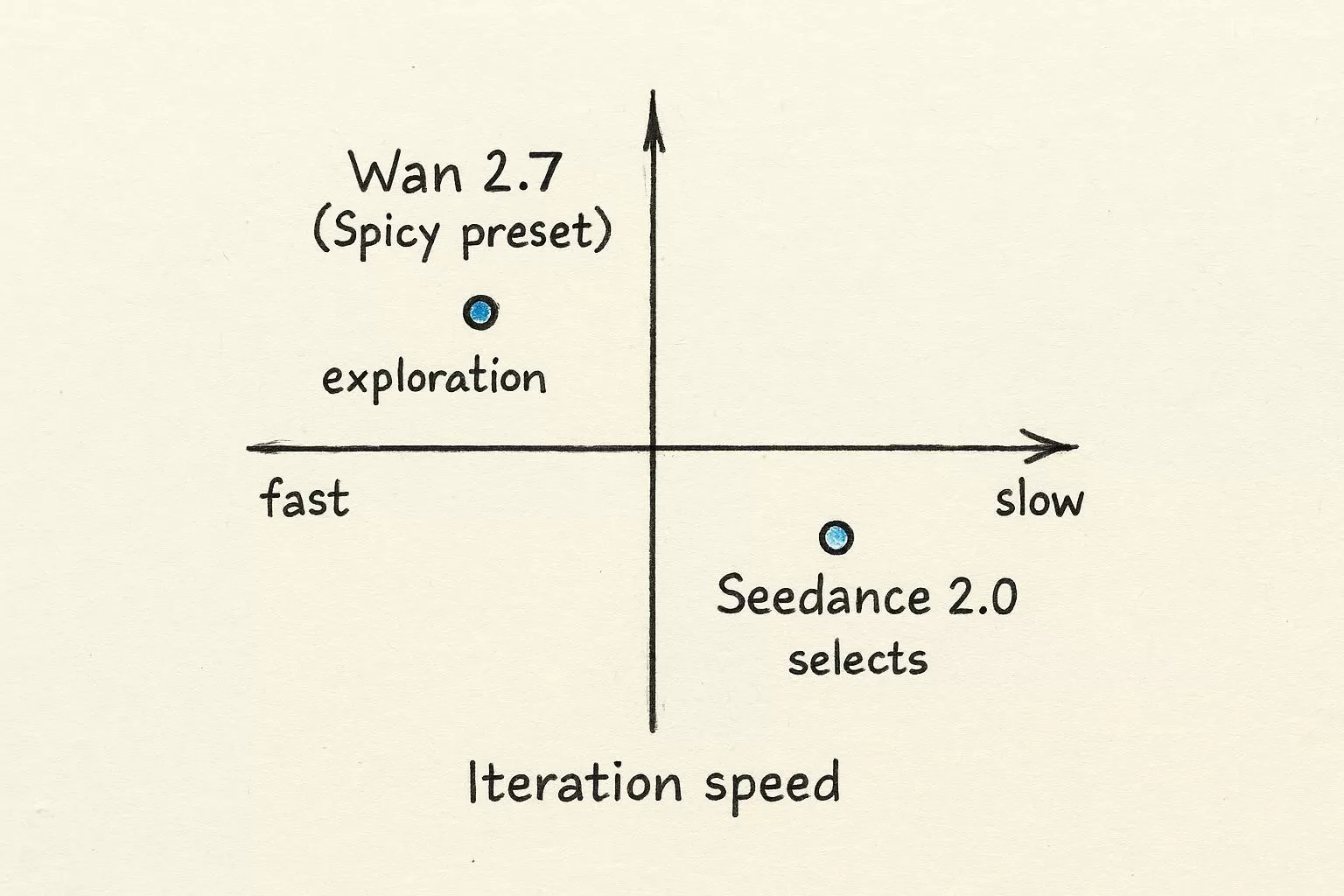
| Best at | Fast exploration, lots of candidates, cinematic “happy accidents” | Higher consistency, cleaner selects, more controllability for complex scenes |
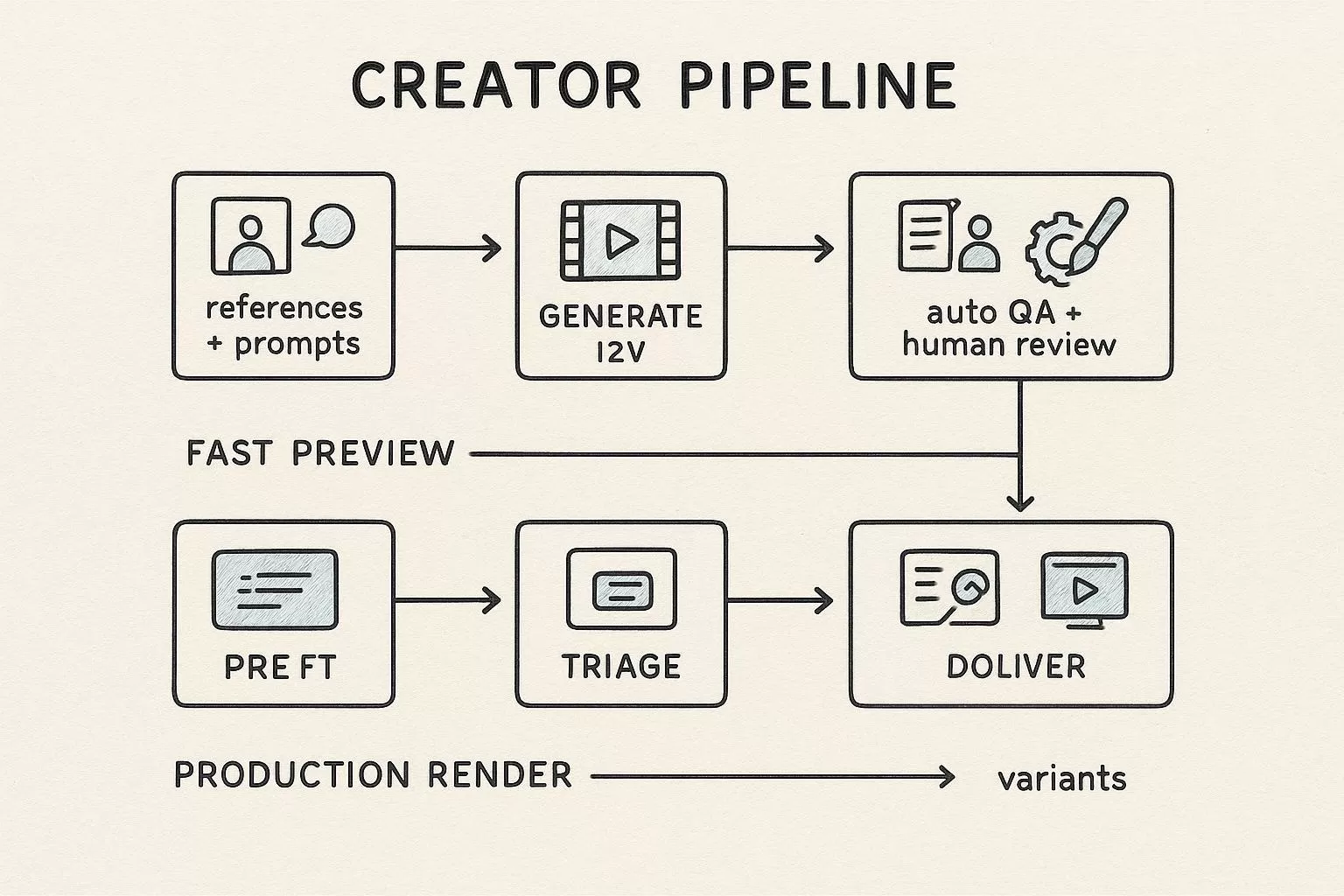
| Pipeline slot | Preview lane, storyboards/animatics, hook shots | Production lane, hero shots, promos where rejects are expensive |
| Latency posture | Better when you’re iterating live (time-to-something-useful) | Better when you can afford a slower loop to reduce rework |
| Quality floor | Variable; can be great, but you need stronger triage | Higher floor if you keep inputs controlled and treat it as a render pass |
| Batch throughput | Strong when you accept variance and let QA do the sorting | Strong when your criteria are strict and you want fewer re-runs |
| What to watch | Identity drift, background warps, texture crawl when motion gets aggressive | Queueing/compute cost, slower exploration if you use it for everything |
Two grounding notes on sources:
- Seedance 2.0 has an official description from ByteDance Seed in “Official Launch of Seedance 2.0” (2026).
- For Wan 2.7, many accessible writeups are provider model pages such as Segmind’s Wan 2.7 image-to-video model page (2026). “Spicy” itself often appears as a UI label or preset name, not necessarily a separately documented official model tier.
Image-to-video model comparison criteria: latency, quality, throughput
If you want to avoid endless arguments about “the best model,” you need to separate three knobs that get conflated.
- Latency: time-to-first-usable-clip (not time-to-first-frame)
- Quality floor: the worst output you’ll tolerate without a re-run
- Batch throughput: usable clips per hour after rejects
In practice, teams get burned because they optimize one knob and pretend the other two will follow.
Latency: stop treating it like one number
Creators ask, “Which model is faster?” Operators should ask, “Which model gets us to a usable clip faster?”
Break end-to-end latency into:
- Queue time: how long you wait before generation starts
- Generation time: wall-clock inference time
- Triage time: time spent rejecting and re-running
A model that’s slower per attempt can still win if it cuts the rework loop.
Pro Tip: Track time-to-first-usable-clip and p95 end-to-end latency, not just average generation time.
Where Wan 2.7 tends to fit
Wan 2.7 makes sense when your creative team is in audition mode. You’re trying many shots quickly:
- different camera moves
- different motion beats
- different art directions from the same reference image
In this mode, your goal isn’t “minimize artifacts.” It’s “find three promising candidates in 15 minutes.” That’s why Wan often shows up as the preview-lane workhorse.
Where Seedance 2.0 tends to fit
Seedance 2.0 is easier to justify when you can’t afford a wide miss rate. If a shot is expensive to review, re-run, or patch in post, you want a higher quality floor.
The official launch positions Seedance 2.0 as a meaningful jump in generation quality and controllability, with multimodal inputs that can include multiple reference images and other modalities (see the ByteDance Seed post linked above). That lines up with how production teams use it: fewer attempts, more selects, less thrash.
Quality: the three failure modes that drive rework
“Quality” is too vague. For 720p–1080p creator pipelines, most rework comes from three specific failures.
1) Temporal consistency
The clip looks good frame by frame, but jitters as a sequence.
What helps:
- Make motion intent explicit: camera move, subject action, and temporal progression.
- Keep test shots simple while you’re calibrating a new model or a new prompt recipe.
If your team needs one concise reference to align on prompting language, Runway’s guidance emphasizes describing motion and progression, not just the static scene: Runway’s image-to-video prompting guide (2025).
2) Identity drift
Faces, hands, and outfit details subtly change. Sometimes the scene morphs into a different person by the end.
What helps:
- Promote a shot from exploration to production only when the reference package is stable.
- If your model supports multiple references, use them intentionally. Don’t throw in extra images unless you have a reason.
3) Background warping and texture crawl
Highly textured regions (hair, fabric, foliage, signage) crawl or melt when motion gets aggressive.
What helps:
- Reduce motion amplitude first (camera or subject), then increase duration.
- Add a QA gate that flags clips with high frame-to-frame edge instability. It’s cheap to detect and expensive to fix manually.
Batch throughput: acceptance rate is the real multiplier
For teams doing batch video generation workflow at scale, throughput isn’t “clips per hour.” It’s:
(clips per hour) × (acceptance rate)
A model that gives you 2× raw throughput can still lose if it forces 3× the re-runs.
How the two models tend to map in a creator pipeline for AI video:
- Wan 2.7 can be throughput-friendly when you accept variance and have strong triage. You generate more candidates, reject fast, and keep the winners.
- Seedance 2.0 can be throughput-friendly when your acceptance criteria are strict and re-runs are expensive. You generate fewer clips, but fewer get thrown away.
The practical takeaway: don’t pick one “best model.” Pick a routing policy by job type.
Use-cases that benefit right now
Social shorts
If your job is to ship lots of 1–3 second hooks, image-to-video is already useful.
Good fits today:
- cold open movement (a still hero image that breathes)
- punch-in or subtle parallax for product shots
- background motion plates for text overlays
Where it still hurts:
- long character acting beats
- complex hand interactions
- any shot where continuity matters more than vibe
Routing suggestion:
- Start with Wan for hook exploration.
- Promote only the best-performing prompt packages to Seedance when you need tighter consistency.
Promos
Promos punish rework. If you’re producing a 20–30 second edit, you’ll likely need only a handful of image-to-video clips, but each one must hold up.
Good fits today:
- establishing shots and b-roll plates
- stylized transitions between product scenes
- cinematic texture layers you can cut around
Routing suggestion:
- Bias Seedance for hero plates.
- Use Wan to explore camera language quickly, then re-run finals in the production lane.
Storyboards and animatics
This is where image-to-video quietly delivers the biggest ROI.
If you can turn keyframes into motion sketches fast, you can:
- get buy-in on pacing and shot language earlier
- reduce late-stage creative changes
- A/B test story structure before you spend on polish
Routing suggestion:
- Wan for broad exploration and fast animatics.
- Seedance for the few animatic shots that need to look closer to final.
Recipes: swap models without reworking downstream tooling
The easiest way to get locked in is to let every surface expose vendor-specific parameters.
The alternative is boring, but it works: define one internal request schema, then build adapters.
Recipe 1: Define a model-agnostic “clip request” object
Treat the request as a replayable artifact. At minimum:
reference_images[](IDs or hashes)promptmotion_intent(a short structured field your team uses consistently)camera(optional)duration_saspect_ratioseed_policy(fixed, random, or sweep)quality_profile(preview or production)
Don’t aim for “all parameters.” Aim for “the 10 fields that actually affect downstream work.”
Recipe 2: Put vendor weirdness in adapters, not product code
Each adapter is responsible for:
- mapping your internal schema to the provider API
- filling defaults (and versioning them)
- returning a normalized response
A normalized response should include:
video_urlmodel_nameandmodel_versionprompt_hashseed_usedtimings(queue + generation)estimated_cost(if you can compute it)qa_signals(pass/fail + reason)
One caution: seeds are useful for reproducibility within the same model configuration, but they don’t transfer across backends. If you want your team aligned on this, point them to a single explainer like LTX Studio’s “How to Use Seeds in AI Video” (2026).
Recipe 3: Route by job type using a capabilities registry
Instead of hardcoding “use Seedance for everything,” route requests based on:
- preview vs production
- whether the shot needs tight identity stability
- whether the shot is likely to be rejected (high motion + complex texture)
That’s how you keep both speed and quality without running every clip through the slow lane.
Recipe 4: Keep a “golden set” to catch regressions
If you’re serious about scaling, keep 20–50 standard test shots:
- a face closeup
- hands interacting with an object
- a high-texture background
- a fast camera move
- a simple product shot
When you switch models or versions, re-run the golden set and compare:
- acceptance rate
- top artifact categories
- p95 end-to-end latency
That single practice prevents weeks of slow quality drift.
Next step
If you’re already routing across multiple image and video models and you want a single place to normalize parameters and keep call logs for debugging and cost tracking, you can take a look at Modellix when it’s relevant.