Every “PixVerse V6” search result tells you the model is better, but almost none of them tell you what actually changed or how to call it. The official review covers the web app; the API docs list endpoints without a single worked example. If you’re evaluating V6 for a product integration, you’re left stitching together a changelog, a capability matrix, and a pricing table yourself.
This guide does that assembly for you. Based on PixVerse’s official release notes, capability matrix, and API documentation (all fetched August 3, 2026), you’ll get the version timeline, the cost change that matters most, a code skeleton for the API — with the video-reference parameters — built on the official integration guide, and the mistakes that waste credits. The goal is not to rank V6 against competitors — it’s to tell you what changed and how to use it.
What Changed in PixVerse V6: The Version Timeline
PixVerse has shipped a new model roughly every few months. The official changelog documents the sequence: V5 (August 29, 2025), V5.5 (December 2, 2025), V5.6 (January 26, 2026), V6 (March 29, 2026), and C1 (April 7, 2026). V6 was the headline release; C1 is a separate model aimed at film production, and the two are not interchangeable (more on that below).
Per the official launch announcement (March 30, 2026), V6’s headline improvements are:
- Camera work — tracking, perspective shifts, and environmental reveals render with greater accuracy and fewer artifacts than previous releases.
- Character performance — emotion holds across frames more reliably; facial expressions and body language keep continuity through scene changes.
- Physical interaction realism — collisions, movement, and spatial relationships between objects behave more consistently.
- Multilingual in-frame text — text rendered inside frames is supported with accurate placement across English, Chinese, and other languages.
- Multi-shot generation with native audio — a single prompt can produce a multi-shot short with synchronized audio, without a separate audio pass. The launch post is explicit that what previously needed multiple tools and production stages (editing, audio) now completes in one generation.
There is also a developer-facing thread in the launch post that most coverage ignores: V6 is accessible through PixVerse’s CLI, which the announcement says is compatible with coding agents including Claude Code, Codex, Cursor, and OpenClaw. That makes V6 embeddable in agentic pipelines — generate a clip, check the result, iterate — without opening a browser. It matters for the API story because it signals PixVerse is treating programmatic access as a first-class surface, not an afterthought.
The capability matrix (fetched August 3, 2026) confirms what the launch post implies: V6 supports text-to-video, image-to-video, first/last-frame transition, reference-to-video (Fusion), and video extension. C1 supports everything except video extension. Legacy models “vary” per capability. Both V6 and C1 cap at 15 seconds and 1080p.
There is also a 2026-07-26 changelog entry that matters for API users specifically: V6 Reference-to-Video now supports reference_mode: "omni" and video_references — i.e., you can pass reference videos (not just images) to the Fusion endpoint. That is the single biggest API-level change in V6, and it’s covered in depth below.
What PixVerse V6 Costs: Per-Second Credits and the V5.6 Comparison
The most consequential change for anyone paying for V6 is billing. V6 is billed per second; V5.6 and older models are billed per fixed clip duration. The official pricing page states the anchor: $1 = 5 videos (V6, 720p, 5s, no audio, with Starter pack).
V6 per-second credit consumption (official pricing table, August 3, 2026), credits per second:
| Quality | No audio | With audio |
|---|---|---|
| 360p | 5 | 7 |
| 540p | 7 | 9 |
| 720p | 9 | 12 |
| 1080p | 18 | 23 |
V5.6, by contrast, charges a flat per-clip amount. Official rows (no audio / with audio):
| Quality | Duration | V5.6 credits |
|---|---|---|
| 1080p | 5s | 75 / 150 |
| 1080p | 8s | 150 / 195 |
| 720p | 5s | 45 / 80 |
| 720p | 10s | 99 / 144 |
Run the same clip through both models and the winner depends on duration. A 5-second 1080p clip costs 90 V6 credits (5s × 18) versus 75 V5.6 credits — V5.6 is cheaper. An 8-second 1080p clip costs 144 V6 credits (8s × 18) versus 150 V5.6 credits — V6 is cheaper. Per-second billing rewards longer clips; fixed-duration billing rewards short ones. If you mostly generate 5-second clips, the change is a price increase; if you generate 8-15s clips, it’s roughly a wash or a saving.
When you add video references, V6 Fusion consumption doubles (official Fusion guide): 1080p goes from 18 to 36 credits per second (no audio) or 23 to 46 (with audio).
One billing detail worth knowing before you estimate a production budget: PixVerse’s own pricing page qualifies the $1 = 5-videos anchor as applying “with Starter pack” — the same page lists different per-second rates for C1 and separate fixed-duration tables for legacy models, so the effective per-video cost shifts depending on which model, pack, and clip length you use. If you’re projecting cost for a high-volume pipeline, pull the official pricing page and model your actual mix rather than assuming the anchor rate holds everywhere.
These are PixVerse Platform credits, not Modellix US dollars — the two pricing systems are separate and we are not converting between them here. Mentioning the Modellix price next to them is a convenience, not a claim that either route is cheaper; per-clip cost depends on your credit pack, clip length, and quality.
If you’d rather not track PixVerse credit packs at all, Modellix offers V6 and C1 reference-to-video over a unified REST API with per-second USD pricing, live as of August 3, 2026: V6 R2V at $0.0575–$0.2645/sec and C1 R2V at $0.0690–$0.2760/sec. That is the API path this article focuses on next — for a full pricing breakdown of the PixVerse family, see our PixVerse pricing guide.
How to Use the PixVerse V6 API
V6 exposes five generation endpoints, all documented with "model": "v6" (official V6 documentation, August 3, 2026):
| Endpoint | Capability |
|---|---|
text/generate |
Text-to-video |
img/generate |
Image-to-video |
transition/generate |
First/last-frame transition |
extend/generate |
Video extension |
fusion/generate |
Reference-to-video (Fusion) |
All five share a common parameter set: prompt (≤ 5,000 characters), duration (1–15 seconds), quality (360p / 540p / 720p / 1080p), generate_audio_switch, and seed. Text-to-video and Fusion additionally accept aspect_ratio (16:9, 4:3, 1:1, 3:4, 9:16, 2:3, 3:2, 21:9). Multi-clip generation (generate_multi_clip_switch) is available on text-to-video and image-to-video only.
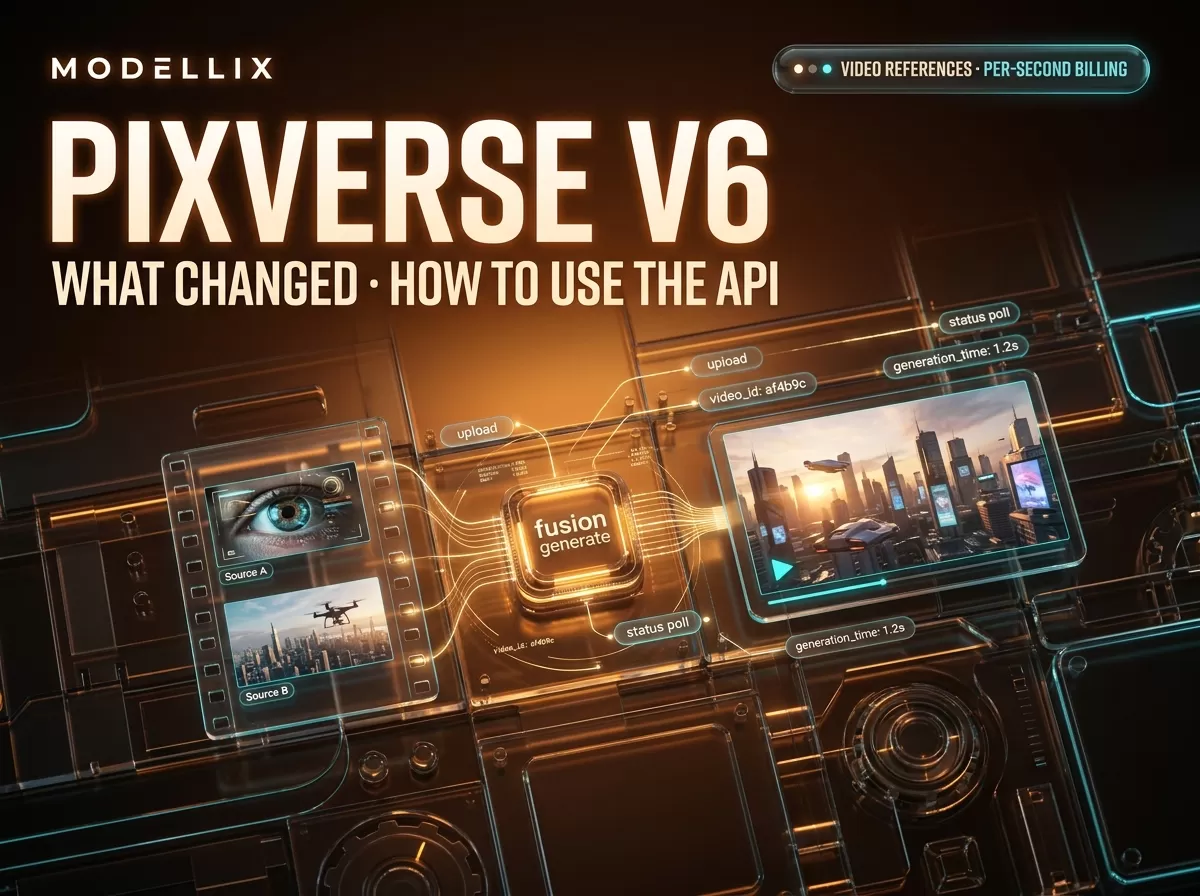
The API uses an asynchronous submit-poll-retrieve lifecycle. Before you can call it, you need an API key — per the official quick start, create one in the API Keys section of the PixVerse platform console, and top up credits on the billing page. Reference media must be uploaded through the media endpoint — raw URLs are accepted by the upload endpoint, but the Fusion body itself only takes media_id values. A minimal Python skeleton for a V6 Fusion call with a video reference, mirroring the official integration guide:
1 | import requests, time |
Per the official Fusion integration guide and Fusion API reference, the status endpoint returns 1 when generation is complete and 5 while it is in progress; poll until it returns 1. This skeleton mirrors the guide’s request shape; run it against your own API key and confirm the current endpoint domain on the docs page before production use.
Two things to note. First, the video_references array takes media_id values from the media upload endpoint — you cannot pass a raw video URL directly into the Fusion body. Second, multi-clip generation is only available on the text-to-video and image-to-video endpoints, not on Fusion, so a video-reference request returns a single clip.

Figure: the V6 Fusion API lifecycle — upload, generate with video_references, poll status 5→1. Diagram generated for this guide, August 2026.
If you want to skip credit packs entirely, the same V6 R2V model is available on Modellix with a single API key and per-second USD billing — our PixVerse API guide covers the general workflow, and the V6 R2V model page linked above has the current price.
V6 Video References: The Parameters That Matter
The 2026-07-26 update made V6 Fusion the most interesting endpoint in the PixVerse API: it can now reference videos, not just images. The official guide says the model “can understand and reference subjects, actions, scenes, camera movements, and visual styles from input videos,” and can do subject replacement, video recreation, and motion imitation from a prompt.
The constraints are exact, and violating any of them returns an error (or silently changes behavior):
| Constraint | Official value |
|---|---|
| Model | V6 only (reference_mode must be omni) |
| Reference videos per request | Max 2 |
| Total duration of all reference videos | ≤ 15 seconds |
duration field when using video references |
Must be 0 — output length auto-matches the longest reference |
| Omni mode reference images | Max 10 (combined with the video refs) |
aspect_ratio |
Supports "auto" in omni mode |
| Credits with video references | ×2 the standard per-second rate |
The duration: 0 rule is the one that surprises people: with a video reference, you do not pick the output length. The output aligns to the longest reference video, and the integration guide requires duration to be set to 0 when video_references is present. If you need a fixed output length, extend or trim the reference video before uploading — or generate without video_references and use duration normally.
Common PixVerse V6 API Mistakes and How to Fix Them
Setting duration to a non-zero value while using video references. The Fusion guide requires duration: 0 when video_references is present. Set it to 0 and let the output align to the reference.
Passing more than two reference videos. The cap is two per request, and all references combined must stay under 15 seconds. Split long source footage into segments and run separate generations.
Using reference_mode: "omni" with a legacy model. Video references are supported only by V6, per the integration guide. If your request names an older model, the reference parameters are not supported and the request will not behave as intended.
Forgetting the unique Ai-trace-id header. The PixVerse API expects a unique trace ID per request; reusing one across requests is a documented source of failures.
Misreading the poll status. Status 5 means in progress, 1 means success. Polling once and treating a 5 as done is the most common integration bug.
Treating official credits as Modellix USD. As noted above, PixVerse Platform credits and Modellix per-second USD pricing are two separate systems. Compare them on cost-per-output for your actual clip length, not on the raw numbers.
Frequently Asked Questions About PixVerse V6
What is the difference between PixVerse V6 and V5.6?
V6 (released March 29, 2026) adds multi-shot generation with native audio, better camera work and character performance, multilingual in-frame text, video extension, and per-second credit billing. V5.6 uses fixed-duration billing (e.g., 75 credits for a 5-second 1080p clip). See the official changelog for the full sequence.
How much does PixVerse V6 cost?
Officially, $1 = 5 videos at 720p, 5 seconds, no audio, with the Starter pack. Per-second credits run 5–23 (no audio / with audio, 360p–1080p), and double when video references are used. On Modellix, V6 R2V is priced per second in USD ($0.0575–$0.2645/sec as of August 3, 2026) — see the official pricing page for PixVerse’s credit packs.
What is the maximum video length for V6?
15 seconds at up to 1080p, across all five generation endpoints. When using video references, the output length automatically matches the longest reference video instead of a duration you set.
PixVerse V6 vs C1 — which should I use?
Both are per-second-billed models supporting text-to-video, image-to-video, transition, and Fusion. C1 does not support video extension, and it was positioned for film-production workflows. If you need extension or the latest consumer-quality output, V6 is the safer default; the capability matrix has the full comparison.
Is PixVerse a Chinese company?
No — the launch announcement is datelined Singapore, and the company says it was founded in 2023 with teams across Asia and the US, closing a Series C round in March 2026 that brought it to unicorn status. It is not a Modellix entity; the two are separate companies.
Can I use PixVerse V6 through Modellix?
Yes — Modellix carries the V6 R2V (reference-to-video) model at per-second USD pricing, plus C1 R2V and lipsync. Modellix does not resell PixVerse’s Growth Studio, Image Avatar, or custom voice cloning; those are PixVerse platform products, not API models in the Modellix catalog.
Does PixVerse V6 generate audio?
The V6 generation endpoints can produce synchronized audio natively (generate_audio_switch), and video references work with audio enabled. Note the boundary on the Modellix side: audio is accepted as input (e.g., for lipsync), but Modellix does not offer audio generation models.
Where can I see real V6 output tests?
PixVerse published a hands-on review with a test methodology, benchmark observations, and a V5.6 comparison in July 2026: PixVerse V6 Review. The official launch post is also worth reading for the product-level context.
Provider details and pricing reflect public information as of August 2026 and change frequently. Validate against each provider’s live pricing before committing. Access image and video models, including the leading Chinese models, through a single API key at modellix.ai.