DeepSeek Harness (dsh) is an open-source agent harness from DeepSeek AI in which models, tools, sessions, and even the UI are plugins. It is MIT-licensed, built on the Cordis plugin kernel, and ships as a developer preview: the official README warns, in all caps, “THERE WILL BE COMPATIBILITY-BREAKING CHANGES.” This guide covers what dsh is, how to run it, and the question almost every tutorial skips — where its models come from.
If you have used Claude Code or Codex, the first five minutes with DeepSeek Harness will feel wrong, and that feeling is the point. The command you run, npx @deepseek-ai/dsh web, does not drop you into a terminal TUI. It opens a browser at http://127.0.0.1:3080 and serves a local web application. That single fact explains most of the project’s early community confusion, and it shapes everything else in this article.
DeepSeek Harness is an open-source agent harness where everything is a plugin
The official definition is short: DeepSeek Harness (dsh) is “an open-source agent harness developed by DeepSeek AI.” The repository lives at deepseek-ai/deepseek-harness on GitHub, was created on 2026-08-13, and is MIT-licensed. As of 2026-08-30, the repository shows 204,568 stars and 23,671 forks (measured via the GitHub API on that date) — an extraordinary reception for a project that is two and a half weeks old and explicitly not finished.
The project’s tagline is “Everything is a Plugin.” The README makes the claim precise: models, tools, skills, sessions, sandboxes, filesystems, loops, orchestration, and the UI are all implemented as plugins that can be mixed, matched, replaced, and extended. Underneath sits Cordis, a plugin kernel whose design is described in a DeepSeek research paper on what the team calls spatiotemporal composability. In practical terms, Cordis manages plugin mounting, unmounting, and dependency ordering, and every agent capability lives in a plugin rather than in the harness core.
That architecture has one immediate consequence: there is no single “DeepSeek Harness experience.” Your configuration decides which model adapter, which tools, which sandbox policy, and which interface you get. A colleague running the same version can be using a completely different agent. That is the feature, and also the reason the project needs a careful version story (more on that below).
For the category question first — what an agent harness actually is, how it differs from an agent framework, and where it sits in the agent stack — the agent harness guide is the better starting point if you want the full context before diving into this specific product.
The first thing to unlearn: dsh’s default form is a web UI, not a terminal TUI
The most discussed topic in the project’s GitHub Discussions is the interface. A scan of 1,400 discussion titles shows 46 hits for cli|CLI|TUI|tui, and the largest thread class is variants of “there is no CLI/TUI — it’s a web app.” One Q&A thread about the missing terminal client and a top General thread asking for a standalone client and CLI have each accumulated dozens of comments.
The reason is straightforward: most coding agents you have used are terminal-native. Claude Code is a TUI. Codex runs in your shell. When DeepSeek Harness launches with npx @deepseek-ai/dsh web, it starts a local server and opens http://127.0.0.1:3080 in your browser by default. That is the primary, supported, default way to interact with it.

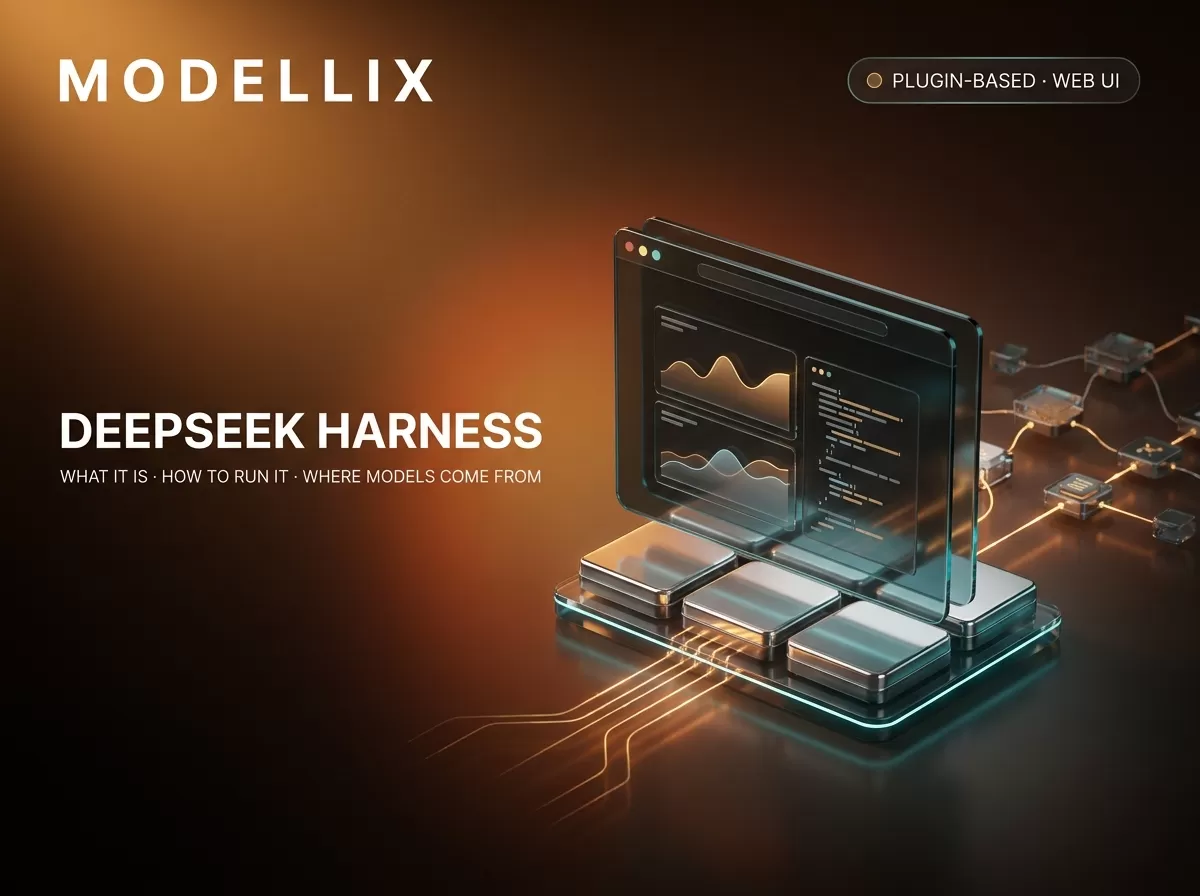
A concept render of dsh’s default interface: a local web application in the browser rather than a terminal TUI.
The dsh command is still there — the npm package @deepseek-ai/dsh describes itself as the “dsh CLI: profile boot, plugin management, and the browser UI alias.” But the CLI is a launcher, not a chat interface. dsh web is an alias for dsh --profile web; dsh --profile headless "job" runs one session and prints the answer; dsh --profile acp and dsh --profile sdk serve automation clients over ACP and JSON-RPC. The team’s own docs recently made “Web UI” the primary onboarding path. If you came from a terminal workflow, budget a few minutes for the browser-based model picker and workspace selector — and note that --no-open starts the server without launching a browser, which is useful on remote machines.
This is not a judgment about which interface is better. It is a structural difference worth knowing before you start, because it changes how you will configure, watch, and automate the agent. The comparison question — whether dsh or another coding agent fits your workflow — is a separate decision we keep out of this overview.
How the plugin system actually works
If the web UI is the first thing to unlearn, the second is how the project is organized. DeepSeek Harness is not one program with optional add-ons. It is a plugin composition system with a launcher.
- Profiles are the unit of composition. A profile directory contains a manifest (
dsh.profile) with an ordered list of plugin bundles, plus your own patch layer (cordis.patch.yml). The built-in profiles areweb,headless,sdk,sdk-minimal, andacp— all of which are profiles, not separate binaries. - Bundles are installable plugin packages. The framework ships six, all under the
@deepseek-aiscope:@deepseek-ai/dsh-base,dsh-web-app,dsh-headless,dsh-sdk-app,dsh-sdk-minimal, anddsh-acp-app. Your profile’spackage.jsonmaintains the bundle list in install order, starting withdsh-base. - A plugin is a TypeScript module that exports an
apply(ctx)function and registers capabilities on the shared context. The official tutorial says “That is the complete configuration.” Event listeners, tools, and timers registered through the context are cleaned up automatically when the plugin unloads.

How a dsh profile composes: ordered plugin-bundle patch layers with the user’s own overrides on top.
This design is why the “which plugins should I install” question has no universal answer. The plugin system replaces the model adapter, the tool registry, the session store, the sandbox, and even the UI. The practical consequence: when you want a capability the base setup lacks — media generation, a different search provider, a different model catalog — you can either add a plugin or, in many cases, simply configure the existing adapter. The boundary between “needs a plugin” and “only needs configuration” is the most useful mental model for this project, and the plugin guide walks through the mechanism in detail.
How to run DeepSeek Harness
There are two officially documented ways to run dsh.
The npm path (fastest):
1 | npx @deepseek-ai/dsh web |
This starts the web UI at http://127.0.0.1:3080 and opens your browser. On an SSH connection it prints the host URL instead, since the client holds the local forwarding address. Add --no-open to skip launching a browser.
The source path (for development or auditing):
1 | git clone https://github.com/deepseek-ai/deepseek-harness.git |
The build step is not optional — pnpm run build prepares the repository artifacts, and the README explicitly says the built artifacts are what pnpm dsh web uses. Skipping the build is the single most common community setup mistake.
On first launch, a fresh web UI has no selected workspace until you add one, and the session composer stays disabled until a workspace is selected. You will also need a model source — which is the third question of this article, and the one most write-ups skip. For key handling and storage locations — including the difference between a DeepSeek key and other provider keys, and where $DSH_HOME keeps credentials — the API key guide is the right follow-up. And once you start adding plugins, the install-verify-remove command flow is covered separately.
Where DeepSeek Harness models come from
Here is the part that the “what is DeepSeek Harness” posts leave out: dsh has no mandatory model provider. The llm-pi-ai adapter accepts any OpenAI-compatible endpoint as a custom provider, which means the answer to “where do the models come from” is “wherever you point the adapter — or wherever a plugin points it for you.”
Path one: pure configuration with a custom provider
Because the llm-pi-ai adapter speaks the OpenAI Chat Completions wire protocol, any service that exposes an OpenAI-compatible endpoint can be added without writing a plugin. Modellix’s own integration documentation makes the point explicitly: “Modellix needs no plugin—only configuration.”
Concretely, you add a custom provider in the web UI (Settings → Models → Add a custom provider) or directly in $DSH_HOME/settings.yaml:
1 | llm-pi-ai: |
That example is taken from the official Use Modellix LLM with DeepSeek Harness documentation. Model IDs follow a provider/name form, and the full string must be used as each model’s id so the harness sends it unchanged in the request body. The Modellix LLM gateway serves 28 text models behind that base URL — OpenAI, Anthropic, Google, DeepSeek, Qwen, Moonshot, xAI, ZAI, and Modellix’s own label — all reachable with one Modellix API key. Model changes take effect on the next request; you do not need to restart the server. The complete walkthrough of both the form and the YAML path, including the UNKNOWN_MODEL trap when a model is missing from the list, lives in the custom model guide.
One boundary is worth stating plainly: the gateway is a text gateway. The official troubleshooting table says, verbatim, “Modellix LLM is a text gateway—use text-only prompts; do not attach images.” Some models in the price table advertise image input, but in the harness context the documented behavior is text-only prompts.

The model source path: dsh’s llm-pi-ai adapter calls an OpenAI-compatible endpoint, and the gateway handles the providers.
Path two: a plugin that adds more than models
Configuration swaps the model source. A plugin can add whole capabilities. The table below is the short version of the trade-off; the rest of this section and the series links after it are the long version.
| What you want | Pure configuration (custom provider) | Plugin (e.g. dsh-modellix) |
|---|---|---|
| Switch which text models the harness calls | Yes — add any OpenAI-compatible endpoint | Yes — merges a live catalog into the model selector |
| Image, video, or audio generation | No — the LLM gateway is text-only | Yes — Design module routes to the media API |
| Web search and fetch through the harness | No built-in custom search provider seam | Yes — Web module routes native web_search/web_fetch |
| Setup effort | A form or a few YAML lines, no plugin | One dsh plugin --profile web add command |
dsh-modellix, Modellix’s plugin for DeepSeek Harness, is a worked example of what a plugin looks like — it is Apache-2.0, installs with dsh plugin --profile web add dsh-modellix, and brings three independently toggleable modules on one Modellix API key:
- Design reads Modellix’s live image, video, and audio catalog plus each model’s schema, and provides a left-panel/right-results workspace for media generation inside the harness. Billed generation is submitted exactly once, never auto-retried.
- LLM merges the live Modellix model catalog into the harness’s
llm-pi-aiprovider, so the model selector always reflects what the gateway currently serves rather than a hand-maintained list. It never fabricates a fallback catalog when the live catalog is unavailable. - Web routes the harness’s native
web_searchandweb_fetchtools through Modellix’s Web Search and Fetch API, without creating duplicate custom tools.
The plugin exists because the harness is a plugin system; nothing about these modules is hardwired. If media generation from an agent is what you want, the image generation guide walks through the Design module and its billing boundaries. If search and fetch are the goal, the web search guide covers the provider seam.
Run 28 Models from DeepSeek Harness
Log in to Modellix, add one custom provider, and point dsh at 28 text models with a single key.
LoginA fast-moving project: what the version numbers actually mean
DeepSeek Harness is in developer preview and iterating fast — the kind of project where “current version” depends on which registry you ask. As of 2026-08-30, checked live on both registries:
| What you ask | Answer |
|---|---|
npm install / npx @deepseek-ai/dsh gets you |
0.1.1-rc.2 (release candidate, published 2026-08-21) |
| The newest GitHub release tag | dsh-v0.1.2-alpha.2 (2026-08-30) |
npm’s alpha dist-tag |
0.1.2-alpha.2 |
The official README states the project’s status without hedging: DeepSeek Harness is “in developer preview and iterating rapidly. THERE WILL BE COMPATIBILITY-BREAKING CHANGES.“ Treat the alpha as an alpha: fine for a contained experiment, not something to pin a production workflow to without a plan for breakage. Community feedback flows through GitHub Discussions (issues are closed), with an official Discord server alongside. The ecosystem has already produced community plugin directories and desktop wrappers — useful, but third-party, and none of them is an official plugin marketplace, which does not exist yet.
Independent reviewers reach the same conclusion. Wavect’s production-readiness review calls dsh “a compelling foundation for a contained engineering pilot” but “not yet a production control plane” — worth reading before you commit anything important to it. When a provider configuration goes wrong, the error names to know are UNKNOWN_MODEL, MISSING_CREDENTIAL, and the 401 class; the provider errors guide decodes them. And if you are tracking what a run actually costs in tokens, the token usage guide shows how to see per-request spend instead of estimating it.
Where to go next: the DeepSeek Harness series
This article is the overview; the rest of the series goes deep on the parts that bite. Each guide below covers one decision or one failure mode, so you can jump straight to the one that matches where you are:
- Claude Code alternatives (2026): the harness options and how to feed them models — the candidate list for anyone comparing dsh against Claude Code and Codex, on verifiable dimensions rather than hype.
Frequently asked questions
Is DeepSeek Harness a CLI tool?
No — its default form is a local web UI. npx @deepseek-ai/dsh web starts a server at http://127.0.0.1:3080 and opens it in your browser. The dsh CLI is a launcher and plugin manager; dsh web is an alias for the web profile, and headless/ACP/SDK modes are profiles, not separate binaries.
Is DeepSeek Harness free?
The software is open source under the MIT license — the code is free to run and modify. The models it calls are billed by your model provider, not by the harness. There is no dsh subscription because there is no dsh service to subscribe to; you bring the model source.
Where do DeepSeek Harness models come from?
Wherever you point the llm-pi-ai adapter. It accepts any OpenAI-compatible endpoint as a custom provider, so models can come from DeepSeek’s API, another vendor’s API, a self-hosted endpoint, or a gateway like Modellix LLM that exposes many providers behind one key. Plugins can also add model catalogs directly.
Do I need a DeepSeek API key to use it?
For the default first-run setup, yes — the harness asks for a DeepSeek API key in Settings → Models. But the harness is model-agnostic by design: the custom-provider mechanism lets you replace the model source entirely, which is what the custom model guide covers.
Is DeepSeek Harness stable enough for production?
It is a developer preview. The README says, in all caps, “THERE WILL BE COMPATIBILITY-BREAKING CHANGES,” npm’s latest tag is a release candidate (0.1.1-rc.2), and the newest GitHub tag is dsh-v0.1.2-alpha.2. Independent reviewers reach the same conclusion — Wavect’s production-readiness review calls it “a compelling foundation for a contained engineering pilot” but “not yet a production control plane.” Evaluate it as a pilot, not a platform.
Can I run DeepSeek Harness with Docker?
There is no official Docker image documented in the README as of 2026-08-30; the two documented paths are the npm package and building from source. Community images may exist, but they are third-party and should be treated as such.
Is DeepSeek Harness better than Claude Code?
That is the wrong question to answer in the abstract. dsh differs structurally — plugin architecture, web UI default, provider-agnostic model adapter — and those differences matter differently for different workflows. The Claude Code alternatives guide covers the comparison on verifiable dimensions rather than declaring a winner.
Does the Modellix gateway support image input in DeepSeek Harness?
The official troubleshooting table says to use text-only prompts: “Modellix LLM is a text gateway—use text-only prompts; do not attach images.” If you need media generation, the Design module in dsh-modellix routes to Modellix’s media API instead — a different host, a different billing unit, and a separate workflow. The two should not be mixed.
DeepSeek Harness is a developer-preview project: versions, stars, and documentation change by the day. Figures above were verified against the GitHub API, the npm registry, and official documentation on August 30, 2026. Modellix is an aggregator and a commercial party here — we operate the LLM gateway used as the example model source, and we maintain the dsh-modellix plugin. This article is a dated overview, not a stability guarantee; re-check the official repository before committing a workflow to it.