What switching from Claude Code actually involves
Claude Code is the strongest terminal-first coding agent most developers have used. It edits files, runs commands, and manages a whole repository from the command line, and its single in-session context window still beats retrieval-based approaches on deep cross-file refactors. That is exactly why switching is uncomfortable: the tool is good, and the reason people search for a claude code alternative is rarely the tool itself.
The reason is usually one of three things: the subscription ceiling, the model lock-in, or the price shape. Every alternative listicle on the first page of Google will happily name eight tools for you. None of them answers the question you actually have after reading the list: what happens to my Anthropic subscription, where do the models come from, and how many configuration lines differ? This guide answers that question. It is a candidate list, not a verdict — no “best” ranking, because the right client depends on your workflow, not on a leaderboard.
A note on where this guide comes from: Modellix runs an LLM model gateway (llm.modellix.ai) that speaks OpenAI Chat Completions, OpenAI Responses, and Anthropic Messages with one API key, and we maintain per-client setup pages for most of the tools below. That is a commercial interest in this topic, so treat the table as one endpoint’s perspective and verify against each tool’s own docs before you commit.
The Claude Code alternatives in 2026, at a glance
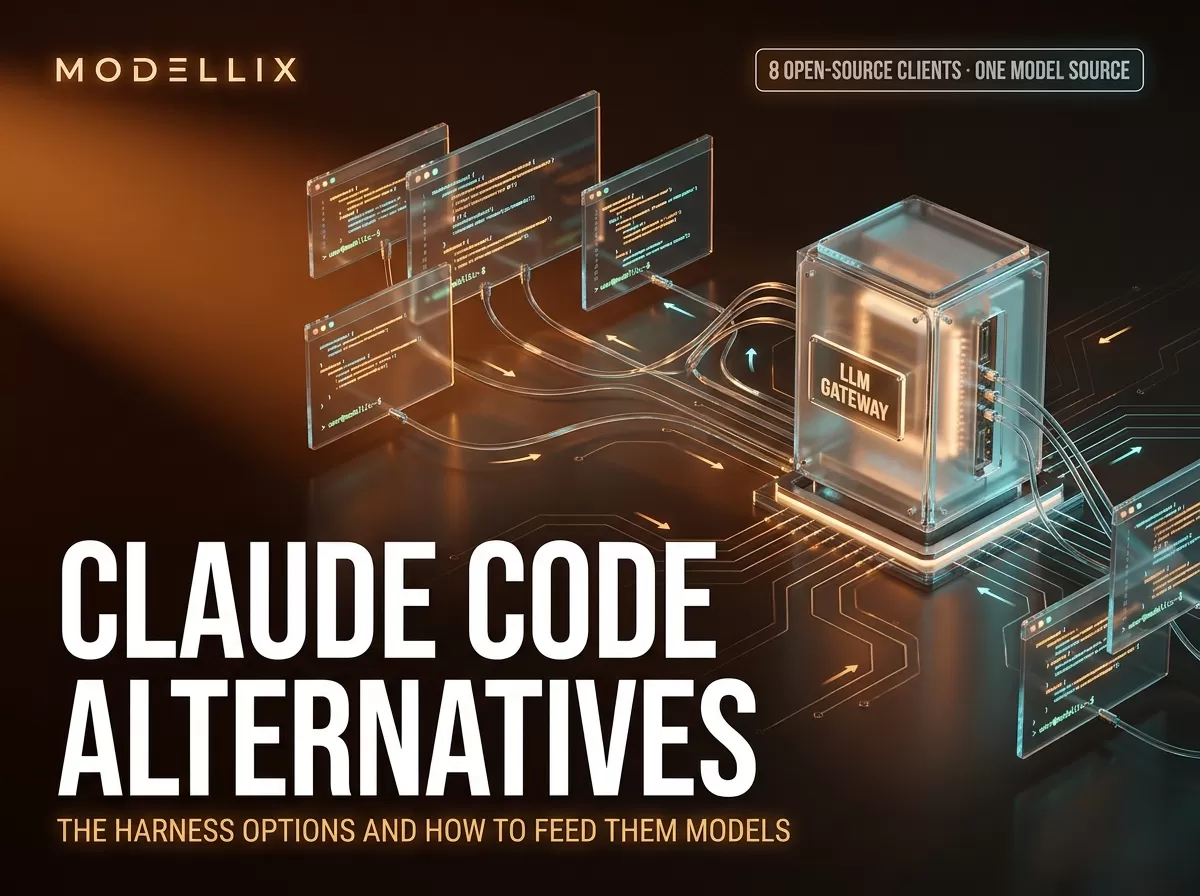
Every candidate below is a client: an open-source agent harness, terminal CLI, or editor extension that you run locally for free. What you pay for is the model source behind it. The order here is not a ranking — it follows how directly each tool slots into the DeepSeek Harness conversation that dominated 2026’s agent ecosystem, which is why DeepSeek Harness leads the table.
| Candidate | Form | Open source | Model-source protocol | Free client | Best for |
|---|---|---|---|---|---|
| DeepSeek Harness | Web UI + profiles | Yes (MIT) | OpenAI Chat Completions (or Anthropic Messages) | Yes | Plugin-based agents, model-agnostic setups |
| OpenCode | Terminal CLI | Yes | OpenAI Chat Completions | Yes | Terminal-first work, closest Claude Code feel |
| Codex CLI | Terminal CLI | Yes (Apache-2.0) | OpenAI Chat Completions | Yes | OpenAI-ecosystem users, delegation-style tasks |
| Cline | VS Code extension | Yes | OpenAI Chat Completions (custom provider) | Yes | Editor-native review workflows |
| Kilo Code | VS Code extension | Yes | OpenAI Chat Completions (custom provider) | Yes | VS Code users who want agent mode in-editor |
| Qwen Code | Terminal CLI | Yes | OpenAI Chat Completions | Yes | Qwen-model users, quick /models switching |
| Pi | Terminal agent | Yes | OpenAI Chat Completions | Yes | Lightweight terminal agents, JSON-based config |
| Aider | Terminal CLI | Yes | OpenAI-compatible via LiteLLM | Yes | Git-pairing workflows, repo-aware diffs |
| Claude Code (reference) | Terminal + IDE + desktop | No | Anthropic Messages | No — subscription or Console | The client you are comparing against |
Adjacent tools you will see in every other listicle — Cursor, GitHub Copilot, Windsurf, Gemini CLI, Grok Build, Antigravity — are IDEs, platforms, or vendor-tied agents. They are real options, but their model-source mechanics live behind a settings UI or a vendor contract rather than a configuration file, so they do not fit the “how do I feed it models” frame this guide uses. Treat them as a separate decision.
How model sources work: protocols, base URLs, and the /v1 question
Every harness in the table above gets its models from the same kind of place: a model source — an endpoint you point the client at, a key it authenticates with, and model IDs it sends on the wire. There is no mystery to it, but there is one recurring trap: the protocol decides whether your base URL ends in /v1.
Two wire protocols cover almost every coding agent:
- OpenAI Chat Completions —
POST /v1/chat/completions. OpenAI-compatible clients expect the base URL to include/v1, sohttps://llm.modellix.ai/v1is the correct value. This is the default for most harnesses (DeepSeek Harness’sopenai-completionsadapter, OpenCode, Codex, Cline, Kilo Code, Qwen Code, Pi, Aider through LiteLLM). - Anthropic Messages —
POST /v1/messages. Anthropic SDKs and Claude Code append/v1/messagesthemselves, so their base URL must not include/v1—https://llm.modellix.ai, not.../v1. Modellix’s Claude Code setup page warns about exactly this: “Do not append /v1 to ANTHROPIC_BASE_URL. Claude Code / the Anthropic SDK append /v1/messages themselves.”
The second rule of model sources is the model ID format. Most OpenAI-compatible gateways want provider/name IDs — openai/gpt-5.6-sol, anthropic/claude-sonnet-5, deepseek/deepseek-v4-flash — and the harness sends them unchanged on the wire. A client configured with a bare gpt-5.6-sol will fail or silently route to the wrong place. The same OpenAI-compatible shape is what local-model servers (Ollama, vLLM, LM Studio) expose, so the “Claude Code alternative for local LLM” crowd uses the identical /v1 base-URL convention against http://localhost.
The third rule: changing only the URL is not enough. The three protocol families use different request-body shapes (messages vs input, max_tokens vs max_completion_tokens). A gateway that exposes all three on one host is convenient precisely because you pick the protocol that matches the client, then configure it once.
Here is the full candidate-by-candidate map against the Modellix gateway (each row’s configuration is taken from the linked setup page — Modellix’s where one exists, the vendor’s own docs otherwise — re-verified live on August 30, 2026):
| Candidate harness | Config location | Model-source protocol | Base URL on Modellix |
|---|---|---|---|
| DeepSeek Harness | Web UI form or $DSH_HOME/settings.yaml |
openai-completions (Chat Completions) |
https://llm.modellix.ai/v1 |
| DeepSeek Harness (alt) | same, api: anthropic-messages |
Anthropic Messages | https://llm.modellix.ai (no /v1, models entered by hand) |
| OpenCode | custom provider, @ai-sdk/openai-compatible |
Chat Completions | https://llm.modellix.ai/v1 |
| Codex CLI | ~/.codex/config.toml → openai_base_url |
Chat Completions | https://llm.modellix.ai/v1 |
| Cline | OpenAI Compatible provider settings | Chat Completions | https://llm.modellix.ai/v1 |
| Kilo Code | Custom OpenAI Compatible provider | Chat Completions | https://llm.modellix.ai/v1 (include /v1) |
| Qwen Code | OPENAI_BASE_URL env or modelProviders in settings.json |
Chat Completions | https://llm.modellix.ai/v1 |
| Pi | ~/.pi/agent/models.json → providers.modellix.baseUrl |
Chat Completions (openai-completions) |
https://llm.modellix.ai/v1 |
| Aider | --openai-api-base / LiteLLM env |
OpenAI-compatible via LiteLLM | any OpenAI-compatible base URL |
| Claude Code | ANTHROPIC_BASE_URL env or ~/.claude/settings.json |
Anthropic Messages | https://llm.modellix.ai (no /v1) |
Read that table top to bottom and the pattern is obvious: seven of the nine clients take the same /v1 value out of the box; Aider accepts any OpenAI-compatible base URL through LiteLLM; and the only paths that skip /v1 are Anthropic Messages — Claude Code’s single mode, and DeepSeek Harness’s optional anthropic-messages route. That single difference is what makes “switching clients” feel like a config rewrite when it is actually a one-line change per client. The related unified AI API guide on this site explains the aggregator concept behind the gateway in more depth.

Figure: how a model source works — three client shapes (terminal CLI, VS Code, web UI) talk to one OpenAI-compatible gateway at /v1; the Anthropic Messages path skips /v1. Generated for this guide, August 2026.
LLM Gateway Setup Docs
See the protocol cheat sheet and per-agent setup pages for the Modellix LLM gateway.
View DocsDeepSeek Harness: the open-source entry that changed the 2026 conversation
If you searched “claude code alternative” in August 2026, the first new name you met is almost certainly DeepSeek Harness — the open-source agent harness from DeepSeek AI, created 2026-08-13 and sitting at 202,077 stars / 23,236 forks as of August 29, 2026 (measured from the GitHub API on that date). It is in developer preview, and its own README says it plainly: “THERE WILL BE COMPATIBILITY-BREAKING CHANGES.” The npm latest is 0.1.1-rc.2 (2026-08-21); a 0.1.2-alpha.1 tag exists on GitHub but that is an alpha, not a stable release.
The most visible difference from Claude Code is the form factor. Where Claude Code is a terminal CLI, DeepSeek Harness defaults to a local Web UI — npx @deepseek-ai/dsh web starts a server at http://127.0.0.1:3080 and opens it in your browser. Its architecture is “everything is a plugin”: model adapters, tool registries, session logging, and the agent loop are all replaceable bundles.
The model source is a custom provider on the llm-pi-ai adapter. Modellix’s DeepSeek Harness setup page documents two routes:
- Form route: Settings → Models → Add a custom provider with Provider ID
modellix, Base URLhttps://llm.modellix.ai/v1, API protocolopenai-completions, and your API key. “Fetch available models” pulls the catalog from the gateway’s OpenAI-compatibleGET /v1/models. - Config route: the same provider declared in
$DSH_HOME/settings.yamlunderllm-pi-ai: providers: modellix:withapiKeyEnv: MODELLIX_API_KEY,baseURL: https://llm.modellix.ai/v1, and amodelslist of fullprovider/nameIDs.
Two details matter. First, model changes take effect on the next request — no server restart. Second, the Anthropic wire protocol is available (api: anthropic-messages, base URL without /v1), but model discovery only reads OpenAI-compatible GET /models endpoints, so you enter models by hand in that mode.
There is also an official Modellix plugin, dsh-modellix, which adds Design (image/video/audio generation), a live LLM catalog, and Web search/fetch providers inside the harness. It is young — created 2026-08-24, no meaningful community footprint yet — so judge it on its engineering (bilingual docs, strict release gates) rather than on adoption numbers. Our DeepSeek Harness plugin guide walks through what the plugin adds and when you do not need it.

Figure: the eight candidates in this guide grouped by form — terminal CLIs, VS Code extensions, and a web-UI harness — all drawing on one model source. Generated for this guide, August 2026.
Terminal-first clients: OpenCode, Aider, and Codex CLI
These three live in the same place Claude Code lives: your terminal.
OpenCode is the closest thing to Claude Code that is fully open source, and it is the alternative that hands-on reviews (including XDA’s) keep circling back to. It is a terminal CLI with an agent loop, subagents, and a client/server model. Its model source is a custom provider using the @ai-sdk/openai-compatible package — you register baseURL: https://llm.modellix.ai/v1 once, and per the Modellix OpenCode page, you do not need a separate Anthropic base URL: anthropic/... and google/... model IDs ride the same OpenAI-compatible provider. One config block, /models to switch, done.
Aider is the elder statesman — it pairs with git, proposes diffs, and is beloved for repo-aware edits. It connects through LiteLLM, which means it accepts a very wide range of providers including OpenAI-compatible endpoints. Its cost shape is the purest version of the model-source story: the client is free, and your bill is entirely per-token from whatever endpoint you configure.
Codex CLI is OpenAI’s open-source (Apache-2.0) terminal agent. Its delegation style — describe a task, review the diff it returns — is the opposite of Claude Code’s turn-by-turn steering. Per the Modellix Codex page, configuration is openai_base_url = "https://llm.modellix.ai/v1" in ~/.codex/config.toml plus OPENAI_API_KEY (newer builds prefer the config key over the OPENAI_BASE_URL environment variable). The client is free and open source; the lock-in consideration is that its default models are OpenAI’s.
Editor-native agents: Cline and Kilo Code
If you want agentic editing inside VS Code rather than a terminal, these two are the open-source path.
Cline is the most established open-source VS Code coding agent — plan mode, checkpoints, MCP support, and a very visible community. Its model source is an OpenAI Compatible provider you configure in the extension settings with a base URL; Modellix’s docs list Cline among the clients that use https://llm.modellix.ai/v1 with Chat Completions. Best for developers who want visual diff review without leaving the editor.
Kilo Code is the newer VS Code contender, with a Claude Code-inspired agent UI and a large model catalog. Its setup has a sharp edge that is worth knowing: the Modellix Kilo Code page says to use a dedicated Custom OpenAI Compatible provider and that you must include /v1 in the Base URL — https://llm.modellix.ai/v1 — so paths resolve to /v1/chat/completions. If you paste a Modellix key into a third-party built-in provider instead, it will not authenticate correctly.
Provider-tied and newer entrants: Qwen Code and Pi
Qwen Code is Alibaba’s open-source terminal agent. Its model source is classic OpenAI-compatible wiring: export OPENAI_BASE_URL="https://llm.modellix.ai/v1" plus OPENAI_API_KEY, or modelProviders in settings.json. Per the Modellix Qwen Code page, model IDs must keep the provider/ prefix (e.g. qwen/qwen3.8-max, and the gateway routes any provider family you add to the list). A natural fit if you want Qwen models in a terminal client.
Pi is a lightweight open-source terminal agent whose configuration is a single JSON file. Per the Modellix Pi page, you create or update ~/.pi/agent/models.json with a providers.modellix block: "baseUrl": "https://llm.modellix.ai/v1", "api": "openai-completions", and the model IDs you want. It is the smallest config surface in this list — three fields and you are running.
What happens to your Anthropic subscription
This is the question every other listicle skips. The honest answer is that the two cost structures are different shapes, and you should pick the shape that matches how you work — not assume one is “cheaper.”
- Subscription route (staying on Claude Code): the client is free, but Anthropic’s own docs say most surfaces require a Claude subscription or an Anthropic Console account. You pay a fixed monthly amount for usage limits. Predictable, but you pay for a ceiling, and the model choice is Claude’s family (with third-party provider support on the terminal/IDE surfaces).
- Pay-as-you-go route (open-source client + model endpoint): the client is free and open source; your bill is per token from whichever endpoint you point it at. The ceiling disappears, the model catalog opens up (Claude, GPT, Gemini, DeepSeek, Qwen, and others behind one
provider/namescheme), and your usage is visible per request. The cost is that nothing is flat — you watch token counts instead of a subscription meter.
Nothing about switching clients forces you to abandon Claude models. You can keep calling anthropic/... models from any of the clients above — through the Anthropic Console’s pay-as-you-go API key, or through a Messages-compatible gateway — and pay per token instead of per month. What you shouldn’t do is treat “free client” as “free to run”: the models are the bill, in both routes.

Figure: the two bill shapes — a subscription’s flat monthly ceiling versus a pay-as-you-go per-token counter. Generated for this guide, August 2026.
One Modellix-specific note for honesty: we are an aggregator, not a charity — the gateway’s per-token prices are its own rate card, and this is not a claim that any endpoint is the cheapest. Pricing changes frequently; current Claude plan tiers are on claude.com/pricing, and our current LLM rate card is on the Modellix LLM page.
How to choose: match the client to your workflow
No ranking, just a filter — three questions narrow the table to one or two candidates:
- Where do you want to work? Terminal-first → DeepSeek Harness (if you want a web UI), OpenCode, Aider, Codex CLI, Qwen Code, Pi. Inside VS Code → Cline or Kilo Code.
- Which models do you want? Claude-only and staying in the terminal → keep Claude Code and change the model source instead of the client (that is a different decision, covered by our upcoming Anthropic base URL guide — this article covers switching clients). Open catalog → any open-source client plus a multi-provider endpoint.
- How do you want to pay? Flat monthly ceiling → subscription path. Per-token with no ceiling → pay-as-you-go path.
A practical suggestion: pick the model endpoint first, then run two clients against it for a week. Since every client above takes the same /v1 value (except the two Anthropic Messages paths — Claude Code’s single mode and DeepSeek Harness’s optional anthropic-messages route), the switching cost is genuinely small — one base URL, one key, one model ID per client. The work is in the workflow, not the config.
Give Your Agent a Model Source
Log in to Modellix, grab a key, and point any of these clients at one gateway.
LoginFrequently Asked Questions
Is Claude Code still the best coding agent?
“Best” depends on the dimension. Claude Code remains the strongest for deep single-session refactors and has the richest terminal ecosystem, and its own docs position it across terminal, IDE, desktop, and web surfaces. The open-source alternatives win on cost structure, model choice, and configurability. If you need a verdict-shaped answer, the honest one is: dimension by dimension, not a single winner.
Is there a free alternative to Claude Code?
The clients are free — every harness in the table above is open source and runs locally for free. What you pay for is the model source: either a Claude subscription/Console usage, or per-token billing on whatever endpoint you configure. “Free client, paid models” is the cost structure to understand; there is no free ride on the inference itself, and this guide is not a workaround-for-subscription piece.
Can I keep using Claude models with another client?
Yes. Any client that speaks Anthropic Messages can call anthropic/... models through the Anthropic Console API or a Messages-compatible gateway; OpenAI-compatible clients can usually carry anthropic/... model IDs on the same /v1 endpoint. The models are not tied to the Claude Code client.
What does “OpenAI-compatible endpoint” mean?
It means the endpoint implements the OpenAI Chat Completions request/response shape (POST /v1/chat/completions, messages, max_tokens), so any client that speaks that protocol can use it. Most gateways also expose a GET /v1/models list so clients can auto-discover model IDs. Base URLs for these endpoints include /v1; Anthropic Messages endpoints do not.
Do I need a Modellix account to use these alternatives?
No. Every client in the table is a standalone open-source tool; any OpenAI-compatible or Anthropic-Messages endpoint works as its model source. Modellix appears in this article because we run one such endpoint and maintain per-client setup pages — a convenience, not a requirement.
What is DeepSeek Harness?
DeepSeek Harness (dsh) is DeepSeek AI’s open-source agent harness — a local Web UI at http://127.0.0.1:3080 with an everything-is-a-plugin architecture. It is model-agnostic: you add any OpenAI-compatible endpoint as a custom provider. It launched August 2026 in developer preview and is iterating fast, with compatibility-breaking changes expected.
How many configuration lines change when switching?
For most clients: one file, three values — base URL, API key, and one model ID. The recurring trap is the /v1: OpenAI-compatible clients want https://llm.modellix.ai/v1; Anthropic Messages clients (Claude Code, Anthropic SDK) want the base URL without /v1. Get that one character right and the rest is copy-paste.
Provider details and pricing reflect public information as of August 30, 2026 and change frequently. Validate against each provider’s live pricing and documentation before committing. Access image, video, and text (LLM) models through a single API key at modellix.ai.