If you searched for “ai motion control api,” you are probably looking at a video model’s marketing page that shows a character dancing exactly like the person in a reference clip. At the API level, that feature is one repeated pattern across providers: a motion control API takes a still character image plus a reference video, extracts the motion from the video, and renders a new clip where the character reproduces that motion. Kling, PixVerse, and Vidu all expose it, and their endpoints differ in a small set of fields that determine what you can build and what it costs.
This guide covers the category, not one vendor: what motion control actually means in a video generation API, the shared endpoint contract, per-provider parameters (Kling, PixVerse, Vidu, and why Wan is different), a like-for-like pricing table pulled from live pages on August 12, 2026, and a Python template you adapt to your provider. Modellix, where this article lives, is an AI media API aggregator and has a commercial interest in the route comparison at the end — the numbers are presented so you can check them yourself.
What “motion control” means in a video generation API
Motion control is motion transfer: the API analyzes the motion sequence in a reference clip and rebuilds it on a target character image, with pose alignment and frame-consistent rendering. If you see “motion transfer API” instead of “motion control API,” it is the same pattern under another name. Kling’s official Motion Control API documentation describes exactly this workflow — a reference video drives the character in your image. PixVerse calls the same capability Motion Control (Mimic) in its official Motion Control guide.
Three things motion control is not, because the same term gets used for them in consumer apps:
- Camera control. Camera behavior inside generation (focal length, pan, aperture) is a separate capability. PixVerse V6 markets “over 20 cinematic camera controls”; Kling has its own camera-move parameters. Neither is motion transfer.
- Motion brush / region painting. Some tools let you paint which parts of an image should move. That is a different mechanism from reference-video transfer.
- A generic “animate this image” model. Plain image-to-video (I2V) generates motion from a prompt or a single frame; motion control replaces prompt-driven motion with motion copied from a video. For the general I2V category, our image-to-video API guide is the better starting point.
Two hard constraints are shared across providers: the subject image must contain a clear person or animal, and the reference video must have a person as the primary focus performing the motion. Requests that violate either are rejected before generation — and before any charge.
The endpoint contract every motion-control API shares
Strip away the vendor names and motion-control endpoints are the same four inputs plus an asynchronous lifecycle:
| Input | What it is | Typical limits |
|---|---|---|
| Character image | The still whose appearance is preserved | jpg/png, ~10 MB, clear subject |
| Reference video | The clip whose motion is copied | mp4/mov, ~100 MB, 3–30 s |
| Resolution / quality | Output tier | 360p–1080p depending on provider |
| Orientation / mode | Whether the character follows the video’s facing or keeps its own | “image” vs “video” on Kling |
Two variations matter before you write any code. First, prompt handling differs: Kling’s motion control accepts a prompt to steer style and atmosphere, while PixVerse’s Mimic request body has no prompt field at all — motion comes entirely from the reference clip. Second, output duration is usually derived from the reference video (and capped), not chosen by you: Kling caps the video-orientation mode at 30 seconds and the image-orientation mode at 10 seconds, and PixVerse output duration always equals the reference video’s length.

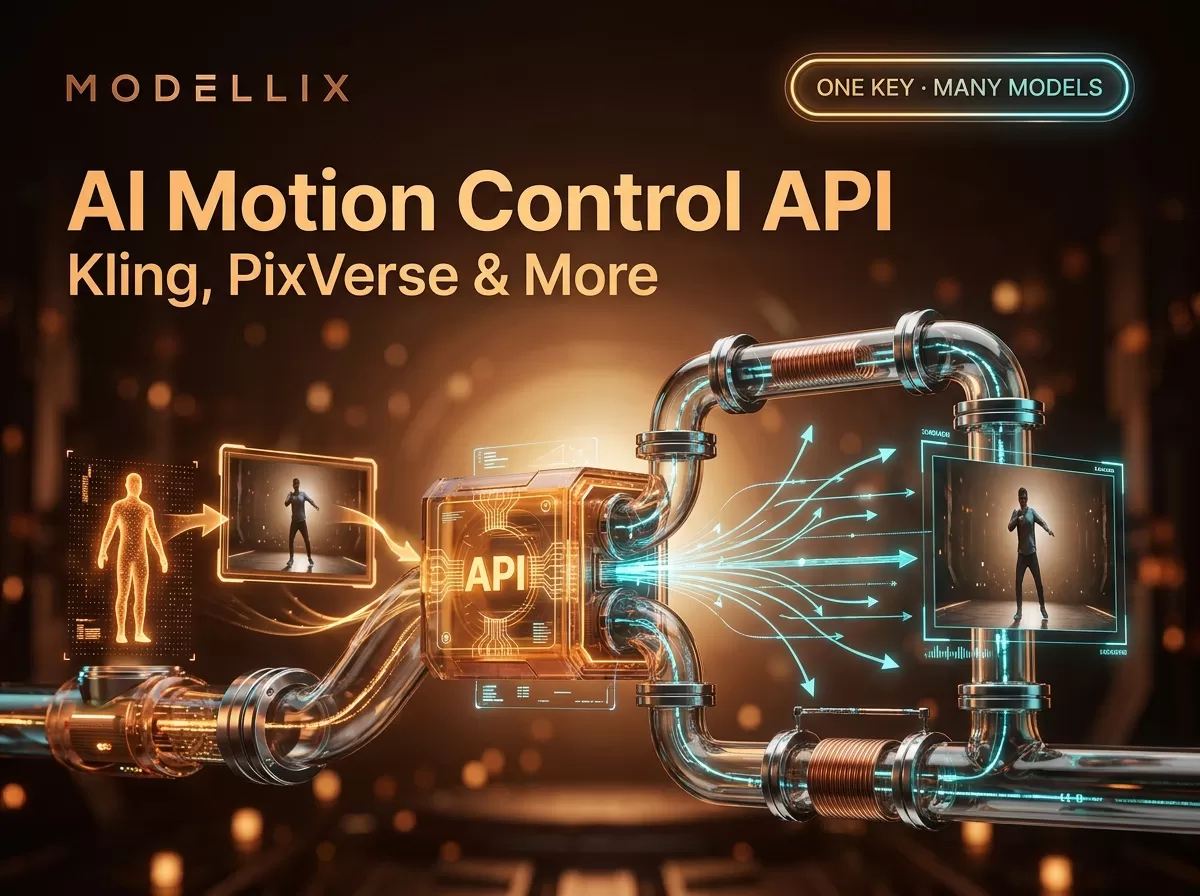
The motion control API flow: character image + reference video in, extracted motion transferred to the character, output video out. Illustration for this guide; not an official vendor diagram.
All of these are asynchronous jobs. The lifecycle is always submit → poll → retrieve: you post the job, poll a status endpoint, and download the video when the status reaches a terminal state. Billing is per second of output, tiered by resolution. That lifecycle is the same shape whether you call one provider directly or a unified API layer.
Kling motion control API: endpoints and parameters
Kling’s motion control is the most widely routed capability on this SERP, available in 2.6 and 3.0 variants through Kling’s official docs and through aggregators. The parameter surface is visible in the live schema of fal.ai’s Kling 2.6 Motion Control page. kie.ai’s Kling 2.6 Motion Control page mirrors the same endpoint:
| Field | Type | Notes |
|---|---|---|
prompt |
string | Style/atmosphere guidance (optional on some routes; ≤2,500 chars on kie’s schema) |
image / input_urls |
URL or file | Character image, jpg/png, ~10 MB |
video / video_urls |
URL or file | Reference video, mp4/mov, ~100 MB, 3–30 s |
character_orientation |
enum | "image": character keeps its own facing, max ~10 s output; "video": matches the reference performer, max ~30 s |
mode |
enum | 720p (standard) or 1080p (pro) on kie’s schema |
Orientation is the field that surprises integrators: choose image when you want the character’s original pose and facing preserved (short clips), video when the character should follow the performer’s direction (longer clips, dance and action sequences). Some Kling motion-control versions also preserve the reference clip’s audio and accept stylized characters (anime, 3D renders), per Segmind’s Kling Pro Motion Control page.
Kling prices by resolution and route: fal.ai lists its 2.6 Standard motion control at $0.07 per second, and kie.ai lists 11 credits/s ($0.055/s) for 720p and 18 credits/s ($0.09/s) for 1080p at its published credit rate. For the broader Kling API price surface — including v3 generation routes — see our Kling API pricing guide.
PixVerse Motion Control API: credits, not dollars
PixVerse’s Motion Control (Mimic) is the same motion-transfer pattern with a different billing model. The official Motion Control guide defines the request body with three fields: video_media_id (the uploaded reference video), img_id (the uploaded subject image), and quality — which accepts exactly 360p, 540p, or 720p. PixVerse does not offer 1080p for Motion Control, a fact that several how-to pages get wrong. Requests hit https://app-api.pixverse.ai/openapi/v2/ with two required headers: API-KEY and Ai-Trace-Id, which must be unique for every request.
PixVerse bills in credits per second of output, and the official Pricing page lists three tiers: 9 credits/s (360p), 10 credits/s (540p), and 12 credits/s (720p). At the $10-per-1,000-credits buy rate, that is $0.09, $0.10, and $0.12 per second. Two billing details matter: a generation that fails content moderation (status 7) is refunded automatically, and a request rejected during validation never deducts credits. For the rest of the PixVerse API surface — text-to-video, image-to-video, reference-to-video, effects — our PixVerse API integration guide covers the wider picture.
Vidu motion-sync, and how Wan handles motion
Two more providers complete the category picture — Vidu with a dedicated motion-sync route, and Wan with a split between prompt-driven image-to-video and a dedicated motion route.
Vidu exposes a motion-transfer route named motion-sync on Modellix: it takes a target character image (image_url) and a reference motion video (video_url), preserves the character’s appearance, and applies the reference body movements and poses. The Vidu motion-sync model page currently lists it at $0.0460 per second. Vidu’s official platform documentation organizes the API around Reference2Video, Image2Video, Start-End2Video, and Text2Video — motion transfer is not yet a headline capability in those docs, so treat the route as the practical way to get Vidu-style motion transfer today. For the rest of the Vidu Q2 surface, see our Vidu Q2 API guide.
Wan shows how the same family splits into two contracts. Alibaba’s Wan 2.2 image-to-video routes steer motion through the prompt — the prompt field is described as “motion and style guidance” — so they are not motion-control endpoints in the reference-video sense. Wan’s dedicated motion route on Modellix is wan2.2-animate-move: it takes the same motion-control inputs — a character image (image_url) plus a reference motion video (video_url, 2–30 s) — with wan-std ($0.0744/s) and wan-pro ($0.1115/s) modes. The honest split is: Wan’s I2V routes steer motion by prompt, while its dedicated motion route is animate-move. One caveat: the vendor flags wan2.2-animate-move as a legacy model (“Do NOT use this for new creations … maintained for backward compatibility”) — for new builds, route to a current Wan reference-to-video model such as Wan 2.7 Video Editing unless you explicitly need animate-move’s behavior. Our Wan 2.2 API guide documents the actual request fields.
Motion control API pricing: a like-for-like table
Comparing these providers requires converting everything to the same unit. The table below uses US dollars per second of output at the published quality tiers, converted from live sources accessed on August 12, 2026:
| Route | Quality tier | $ per second | Source |
|---|---|---|---|
| fal.ai — Kling 2.6 Motion Control (Standard) | standard | $0.07 | fal.ai model page |
| kie.ai — Kling 2.6 Motion Control | 720p | ~$0.055 | kie.ai model page |
| kie.ai — Kling 2.6 Motion Control | 1080p | ~$0.09 | same |
| PixVerse official (Mimic) | 360p | $0.09 | PixVerse pricing docs + credit buy rate |
| PixVerse official (Mimic) | 540p | $0.10 | same |
| PixVerse official (Mimic) | 720p | $0.12 | same |
Modellix — pixverse/motion-control |
360p | $0.0725 | Modellix model page |
Modellix — pixverse/motion-control |
720p | $0.0966 | same |
Modellix — vidu/motion-sync |
— | $0.0460 | Modellix model page |
Modellix — wan2.2-animate-move |
wan-std | $0.0744 | Modellix model page |
Modellix — wan2.2-animate-move |
wan-pro | $0.1115 | same |

Per-second cost converted from each source’s published unit, accessed August 12, 2026. PixVerse credits converted at the $0.01/credit buy rate; kie.ai credits at its published ~$0.005/credit rate. PixVerse membership plans and aggregator top-up bonuses change the effective rate; this chart is the pay-as-you-go baseline.
A few honest caveats before you budget: PixVerse’s official figures assume the $10-per-1,000-credits rate, and its membership plans lower the effective cost per credit; kie.ai’s effective price drops further with high-tier top-up bonuses; and Modellix prices are per-route displays that can change. The one stable conclusion is the shape of the market — motion transfer is a per-second product, and the spread across routes is roughly $0.046–$0.12 per second, so a 5-second clip costs between $0.23 and $0.60 depending on route and resolution.
Calling a motion control API: a unified Python flow
The submit → poll → retrieve pattern below is a template — wire create_fn, poll_fn, and fetch_video to your provider’s endpoints. The request bodies follow the verified field names from the provider schemas above; adapt the two headers and the status codes to your provider’s docs.
1 | import time |
Three practices separate working integrations from flaky ones. Generate a fresh request ID per call — PixVerse’s docs explicitly call out reused Ai-Trace-Id values as the most common cause of jobs hanging in “Generating.” Normalize provider states into your own enum (queued, running, succeeded, failed) so your pipeline code doesn’t depend on each vendor’s numeric codes. Store the job ID plus your internal request ID together — that turns “why is this job stuck” into a two-line lookup instead of a hunt through logs.
The same lifecycle is what an aggregator exposes: one submit/poll/retrieve shape across the providers above, which is why a single integration can reach Kling-style routes, PixVerse Mimic, and Vidu motion-sync without a per-vendor client. For a broader view of the API landscape this pattern applies to, our best AI video generation APIs roundup compares the surrounding options.
Common errors and how to debug them
The failures that stall motion-control integrations come from a short list:
- Validation rejects your inputs. Image without a clear person/animal, or reference video without a person as the primary focus — the request is rejected before generation and before any charge. Fix the asset, not the request.
- Job stuck in “Generating.” The most common cause is a reused request/trace ID. Generate a fresh UUID per request and retry.
- Duration caps you didn’t plan for. Kling’s
imageorientation caps output near 10 seconds whilevideoorientation allows up to 30. If your output must be 25 seconds, the reference orientation determines whether that is possible at all. - Unsupported resolution. PixVerse Mimic accepts only 360p/540p/720p — requesting 1080p fails validation. Check the enum before submitting, not after.
- Content moderation failure. Output filtered; PixVerse refunds the credits automatically. Adjust the subject or reference content and resubmit.
- Concurrent job limits. Providers cap parallel jobs per account; queue submissions server-side.
Motion control through an aggregator: when it makes sense
If your product calls exactly one motion-control endpoint, calling the provider directly is straightforward once the flow above is in place. The aggregator question is about the rest of your stack. Modellix currently exposes three live motion routes — pixverse/motion-control at $0.0725–$0.0966 per second, wan2.2-animate-move at $0.0744–$0.1115 per second (vendor-flagged legacy; backward-compatible, not for new builds), and vidu/motion-sync at $0.0460 per second — behind one API key, one bill, and one request lifecycle, alongside image and video models from 12 model brands (7 upstream providers) on the same platform.
Disclosure first, because the numbers matter: on today’s figures the Modellix pixverse/motion-control route displays below the official credit equivalent at every tier (720p: $0.0966/s vs $0.12/s at the standard credit rate) — but that comparison assumes the $0.01/credit buy rate, and PixVerse membership plans lower the official effective rate below it. The honest case for the aggregator is not “always cheaper”; it is one key, one bill, and one request lifecycle across providers, pay-as-you-go without prepaid credit balances. The vidu/motion-sync route is the lowest per-second line on this table either way. If your only workload is one motion route at volume, compare the direct route too — membership pricing can beat any aggregator display; if you route several video and image models through one integration, the trade-off flips. Compare routes only when model, quality, and billing unit match.
FAQ
What is an AI motion control API?
A motion control API transfers motion from a reference video onto a still character image: you provide a character image and a clip of someone moving, and the API generates a new video where the character reproduces the reference motion. Kling, PixVerse (Motion Control / Mimic), and Vidu (motion-sync) all expose this pattern; it is billed per second of output.
Is there a free motion control API?
No provider in this guide offers a free API tier. Consumer apps (like imagine.art) give away daily credits for their web tools, and PixVerse membership plans lower the effective cost per credit, but API access is paid, per second of output. Treat “free motion control” content as referring to consumer apps, not API endpoints.
Is there a real-time motion control AI available?
No — every motion control API in this guide is an asynchronous batch job. You submit the request, poll a status endpoint (typically every 3–5 seconds), and retrieve the video when it finishes. None of the providers covered here offers sub-second synchronous motion transfer at API level today.
Does Kling 3.0 have motion control, and how does it differ from 2.6?
Yes — Kling markets Motion Control in both 2.6 and 3.0 variants; aggregators list 3.0 motion control alongside the 2.6 routes. The core contract (image + reference video + orientation + mode) is the same; check the specific model page for resolution caps and per-second price, because 2.6 and 3.0 are priced separately.
What does the PixVerse motion control API cost?
Motion Control (Mimic) costs 9, 10, or 12 credits per second of output for 360p, 540p, and 720p respectively. At the $10-per-1,000-credits buy rate that is $0.09, $0.10, and $0.12 per second. PixVerse does not offer 1080p for this capability.
Does Wan have a motion control API?
Yes — on Modellix, Wan’s dedicated motion-transfer route is wan2.2-animate-move: a character image plus a reference motion video (2–30 s), with wan-std and wan-pro modes. Wan’s image-to-video routes are a different contract — they steer motion through the prompt (“motion and style guidance”) rather than a reference clip. If you need exact motion replication from a clip, use the animate-move route (vendor-flagged legacy — for new builds prefer a current reference-to-video route such as Wan 2.7 Video Editing) or Kling, PixVerse, or Vidu; if prompt-level motion is enough, Wan’s I2V routes work too.
Which motion control API is the cheapest?
At the pay-as-you-go baseline accessed August 12, 2026, the lowest per-second figure in this guide is the Modellix vidu/motion-sync route at $0.0460/s, followed by kie.ai’s Kling 2.6 720p at ~$0.055/s and fal.ai’s Kling 2.6 Standard at $0.07/s. PixVerse direct is $0.09/s at 360p at the standard credit rate. Effective prices shift with membership plans, top-up bonuses, and route availability — check the live source before committing budget.
Provider details and pricing reflect public information as of August 2026 and change frequently. Validate against each provider’s live pricing before committing. Access image and video models, including the leading Chinese models, through a single API key at modellix.ai.
Cover image: illustrative Modellix artwork; it is not a product screenshot or source evidence.